Running Claude Code agents in parallel: workflows, subagents, and whether it’s worth it
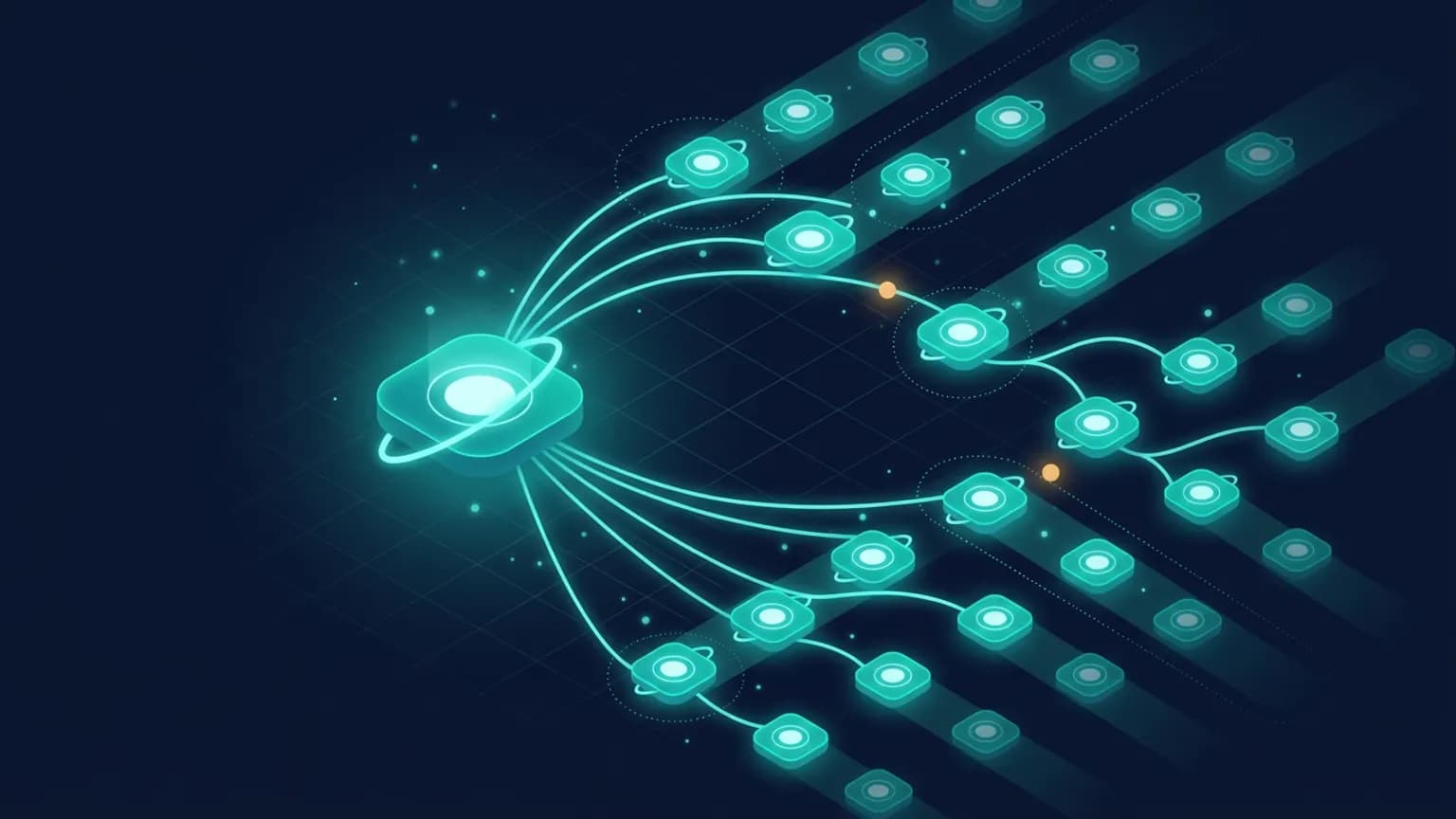
Claude Code can fan one task out to many specialist agents working at once — subagents inside a session, background workers you check on later, and /workflows, a script that orchestrates dozens to hundreds of subagents. This is the neutral walk-through: what each mechanism actually is, the patterns that hold up (fan-out, pipeline, git-worktree isolation, barriers), the honest cost and the “parallel agents don’t help” critique, and a 10-minute walkthrough to try it yourself.
On this page · 10 sections▾
TL;DR
- Subagents are workers Claude spawns inside one session. Each gets its own context window, its own tool restrictions, and returns only a summary. Claude orchestrates them turn by turn.
- Background subagents run concurrently while you keep working in the main conversation. Press
Ctrl+Bto background a running task. - Dynamic workflows (
/workflows) move the plan into a JavaScript script that the runtime executes in the background, fanning out to many subagents at once and returning one synthesized answer. They require Claude Code v2.1.154 or later on a paid plan. - The concurrency ceiling is real but finite. A workflow run allows up to 16 concurrent agents (fewer on machines with limited CPU cores) and 1,000 agents total per run. The everyday limit is your machine and your token budget.
- Parallel isn’t free or always faster. Fan-out wins for independent, read-mostly work (audits, research, mechanical migrations) and loses for tightly coupled edits where merge and review overhead dwarf the time saved. The skeptic case is in the honest cost view.
What /workflows and subagents actually are
Start with the worker. A subagent is a specialized assistant Claude Code spawns to handle a side task. Per Anthropic’s subagents documentation, each one “runs in its own context window with a custom system prompt, specific tool access, and independent permissions.” When Claude hits a task that matches a subagent’s description, it delegates; the subagent works independently and returns a result. That isolation is the whole point — verbose output (test logs, search results, file dumps) stays in the subagent’s context, and only the summary comes back to your main conversation.
Claude can run subagents in the foreground (blocking) or the background (concurrent). Background subagents run with the permissions already granted in the session and auto-deny anything that would otherwise prompt. You ask Claude to “run this in the background,” or press Ctrl+B on a running task. That’s the simplest form of parallelism: spawn three background researchers, keep typing, collect their summaries as they land.
A dynamic workflow is the next rung up. From Anthropic’s workflows documentation: “A dynamic workflow is a JavaScript script that orchestrates subagents at scale. Claude writes the script for the task you describe, and a runtime executes it in the background while your session stays responsive.” The difference from plain subagents is who holds the plan. With subagents, Claude decides turn by turn what to spawn next, and every result lands in its context window. A workflow puts the loop, the branching, and the intermediate results into script variables, so Claude’s context holds only the final answer. That’s what lets a single run coordinate dozens to hundreds of agents without drowning in its own output.
You don’t write the script. You describe the task — or include the keyword ultracode — and Claude writes the orchestration. The fastest way to see it is the bundled /deep-research workflow, which fans web searches across several angles, cross-checks the sources it finds, and returns a cited report with claims that didn’t survive cross-checking filtered out. Run /workflows any time to list running and completed runs and open a progress view that shows each phase’s agent count, token total, and elapsed time.
The four-rung parallelism ladder
Anthropic ships four distinct ways to take on multiple tasks at once, and the right one depends on who coordinates the work and whether the workers need to talk to each other. The “Run agents in parallel” overview lays them out:
| Approach | Who coordinates | Use when |
|---|---|---|
| Subagents | Claude, inside one session | A side task would flood your main conversation with output you won't reference again |
| Agent view (claude agents) | You hand off, check back later | Several independent tasks you want to dispatch and monitor from one screen (research preview) |
| Agent teams | A lead agent supervising peers | Claude splits a project, assigns pieces, and keeps workers in sync (experimental, off by default) |
| Dynamic workflows (/workflows) | A script the runtime executes | A job outgrows a handful of subagents, or you want findings cross-checked against each other |
Two supporting tools sit underneath all four. Worktrees give each session a separate git checkout so parallel workers never edit the same files — more on that in the patterns section. And /batch is a packaged skill that splits one large change into worktree-isolated subagents that each open a pull request. In every approach the workers are Claude sessions; to involve a different tool, you expose it through an MCP server.
How subagents differ from skills, plugins, and hooks
Parallelism is one axis; the four Claude Code primitives are another, and people conflate them constantly. The short version: a subagent is a worker with its own context window. A skill is instructions Claude follows in the main conversation’s context — same window, no isolation. A plugin packages and distributes capabilities, including subagents. A hook is a script that fires on a lifecycle event like SubagentStart or PostToolUse.
They compose rather than compete. A subagent can preload skills via its skills frontmatter field, define its own hooks, scope its own MCP servers, and ship inside a plugin. The reason to reach for a subagent specifically is context isolation and parallelism — if you just want a reusable prompt that runs in your main context, a skill is the lighter tool. We have a full decision tree for this; rather than re-derive it here, see Skills vs subagents vs plugins vs hooks and the broader Skills vs MCP vs subagents vs CLI decision matrix.
Four patterns that actually work
1. Parallel fan-out (independent investigations)
The canonical win. When several lines of inquiry don’t depend on each other, spawn one subagent per line. The documented example: “Research the authentication, database, and API modules in parallel using separate subagents.” Each subagent explores its area in its own context; Claude synthesizes the findings at the end. This works best when the research paths are genuinely disjoint — if module B’s answer changes how you’d explore module A, fan-out buys you nothing and you should chain instead.
When fan-out pays off
Codebase-wide audits, multi-source research, “find every place X is used” sweeps, drafting a hard plan from several independent angles before committing to one. Read- mostly work where the slices don’t overlap.
2. Pipeline (chained subagents)
For multi-step work, chain subagents in sequence: each completes its task and returns results, which Claude passes to the next. The documented shape: “Use the code-reviewer subagent to find performance issues, then use the optimizer subagent to fix them.” This is parallelism’s opposite — deliberately serial — but it belongs in the toolbox because most real work is a mix. You fan out to gather, then pipeline to act on what you gathered.
3. Git-worktree isolation (agents that write files)
Fan-out is safe when workers only read. The moment two agents write to the same files concurrently, you have a race. The fix is a git worktree: a separate checkout of the repo that shares history. Set isolation: worktree in a subagent’s frontmatter and it gets a temporary, isolated copy of the repository, branched by default from your default branch and cleaned up automatically if the subagent makes no changes.
You don’t always wire this by hand. Claude Code’s agent view moves each dispatched background session into its own worktree automatically, and the /batch skill exists precisely to split a large change into worktree-isolated subagents that each open a pull request. The mental model: one worktree per writer, reconcile at the merge boundary. See the worktrees guide for setup.
4. The barrier (when you must reconcile before continuing)
A barrier is a point where parallel work has to converge before anything proceeds — you can’t start step two until every worker from step one has finished and their outputs have been reconciled. Workflows model this naturally: the script can run a phase of independent agents, then have a later phase read all their results, including having “independent agents adversarially review each other’s findings before they’re reported.” That cross-check pass is a barrier.
One sharp constraint to plan around: a workflow run takes no mid-run user input. Per the documented behavior, “only agent permission prompts can pause a run. For sign-off between stages, run each stage as its own workflow.” So if your barrier needs a human to approve before the next fan-out, don’t bury it inside one workflow — split it into two runs with your review in between.
The honest cost and the skeptic view
Parallel agents are marketed as a speed multiplier. The honest accounting is more mixed, and three costs deserve to be named plainly.
Token burn. Anthropic’s own documentation is direct about it: “A workflow spawns many agents, so a single run can use meaningfully more tokens than working through the same task in conversation. Runs count toward your plan’s usage and rate limits like any other session.” Sixteen agents reading and reasoning in parallel is sixteen context windows you’re paying for. The advice that comes with it — “run the workflow on a small slice first” — is the right reflex.
Synthesis overhead. When subagents complete, their results return to your main conversation, and “ running many subagents that each return detailed results can consume significant context.” Fan-out moves the work off your main context, but the answers still have to come back and be merged. For tightly coupled changes, the cost of reconciling a dozen partial edits can exceed the time the parallelism saved.
The “parallel coding agents are a scam” critique. The skeptic position circulating in 2026 is worth engaging honestly. A widely-shared r/LocalLLaMA discussion framed it as “Stanford proves parallel coding agents are a scam” — the underlying argument being that for coupled code edits, running many agents in parallel often produces conflicting changes that cost more to merge and review than a single careful pass would have. That critique is correct for the case it describes: editing interdependent code. It does not generalize to read-mostly fan-out (research, audits, search), where there’s nothing to merge. The useful takeaway is to match the mechanism to the task shape rather than reaching for parallelism by reflex.
The flip side is just as real. Community threads documenting the /workflows launch and multiple Claude Code agents coordinating show genuine enthusiasm for the audit-and-research use cases. Both sides are describing different task shapes. Neither is wrong.
Try it: a 10-minute walkthrough
Concrete steps to see each rung of the ladder on a real repo.
- Confirm your version. Run
claude --version. Dynamic workflows need v2.1.154 or later on a paid plan; on Pro, turn them on from the Dynamic workflows row in/config. - Start with a free win. Run a bundled workflow you can’t get wrong:
Approve the run when prompted. It fans out, cross-checks sources, and lands one cited report. Open/deep-research What changed in the Node permission model between v20 and v22?/workflowsmid-run to watch each phase’s agent count and token total. - Try a plain parallel fan-out. In a real codebase, ask:
Watch the subagent panel below the prompt — each worker has its own context and returns a summary.Research the auth, database, and API layers in parallel using separate subagents, then summarize how they fit together. - Make a workflow for your own task. Prefix a real job with the keyword:
Claude writes a workflow script instead of working turn by turn. Before it runs, choose View raw script to read the orchestration Claude wrote.ultracode: audit every route under src/ for missing auth checks and list the gaps - Isolate a writer. For a task that edits files in parallel, ask Claude to run the writing subagents with
isolation: worktreeso each gets its own checkout, or use the/batchskill to split a large change into worktree-isolated subagents that each open a PR. - Save what worked. If a workflow run did what you wanted, open
/workflows, select the run, and presssto save its script as a reusable/<name>command.
When serial beats parallel
The decision is mostly about task shape. Use the heuristics below before reaching for fan-out.
Go parallel when
Subtasks are independent and read-mostly; the work is big enough that one conversation can’t coordinate it (a codebase audit, a 500-file mechanical migration, research across many sources); or you want findings cross-checked against each other.
Stay serial when
The task needs frequent back-and-forth or iterative refinement; multiple phases share significant context (planning → implementation → testing); the change is small and targeted; or the edits are interdependent and would conflict on merge. Latency also favors serial — subagents start fresh and need time to gather context.
The official guidance echoes this: use the main conversation when “multiple phases share significant context” or “you’re making a quick, targeted change,” and reach for subagents when “the task produces verbose output you don’t need in your main context.” Parallelism is a tool for a specific shape of problem, not a default. Match the mechanism to the work and it earns its keep; reach for it by reflex and you pay tokens for coordination overhead that a single careful pass would have avoided.
Frequently asked questions
How do I run multiple Claude Code agents in parallel?
Three native paths. (1) Subagents: ask Claude to "research the auth, database, and API modules in parallel using separate subagents" — each runs in its own context window and returns a summary. (2) Background subagents run concurrently while you keep working; press Ctrl+B to background a running task. (3) Dynamic workflows (/workflows) have Claude write a script that fans out to many subagents at once. For sessions you drive yourself in separate git checkouts, use worktrees so they never touch the same files.
What is /workflows in Claude Code?
A dynamic workflow is a JavaScript script that orchestrates subagents at scale. Claude writes the script for the task you describe, a runtime executes it in the background while your session stays responsive, and you get one synthesized answer instead of a turn-by-turn transcript. The /workflows command lists running and completed runs and opens a progress view showing each phase's agent count, token total, and elapsed time. Dynamic workflows require Claude Code v2.1.154 or later and are available on paid plans.
Do parallel agents actually help, or is it hype?
It depends on whether the subtasks are genuinely independent and read-mostly. Fan-out wins for codebase audits, multi-source research, and large mechanical migrations where each worker explores a disjoint slice. It loses when the subtasks share state, need to be reconciled, or when the cost of synthesizing many detailed results back into one context exceeds the time saved. The skeptic critique — that parallel coding agents are often slower and more expensive once you count merge and review overhead — is worth taking seriously for tightly coupled edits.
How many subagents can Claude Code run at once?
Inside a single conversation, Claude delegates a few subagents per turn. Dynamic workflows raise the ceiling: the runtime allows up to 16 concurrent agents (fewer on machines with limited CPU cores) and 1,000 agents total per run, a cap that exists to prevent runaway loops. The practical limit is usually your machine's resources and your plan's token budget rather than the hard cap.
What are Claude Code git worktrees and why use them for agents?
A git worktree is a separate checkout of your repository sharing the same history. For agents that write files, worktrees prevent two workers from editing the same files at once. You can set isolation: worktree in a subagent's frontmatter to give it a temporary, auto-cleaned-up copy of the repo branched from your default branch. Claude Code's agent view also moves each dispatched background session into its own worktree automatically, and the /batch skill splits one large change into worktree-isolated subagents that each open a pull request.
What is the difference between a subagent and a dynamic workflow?
With subagents, Claude is the orchestrator: it decides turn by turn what to spawn next, and every result lands back in its context window. A workflow moves the plan into a script — the loop, the branching, and the intermediate results live in script variables, so Claude's context holds only the final answer. Subagents scale to a few delegated tasks per turn; workflows scale to dozens or hundreds of agents per run, and the orchestration itself is repeatable and re-runnable.
What is ultracode in Claude Code?
Ultracode is a keyword and an effort level that opts a task into workflow orchestration. Put the word ultracode in a prompt and Claude writes a workflow script for that one task instead of working through it turn by turn. Set /effort ultracode and Claude plans a workflow for every substantive task in the session. It uses more tokens and takes longer, so it's for hard, parallelizable work — not routine edits.
Are subagents the same as skills, plugins, or hooks?
No. A subagent is a worker with its own context window and tool restrictions. A skill is instructions Claude follows in the main conversation's context. A plugin packages and distributes capabilities (including subagents). A hook is a script that fires on a lifecycle event. They compose — a subagent can preload skills, run hooks, and ship inside a plugin. See the dedicated breakdown linked at the end of this post for the full decision tree.
Sources
Primary — Anthropic / Claude Code docs
- code.claude.com — Orchestrate subagents at scale with dynamic workflows —
/workflows,/deep-research,ultracode, the v2.1.154 requirement, the 16 concurrent / 1,000-per-run caps, and the no-mid-run-input constraint - code.claude.com — Create custom subagents — own context window, automatic delegation, foreground vs background,
isolation: worktree, parallel- research and chaining patterns - code.claude.com — Run agents in parallel — the four-rung comparison (subagents, agent view, agent teams, workflows), worktrees, and the
/batchskill - code.claude.com — Run parallel sessions with worktrees
Community / corroborating
- r/ClaudeCode — “Claude Code dropped /workflows” (May 22, 2026)
- r/AI_Agents — “Claude Code just spawned 3 AI agents that talked to each other” (Feb 7, 2026)
- r/LocalLLaMA — the “Stanford proves parallel coding agents are a scam” thread (Jan 27, 2026) — the skeptic framing
- CloudYeti | AI Engineering — “Claude Code Dynamic Workflows Explained: 1,000 Agents at Once”
Internal links
- /blog/claude-code-skills-vs-subagents-vs-plugins-vs-hooks-2026 — the four primitives, decision tree
- /blog/claude-skills-vs-mcp-vs-subagents-vs-cli-2026-decision-matrix — broader decision matrix
- /blog/claude-code-best-practices
- /servers — browse MCP servers to expose other tools to your agents