Higgsfield MCP: Agentic Image and Video Generation (2026)
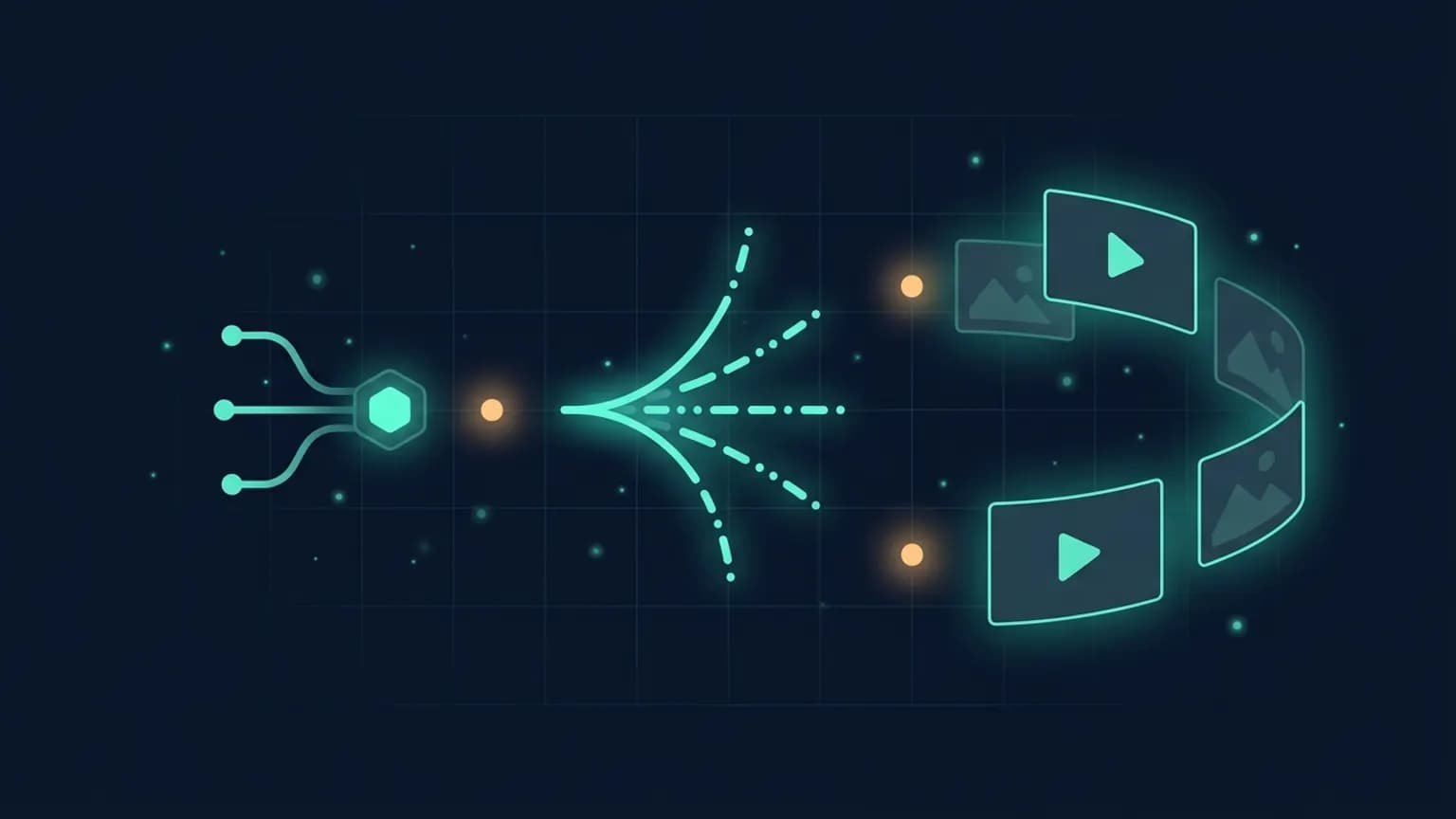
Higgsfield just shipped one of the most ambitious creative MCP servers we’ve seen: agentic access to Seedance 2.0, GPT Image 2, Sora 2, Veo, Kling, Nano Banana Pro and 25-plus more models — through one connector URL, no API keys, billed against your existing Higgsfield plan. Here is the developer-grade tour.
On this page · 17 sections▾
TL;DR
- Higgsfield MCP is a hosted MCP server at
https://mcp.higgsfield.ai/mcpthat exposes 30-plus image and video models as agent tools. - Add it to Claude (Settings → Connectors), Cursor, OpenClaw, Hermes Agent, NemoClaw, or any MCP client. Authenticate once with your Higgsfield account. No API keys.
- Models include Seedance 2.0, Sora 2, Kling 3.0, Veo 3.1, WAN 2.6, Hailuo 02 for video and GPT Image 2, Nano Banana Pro, Soul 2.0, Flux 2, Seedream 5.0 Lite for image — all behind the same tool surface.
- Beyond raw generation, the server ships Marketing Studio presets (UGC, unboxing, TV spot, hyper motion, product review) and a Soul Character tool that keeps cast consistency across multi-shot productions.
- Pricing rides your existing Higgsfield plan credits. Costs vary by model and resolution.
What Higgsfield MCP is
Higgsfield is a creative-AI platform — until last week, you used it through their web app, a Telegram bot, or their first-party iOS/desktop clients. The MCP launch turns the same rendering stack into something fundamentally different: a tool surface that any LLM agent can plan against.
Mechanically, it’s a remote MCP server speaking the streamable-http transport with OAuth-style authentication. You add the URL to your client, log in once, and from that moment every Higgsfield model — image and video — is just another set of tools the model can pick from. Same way you’d let an agent call git status or query Postgres, but the tool returns a 4K still or a 15-second 1080p clip.
If you’ve been following the protocol, the relevant primer is What is the Model Context Protocol. Higgsfield MCP is a textbook example of the “tool” primitive — every model is a write-allowed RPC the agent decides to invoke based on the prompt.
The launch tweet
Higgsfield announced it on April 28, 2026 with a thirty-second demo and a four-line pitch:
Higgsfield MCP is HERE! 🧩
— Higgsfield AI 🧩 (@higgsfield) April 28, 2026
You can now create content end-to-end inside any agent: OpenClaw, Hermes Agent, NemoClaw.
The only way to get agentic access to Seedance 2.0, GPT Images 2.0, and every other top model.
Let your agents build content while you sleep. pic.twitter.com/ptgIppoWLE
Two phrases in there are doing the heavy lifting. “End-to-end inside any agent” means planning, generation, iteration, and delivery happen in the same loop — no tool-switching to a web UI mid-flow. “While you sleep” is the operating model: long-running async jobs, queued and polled, with the agent handling rejections and re-renders without you babysitting the screen.
Why it matters
Generative video and image work has been agent-hostile. The friction lived in the API surface: every model — Sora, Veo, Kling, Seedance, Hailuo — has its own auth, its own request shape, its own polling semantics, its own pricing units, and its own ban list of prompt patterns. Wiring three of them into one agent was a week-long integration project. Wiring fifteen — including the 4K, near-perfect-text-rendering tier like GPT Image 2 — was nobody’s idea of a weekend hack.
Higgsfield collapses that to one MCP connector. Your agent doesn’t care which underlying API serves the request; it picks the model the way a designer would — “use Soul 2.0 for the fashion still, Seedance 2.0 for the product motion shot, Veo 3.1 if the brief calls for cinematic camera language.” The model’s reasoning happens at thetool description layer. As long as Higgsfield writes those well, the LLM picks competently.
Why “agentic access” is the real headline
A web UI is for one human iterating on one shot. An MCP server is for an agent iterating on one campaign. The difference shows up the moment you ask for a 12-asset social pack with consistent characters and a shared brand palette — the agent can fan out across models, retry rejections, swap failed shots for adjacent prompts, and assemble the delivery bundle. That loop is impossible without the tool surface.
Every model exposed
Below is the lineup at launch. Treat it as a snapshot — Higgsfield has been shipping new models monthly and the MCP server picks them up automatically.
Image models
- GPT Image 2 — 4K with near-perfect text rendering. The pick when posters, packaging, or signage are in frame.
- Nano Banana Pro — billed by Higgsfield as the “best 4K image model ever.” Strong on composition and lighting fidelity.
- Soul 2.0 — ultra-realistic fashion and portrait visuals; the headline model for editorial.
- Flux 2 — fast, faithful, the workhorse for general-purpose stills.
- Seedream 5.0 Lite — visual-reasoning tier; useful when the prompt is concept-heavy rather than pixel-precise.
- Soul, Flux, Seedream — earlier generations kept available for cost-tier and style compatibility.
Video models
- Seedance 2.0 — 1080p with sharper detail and smoother motion than 1.0; Higgsfield’s default pick for product motion.
- Sora 2 — OpenAI’s flagship, brokered through Higgsfield rather than direct.
- Kling 3.0 — cinema-grade, full 4K, the model to reach for when the brief demands camera-move polish.
- Veo 3.1 — Google’s long-form video generator; the strongest at coherent multi-second narrative.
- WAN 2.6 — fast, expressive, often the cheapest path to a usable clip.
- Minimax Hailuo 02 — character-driven animation strength.
- Seedance, Kling — earlier generations retained for compatibility.
One nuance worth flagging: the model field on a tool call is a hint, not a hard constraint. If the prompt is wildly off-brief for the chosen model, the agent (or Higgsfield itself, in some cases) may route to a more appropriate one. Treat model selection as part of the prompt, not part of the contract.
Install in 60 seconds
Three steps in Claude — the other clients are nearly identical.
- Open Claude (web or Cowork). Settings → Connectors → Add custom connector.
- Name it
Higgsfield. URL:https://mcp.higgsfield.ai/mcp. - Click Connect. Authenticate with your Higgsfield account. Done.
The same URL works for any client that accepts a remote MCP server. In Cursor or VS Code, drop it into the MCP server list in your client settings — same one-time OAuth handshake. For programmatic agents (Claude Code, OpenAI Agents SDK, LangChain), point your MCP client at the URL and forward the bearer token from the OAuth flow.
After installation, ask the agent “list your tools” — it should enumerate generation, history, marketing-studio, and character-training tools under the Higgsfield namespace. Once that list is visible, the connector is healthy.
The tool surface
Higgsfield’s server groups its tools into roughly five buckets. The exact tool names will evolve, but the shape is stable.
Image generation
Text-to-image up to 4K. Arguments include prompt, model (GPT Image 2, Nano Banana Pro, Soul 2.0, Flux 2, Seedream Lite), aspect ratio, optional reference image. Returns immediately on success — image generation is synchronous.
Video generation
Text-to-video up to 15 seconds. Arguments include prompt, model (Seedance 2.0, Sora 2, Kling 3.0, Veo, Hailuo, WAN), duration, aspect ratio, genre, frame controls. Returns a job handle the agent polls until the clip is ready.
Marketing Studio
Nine curated presets (UGC, unboxing, product review, hyper motion, TV spot, and others) that take a product URL or photo and return a finished short-form ad. The preset encapsulates aspect ratio, pacing, and shot grammar so the agent doesn’t have to.
Soul Character (cast consistency)
Train a character once from a small set of references, then invoke that character ID across subsequent image and video generations. The single feature that makes multi-shot productions actually work in an agent loop.
History and assets
Browse and search every prior generation, fetch a specific asset by ID, and use any past output as a reference for a new generation. The point of this tool is iteration: the agent can “try again, but more like the third version you made yesterday.”
First prompts to try
Three starter requests to verify the connector and feel out the model picker.
1. Hero still for a new product.
Generate a hero shot for a matte-black ceramic pour-over coffee dripper
on a warm-grey concrete countertop, soft morning window light from
camera-left, shallow depth of field, 16:9, 4K. Use whichever Higgsfield
model handles fashion-grade product photography best.
The agent should reach for Soul 2.0 or Nano Banana Pro. If it picks Flux 2, it’s optimizing for cost — fine if that’s what you want, worth a follow-up if not.
2. 6-second product motion clip.
Create a 6-second 1080p product motion clip of the same coffee dripper
slowly rotating, with steam curling from the rim. Cinematic, locked-off
camera, neutral background. Pick the Higgsfield video model that handles
product motion at 1080p best.
Expect Seedance 2.0. The job goes async — the agent should report the handle, then poll until the clip lands.
3. Marketing Studio one-liner.
Use the Marketing Studio "unboxing" preset on this product page:
https://example.com/products/dripper. Vertical 9:16 for TikTok.
Show me the result inline when ready.
This one tests the preset path. The Marketing Studio tool reads the URL, builds the brief from product copy and imagery, and returns a finished ad. If you’ve never seen an agent produce a usable short-form ad in one tool call, this is the demo to run first.
Marketing Studio agents in detail
The Marketing Studio surface deserves its own section because it’s the biggest behavioral shift compared to plain generation tools. The presets aren’t themes — they’re shot-grammar templates.
- UGC — handheld feel, vertical, mid-shot product placement, cuts every 1.5–2 seconds.
- Unboxing — overhead or close-up, slow reveal, packaging-first beats.
- Product review — talking-head with B-roll inserts, natural cadence, pull-back at the close.
- Hyper motion — punchy 4–6 second cuts, fast zooms, the highest-energy preset for paid social.
- TV spot — cinematic 15-second ad with beginning-middle-end structure and brand resolve at the end.
Each preset hides the messy parts: aspect ratio, pacing, model selection, prompt scaffolding, and post-generation handoff. Your agent decides which preset to invoke and supplies the brief. Higgsfield handles the rest.
In practice, this is what makes the “build content while you sleep” pitch real. A campaign-planning agent can pick the preset, kick the job, queue the next preset, evaluate the output when it lands, and either accept it or re-run with a tweaked brief. None of that is novel orchestration — what’s new is that the underlying assets are 4K, brand-coherent, and made by the same family of models the rest of the industry uses.
Soul Character: cast consistency
The single feature that elevates Higgsfield MCP from “impressive agentic toy” to “production-grade campaign tool” is the Soul Character system. Plain text-to-image and text-to-video are stochastic — ask for “the same person, different outfit” and you’ll get someone who looks 80% the same and 20% randomized. That gap is the difference between “cute proof of concept” and “something a brand can ship.”
Soul Character closes the gap by training a character ID from a handful of reference images. After that, every subsequent generation can reference the ID — and across image and video, across models, the cast stays coherent. For a 12-shot social pack, that is the entire battle.
The agent workflow looks like: train once at the start of the session (cost: a few credits, a couple of minutes), then invoke the character ID in every generation that follows. Because the training step is exposed as a tool, an unattended agent can set up its own cast at the start of a campaign and tear it down at the end.
OpenClaw, Hermes Agent, NemoClaw
Higgsfield calls out three agents by name in the launch tweet. None of them are the “default” agents most readers will be using — that’s Claude (web and Claude Code), Cursor, and ChatGPT — but the three named ones are worth knowing because they signal where Higgsfield expects the heavy production-grade workflows to land.
- OpenClaw — an open-source agent runtime that ships MCP support out of the box. Useful if you want a campaign-planner running on your own infrastructure with Higgsfield as the rendering backend.
- Hermes Agent — a managed agent product positioned for marketing and content teams. The combination of Hermes plus Higgsfield is the most opinionated end-to-end campaign stack on offer right now.
- NemoClaw — a more vertically focused creator-first agent. The pitch is closer to “personal director” than “ad shop in a box.”
You don’t need any of these to use Higgsfield MCP — the same connector URL works in Claude Desktop or Cursor. The named agents are useful when you want a runtime purpose-built for long-running creative loops with budget caps and review gates. For day-to-day “make me a hero shot,” the general-purpose clients are perfectly fine.
Sleep-mode workflows that actually work
The most-quoted line from the launch — “let your agents build content while you sleep” — is a pitch, not a feature. The feature is async tool calls plus a tool surface broad enough that an agent can iterate on rejection without your input. Three concrete patterns where that pays off:
Overnight campaign generation. Plan in the evening: brief, audience, brand palette, target preset list. The agent fans out across Marketing Studio presets, queues the jobs, polls them, and assembles a delivery bundle. You wake up to a folder of finished short-form ads, with a shot log and the rejected attempts grouped underneath.
Multi-model bake-off. Same prompt across Soul 2.0, Nano Banana Pro, GPT Image 2, Flux 2. The agent collates the results into a side-by-side and recommends the best fit for the brief. Used to be a half-day of switching between web UIs; now it’s a single tool call multiplied by N.
Asset library ingestion. Point the agent at a pile of raw product shots. It uses the history and reference tools to anchor a Soul Character, generates a coherent merchandising set, and tags everything in the Higgsfield history with consistent metadata. Re-runnable, idempotent, survives weekly product launches.
Common mistakes
Treating video calls as synchronous
Image calls return inline. Video calls return a job handle and the agent polls. If your agent harness has aggressive tool-call timeouts, it will appear to fail. Increase the timeout or wrap the polling in a long-running loop.
Pinning the model in the prompt
Telling the agent “always use Seedance 2.0” is fine for one shot, terrible for a campaign. Different briefs suit different models. Let the agent pick — and tell it which models you trust for which briefs in the system prompt instead of hard-pinning.
Skipping Soul Character on multi-shot work
Without a trained character ID, every generation re-rolls the cast. You will burn credits on shots that look 80% the same and 20% wrong. Train once at the start of any campaign that involves a recurring subject.
No budget cap on the agent
A 4K Kling 3.0 video at maximum duration is not cheap. An overnight loop that retries indefinitely on rejection can drain a credit pool. Set per-session and per-job caps in your agent harness or via the system prompt before pressing go on anything unattended.
Asking for text in image generations on the wrong model
Most diffusion models still mangle in-frame typography. Higgsfield’s answer is GPT Image 2, which advertises near-perfect 4K text rendering. If your brief involves a poster, a product label, or signage, route to GPT Image 2 explicitly.
Cost and latency
Hard numbers shift weekly, so the durable thing to know is the shape of the cost.
- Image generation bills in single-digit credits per image. 4K models (GPT Image 2, Nano Banana Pro) cost more than fast tiers (Flux 2, Seedream Lite). Latency: 5–20 seconds typical.
- Video generation bills in tens-to-hundreds of credits depending on model, duration, and resolution. A 6-second 1080p Seedance 2.0 clip is mid-range; a 15-second 4K Kling 3.0 clip sits at the top. Latency: 30 seconds to a few minutes.
- Marketing Studio presets run a multi-step pipeline internally — expect them to bill closer to the high end of video, since they generate multiple shots and composite them.
- Soul Character training is a one-time per character cost, then free to reference in subsequent generations.
- History and asset reads are free. Use them liberally to avoid re-generating shots you already have.
The verdict
Our take
Add it. Higgsfield MCP is the first creative-AI server that takes the “agent does the whole campaign” pitch seriously. Thirty-plus models behind one connector, OAuth instead of API key sprawl, async-shaped tools that play nicely with long-running agent loops, and the Soul Character primitive that finally makes multi-shot work production-grade. If you spend any time on creative-asset generation in agent workflows, this is the connector to install first.
The caveats are the usual creative-AI caveats — budget caps, human review before anything ships to customers, and a habit of letting the agent pick the model rather than pinning. None of those are Higgsfield-specific; they’re the cost of doing business with a tool surface this powerful.
Frequently asked questions
What is Higgsfield MCP?
Higgsfield MCP is a remote Model Context Protocol server that exposes Higgsfield's full image and video generation stack — Seedance 2.0, GPT Image 2, Sora 2, Veo, Kling, Nano Banana Pro, Soul, Flux 2, and more — as tools any MCP-compatible AI agent can call. The server is hosted at mcp.higgsfield.ai/mcp and supports streamable-http with OAuth, so no API keys live in your config.
Which agents can connect to Higgsfield MCP?
Anything that speaks MCP. Higgsfield highlights Claude (web, Cowork, and Claude Code), OpenClaw, Hermes Agent, and NemoClaw, but Cursor, VS Code Copilot Chat, Cline, and any custom agent built on the Anthropic, OpenAI, or open-source SDKs can use the same connector URL.
Do I need API keys for Seedance, Veo, Sora, or GPT Image?
No. Higgsfield MCP is the abstraction layer — you authenticate once with your Higgsfield account, and the server brokers requests to every underlying model on your behalf. Generation cost is billed in Higgsfield credits from your existing plan.
What models are exposed through Higgsfield MCP?
Image: Soul, Soul 2.0, Nano Banana Pro, Flux, Flux 2, Seedream 5.0 Lite, GPT Image 2. Video: Seedance, Seedance 2.0, Kling, Kling 3.0, Veo 3.1, Sora 2, Minimax Hailuo 02, WAN 2.6. Higgsfield ships new models behind the same MCP surface as they're added — your agent picks them up without code changes.
Can my agent generate full marketing campaigns end-to-end?
Yes — that is the headline use case. The Marketing Studio tools include nine curated presets (UGC, unboxing, product review, hyper motion, TV spot, and more) that take a URL or product photo and return a finished short-form ad. Combined with the Soul Character tool for cast consistency, an agent can plan a campaign, generate the assets, iterate on rejections, and hand back a delivery package in one session.
How long does video generation take?
Video calls are asynchronous. The agent kicks off a job and polls; depending on the model, duration, and resolution, jobs typically finish in tens of seconds to a few minutes. The MCP tool surface returns a job handle and the agent waits — no need to keep a long-lived HTTP connection open.
Is this safe to run unattended overnight?
Higgsfield's pitch is literally 'let your agents build content while you sleep.' The hard part is the same as any agent loop: budget caps, idempotency on rejections, and a human review step before anything ships to customers. The MCP server itself is safe; the workflow around it is what you have to design.
Sources
Primary
- higgsfield.ai/mcp — official MCP server documentation, install steps, supported client list.
- higgsfield.ai — model catalog (Seedance 2.0, GPT Image 2, Sora 2, Kling 3.0, Veo 3.1, Nano Banana Pro, Soul 2.0, Flux 2, Seedream).
- Higgsfield AI launch tweet (April 28, 2026) — “Higgsfield MCP is HERE!”
- What is the Model Context Protocol? — protocol primer if you’re new to MCP.
Internal