
AI Intervention Agent
Allows users to intervene and provide feedback to AI agents in real-time through a web interface when they're going off track. Helps keep MCP agents aligned with user intent during task execution.
Enables real-time user intervention for MCP agents through a web UI, allowing users to review context and provide feedback when AI agents drift from intent, keeping them on track.
What it does
- Request interactive feedback from users via web UI
- Display context and questions to users in Markdown format
- Collect user input to guide agent behavior
- Provide real-time intervention during agent execution
Best for
About AI Intervention Agent
AI Intervention Agent is a community-built MCP server published by XIADENGMA that provides AI assistants with tools and capabilities via the Model Context Protocol. AI Intervention Agent enables human-in-the-loop AI with real-time intervention via a web UI—review context, give feedback, and monitor MCP agents to keep them… It is categorized under ai ml, developer tools. This server exposes 1 tool that AI clients can invoke during conversations and coding sessions.
How to install
You can install AI Intervention Agent in your AI client of choice. Use the install panel on this page to get one-click setup for Cursor, Claude Desktop, VS Code, and other MCP-compatible clients. This server runs locally on your machine via the stdio transport.
License
AI Intervention Agent is released under the MIT license. This is a permissive open-source license, meaning you can freely use, modify, and distribute the software.
Tools (1)
MCP 工具:请求用户通过 Web UI 提供交互式反馈 参数 ---- message : str, required 向用户显示的问题或消息(Markdown 格式支持) 最大长度: 10000 字符(超出部分自动截断) predefined_options : Optional[list], optional 预定义选项列表,用户可多选或单选 - 每个选项最大长度: 500 字符 - 非字符串选项会被自动过滤 - None 或空列表表示无预定义选项 返回 ---- list MCP 标准 Content 对象列表,包含用户反馈: - TextContent: {"type": "text", "text": str} 包含选项选择和用户输入的文本 - ImageContent: {"type": "image", "data": str, "mimeType": str} 用户上传的图片(base64 编码) 示例 ---- 简单文本反馈: interactive_feedback(message="确认删除文件吗?") 带选项的反馈: interactive_feedback( message="选择代码风格:", predefined_options=["Google", "PEP8", "Airbnb"] ) 复杂问题: interactive_feedback( message="""请审查以下更改: 1. 重构了 ServiceManager 类 2. 添加了多任务支持 3. 优化了通知系统 请选择操作:""", predefined_options=["Approve", "Request Changes", "Reject"] )









When using AI CLIs/IDEs, agents can drift from your intent. This project gives you a simple way to intervene at key moments, review context in a Web UI, and send your latest instructions via interactive_feedback so the agent can continue on track.
Works with Cursor, VS Code, Claude Code, Augment, Windsurf, Trae, and more.
Quick start
- Install:
pip install ai-intervention-agent

# or
uv add ai-intervention-agent
- Configure your AI tool to launch the MCP server via
uvx:
{
  "mcpServers": {
    "ai-intervention-agent": {
      "command": "uvx",
      "args": ["ai-intervention-agent"],
      "timeout": 600,
      "autoApprove": ["interactive_feedback"]
    }
  }
}
[!NOTE] >
interactive_feedbackis a long-running tool. Some clients have a hard request timeout, so the Web UI provides a countdown + auto re-submit option to keep sessions alive.
Prompt snippet (copy/paste)
- Only ask me through the MCP `ai-intervention-agent` tool; do not ask directly in chat or ask for end-of-task confirmation in chat.
- If a tool call fails, keep asking again through `ai-intervention-agent` instead of making assumptions, until the tool call succeeds.

ai-intervention-agent usage details:

- If requirements are unclear, use `ai-intervention-agent` to ask for clarification with predefined options.
- If there are multiple approaches, use `ai-intervention-agent` to ask instead of deciding unilaterally.
- If a plan/strategy needs to change, use `ai-intervention-agent` to ask instead of deciding unilaterally.
- Before finishing a request, always ask for feedback via `ai-intervention-agent`.
- Do not end the conversation/request unless the user explicitly allows it via `ai-intervention-agent`.
Screenshots


Feedback page (auto switches between dark/light)
More screenshots (empty state + settings)


Empty state (auto switches between dark/light)
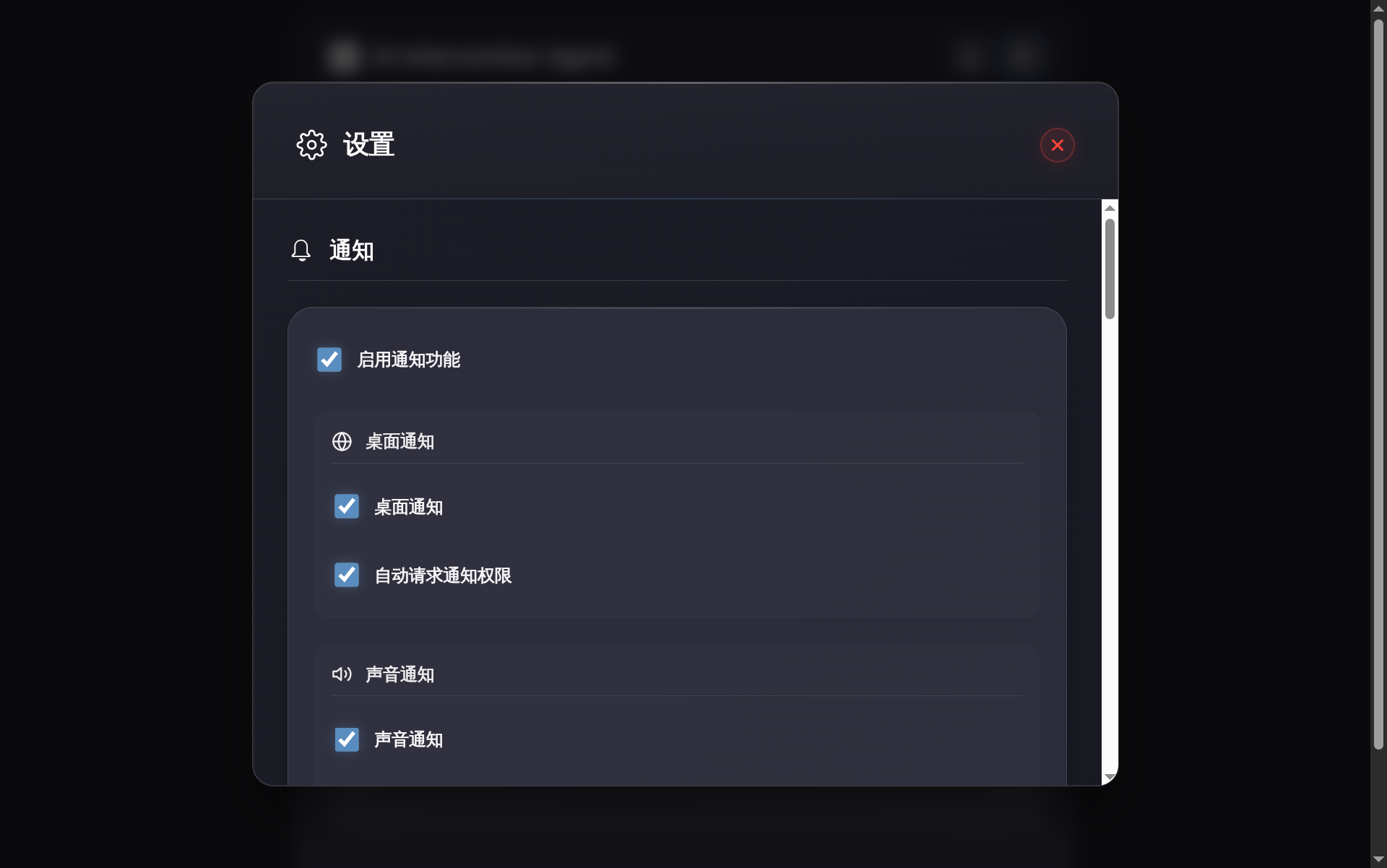
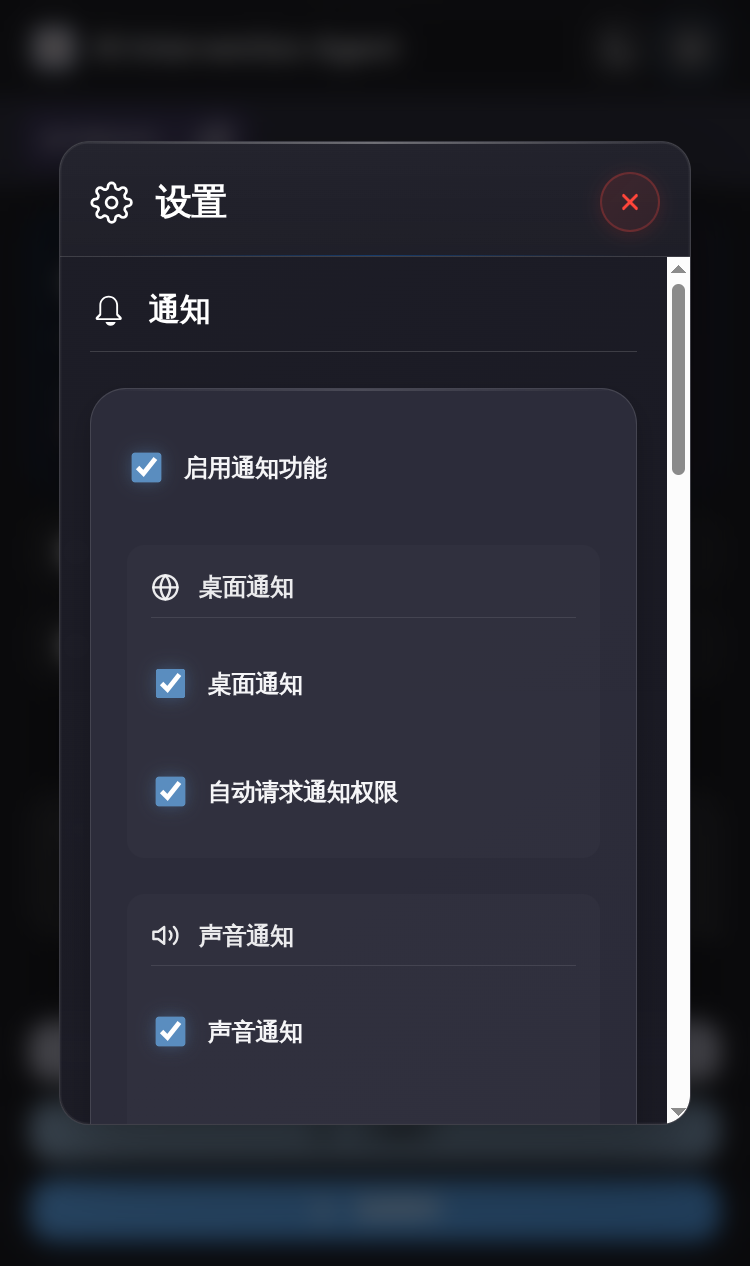
Settings (dark)
Key features
- Real-time intervention: the agent pauses and waits for your input via
interactive_feedback - Web UI: Markdown, code highlighting, and math rendering
- Multi-task: tab switching with independent countdown timers
- Auto re-submit: keep sessions alive by auto-submitting at timeout
- Notifications: web / sound / system / Bark
- SSH-friendly: great with port forwarding
VS Code extension (optional)
| Item | Value |
|---|---|
| Purpose | Embed the interaction panel into VS Code’s sidebar to avoid switching to a browser. |
| Install (Open VSX) | Open VSX |
| Download VSIX (GitHub Release) | GitHub Releases |
| Setting | ai-intervention-agent.serverUrl (should match your Web UI URL, e.g. http://localhost:8080; you can change web_ui.port in config.jsonc.default) |
Configuration
| Item | Value |
|---|---|
| Docs (English) | docs/configuration.md |
| Docs (简体中文) | docs/configuration.zh-CN.md |
| Default template | config.jsonc.default (on first run it will be copied to config.jsonc) |
| OS | User config directory |
|---|---|
| Linux | ~/.config/ai-intervention-agent/ |
| macOS | ~/Library/Application Support/ai-intervention-agent/ |
| Windows | %APPDATA%/ai-intervention-agent/ |
Architecture
flowchart TD
  subgraph CLIENTS["AI clients"]
    AI_CLIENT["AI CLI / IDE<br/>(Cursor, VS Code, Claude Code, ...)"]
  end

  subgraph MCP_PROC["MCP server process"]
    MCP_SRV["ai-intervention-agent<br/>(server.py)"]
    MCP_TOOL["MCP tool<br/>interactive_feedback"]
    CFG_MGR["Config manager<br/>(config_manager.py)"]
    NOTIF_MGR["Notification manager<br/>(notification_manager.py)"]
  end

  subgraph WEB_PROC["Web UI process"]
    WEB_SRV["Web UI service<br/>(web_ui.py / Flask)"]
    HTTP_API["HTTP API<br/>(/api/*)"]
    TASK_Q["Task queue<br/>(task_queue.py)"]
    WEB_SRV --> HTTP_API
    WEB_SRV --> TASK_Q
  end

  subgraph USER_UI["User interfaces"]
    BROWSER["Browser"]
    VSCODE["VS Code extension<br/>(Webview)"]
  end

  CFG_FILE["config.jsonc<br/>(user config directory)"]

  AI_CLIENT -->|MCP call| MCP_TOOL
  MCP_SRV -->|exposes| MCP_TOOL

  MCP_TOOL -->|ensure Web UI running| WEB_SRV
  MCP_TOOL <-->|create task / poll result| HTTP_API

  BROWSER <-->|HTTP| HTTP_API
  VSCODE <-->|HTTP| HTTP_API

  CFG_MGR <-->|read/write| CFG_FILE
  WEB_SRV <-->|read| CFG_FILE

  MCP_SRV --> NOTIF_MGR
  NOTIF_MGR -->|web / sound / system / Bark| USER["User"]
Documentation
- API docs index:
docs/api/index.md - API docs (简体中文):
docs/api.zh-CN/index.md - DeepWiki: deepwiki.com/xiadengma/ai-intervention-agent
Related projects
License
MIT License
Alternatives



Related Skills
Browse all skillsAnswer questions about the AI SDK and help build AI-powered features. Use when developers: (1) Ask about AI SDK functions like generateText, streamText, ToolLoopAgent, embed, or tools, (2) Want to build AI agents, chatbots, RAG systems, or text generation features, (3) Have questions about AI providers (OpenAI, Anthropic, Google, etc.), streaming, tool calling, structured output, or embeddings, (4) Use React hooks like useChat or useCompletion. Triggers on: "AI SDK", "Vercel AI SDK", "generateText", "streamText", "add AI to my app", "build an agent", "tool calling", "structured output", "useChat".
Integrate Vercel AI SDK applications with You.com tools (web search, AI agent, content extraction). Use when developer mentions AI SDK, Vercel AI SDK, generateText, streamText, or You.com integration with AI SDK.
Comprehensive CrewAI framework guide for building collaborative AI agent teams and structured workflows. Use when developing multi-agent systems with CrewAI, creating autonomous AI crews, orchestrating flows, implementing agents with roles and tools, or building production-ready AI automation. Essential for developers building intelligent agent systems, task automation, and complex AI workflows.
AI agent skills for Sinch communication APIs. These Skills provides developers with a way to interact with Sinch APIs and services from supported developer tools or environments.
Integrate Claude Agent SDK with You.com HTTP MCP server for Python and TypeScript. Use when developer mentions Claude Agent SDK, Anthropic Agent SDK, or integrating Claude with MCP tools.
Technical workflow for implementing accessible React user interfaces with shadcn/ui, Tailwind CSS, and TanStack Query. Includes 6-phase process with mandatory Style Guide compliance, Context7 best practices consultation, Chrome DevTools validation, and WCAG 2.1 AA accessibility standards. Use after Test Agent, Implementer, and Supabase agents complete their work.