
Bilibili
Access Bilibili video platform data directly in Claude. Retrieve user profiles, video details, and search results without leaving your chat interface.
Integrates with Bilibili video platform to retrieve user information, video details, and perform searches without switching contexts.
What it does
- Get user information by user ID
- Retrieve detailed video information by video ID
- Search for videos by keywords
- Access video metadata and statistics
Best for
About Bilibili
Bilibili is a community-built MCP server published by wangshunnn that provides AI assistants with tools and capabilities via the Model Context Protocol. Connect with Bilibili to access user info, video details, and search seamlessly. Enjoy Bilibili TV features without leaving your context. It is categorized under other. This server exposes 3 tools that AI clients can invoke during conversations and coding sessions.
How to install
You can install Bilibili in your AI client of choice. Use the install panel on this page to get one-click setup for Cursor, Claude Desktop, VS Code, and other MCP-compatible clients. This server runs locally on your machine via the stdio transport.
License
Bilibili is released under the MIT license. This is a permissive open-source license, meaning you can freely use, modify, and distribute the software.
Tools (3)
Get information about a Bilibili user
Get detailed information about a Bilibili video
Search for videos on Bilibili
bilibili MCP Server


English | 简体中文
Model Context Protocol (MCP) Server for the bilibili.com API.
Features
User Info
- Get user information by
mid - Search video information by
bvid - Search videos by keywords
Usage
Claude Desktop
Refer to the official documentation
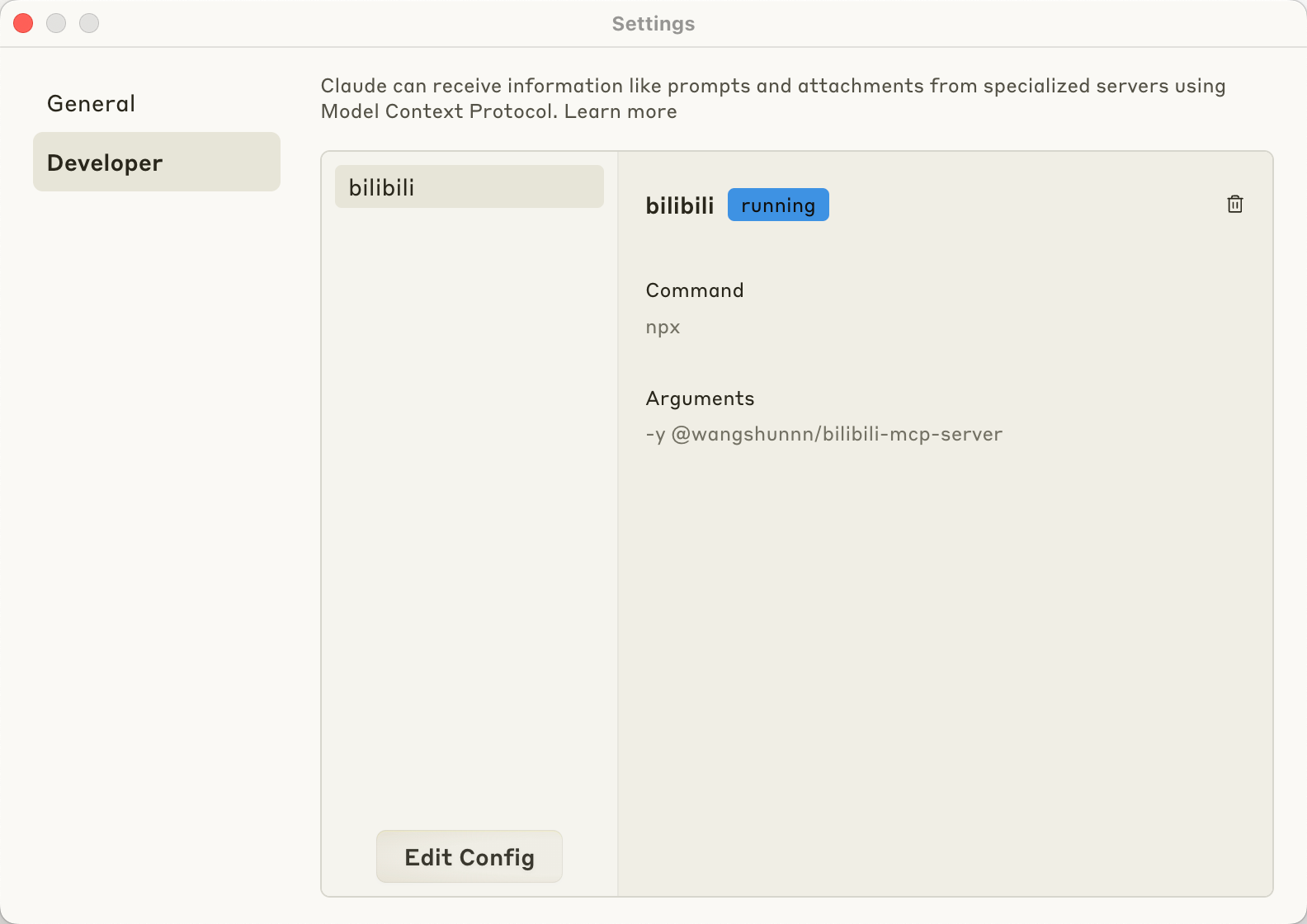
config for npm (recommended)
{
  "mcpServers": {
    "bilibili": {
      "command": "npx",
      "args": ["-y", "@wangshunnn/bilibili-mcp-server"]
    }
  }
}
or
config for local cloned repo
{
  "mcpServers": {
    "bilibili": {
      "command": "node",
      "args": [
        "/ABSOLUTE/PATH/TO/PARENT/FOLDER/bilibili-mcp-server/dist/index.js"
      ]
    }
  }
}
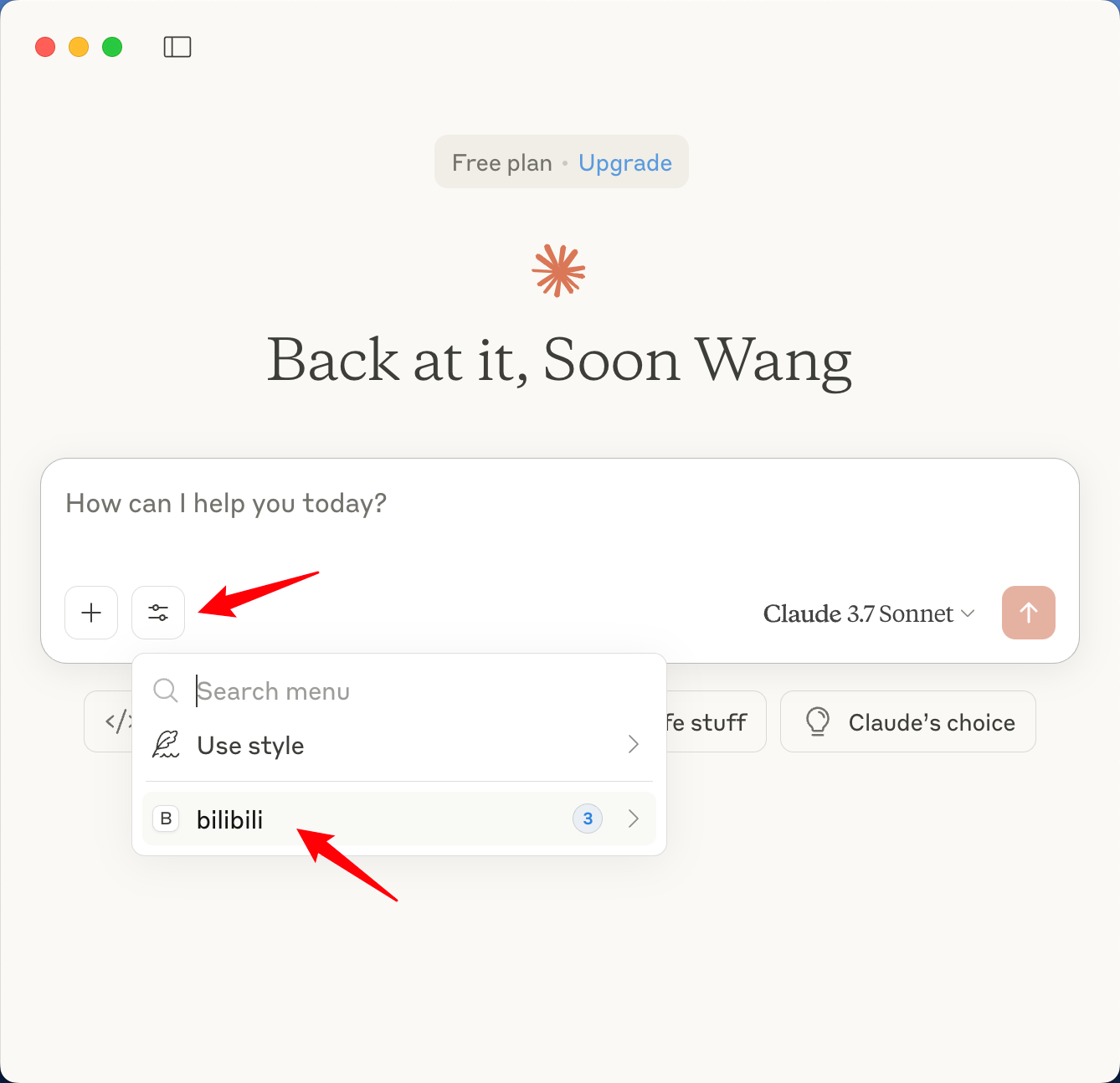
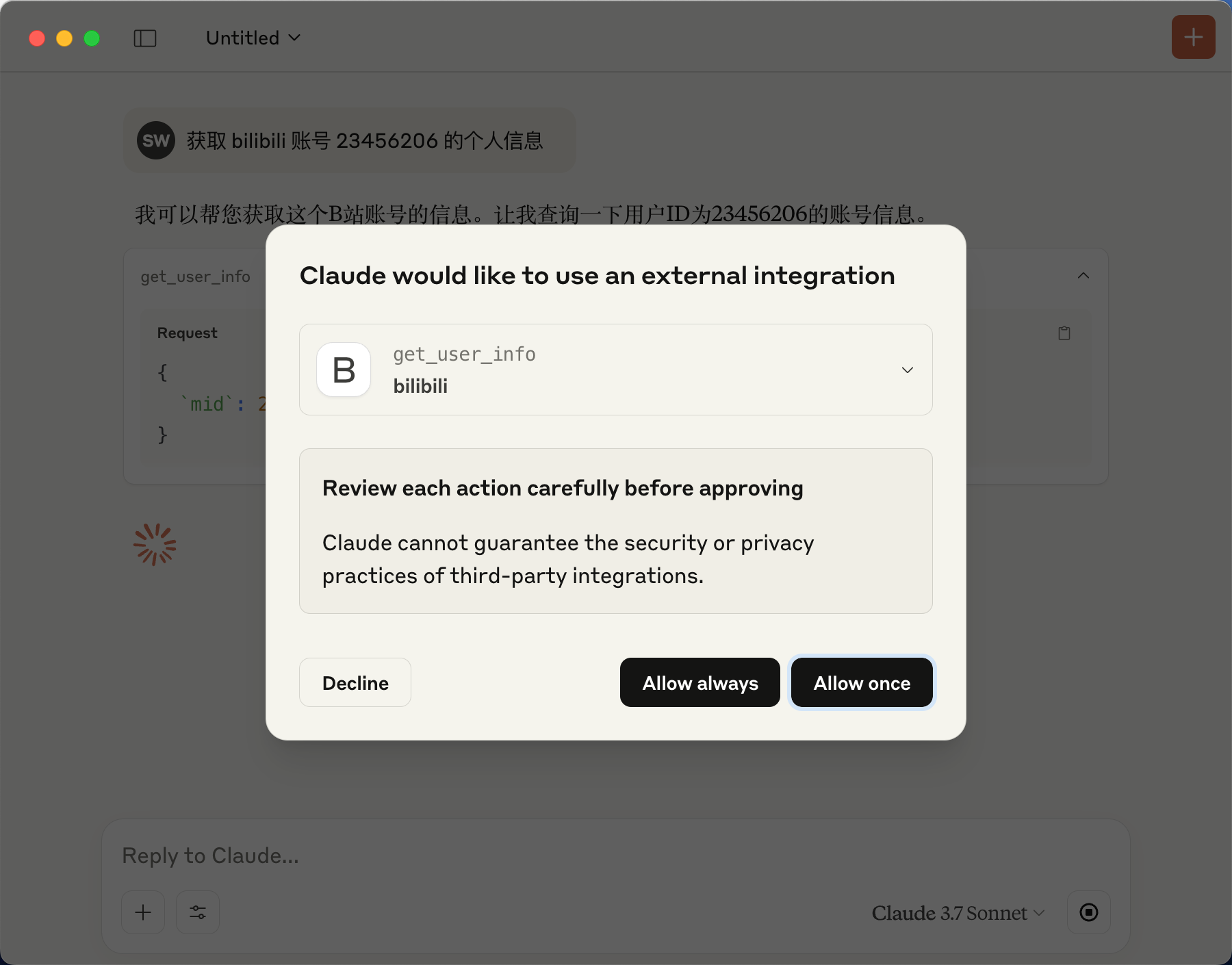
Save the configuration and restart. You will see the new bilibili MCP option as shown below:
Demo Vedio
https://github.com/user-attachments/assets/813dece6-c9b5-4bc5-96c1-c3b4d284cc76
Local Development
- Install dependencies
pnpm i
- build
pnpm build
# or
pnpm dev
- debug for local repo, see above.
Publishing
To publish a new version to npm:
# For patch version update (0.0.x)
pnpm publish:patch

# For minor version update (0.x.0)
pnpm publish:minor

# For major version update (x.0.0)
pnpm publish:major
These commands will automatically:
- Bump the version in package.json
- Build the project
- Publish to npm registry
Credits
Alternatives




Related Skills
Browse all skillsDownload videos from YouTube, Bilibili, Twitter, and thousands of other sites using yt-dlp. Use when the user provides a video URL and wants to download it, extract audio (MP3), download subtitles, or select video quality. Triggers on phrases like "下载视频", "download video", "yt-dlp", "YouTube", "B站", "抖音", "提取音频", "extract audio".
Create professional draw.io (diagrams.net) diagrams in XML format (.drawio files) with integrated PMP/PMBOK methodologies, extensive visual asset libraries, and industry-standard professional templates. Use this skill when users ask to create flowcharts, swimlane diagrams, cross-functional flowcharts, org charts, network diagrams, UML diagrams, BPMN, project management diagrams (WBS, Gantt, PERT, RACI), risk matrices, stakeholder maps, or any other visual diagram in draw.io format. This skill includes access to custom shape libraries for icons, clipart, and professional symbols.
Presentation creation, editing, and analysis. When Claude needs to work with presentations (.pptx files) for: (1) Creating new presentations, (2) Modifying or editing content, (3) Working with layouts, (4) Adding comments or speaker notes, or any other presentation tasks
Downloads videos from YouTube and other platforms for offline viewing, editing, or archival. Handles various formats and quality options.
Comprehensive document creation, editing, and analysis with support for tracked changes, comments, formatting preservation, and text extraction. When Claude needs to work with professional documents (.docx files) for: (1) Creating new documents, (2) Modifying or editing content, (3) Working with tracked changes, (4) Adding comments, or any other document tasks
Provides comprehensive technical analysis for stocks and ETFs using RSI, MACD, Bollinger Bands, and other indicators. Activates when user requests stock analysis, technical indicators, trading signals, or market data for specific ticker symbols.