LangGraph vs CrewAI vs AutoGen vs Letta: Best Python Agents
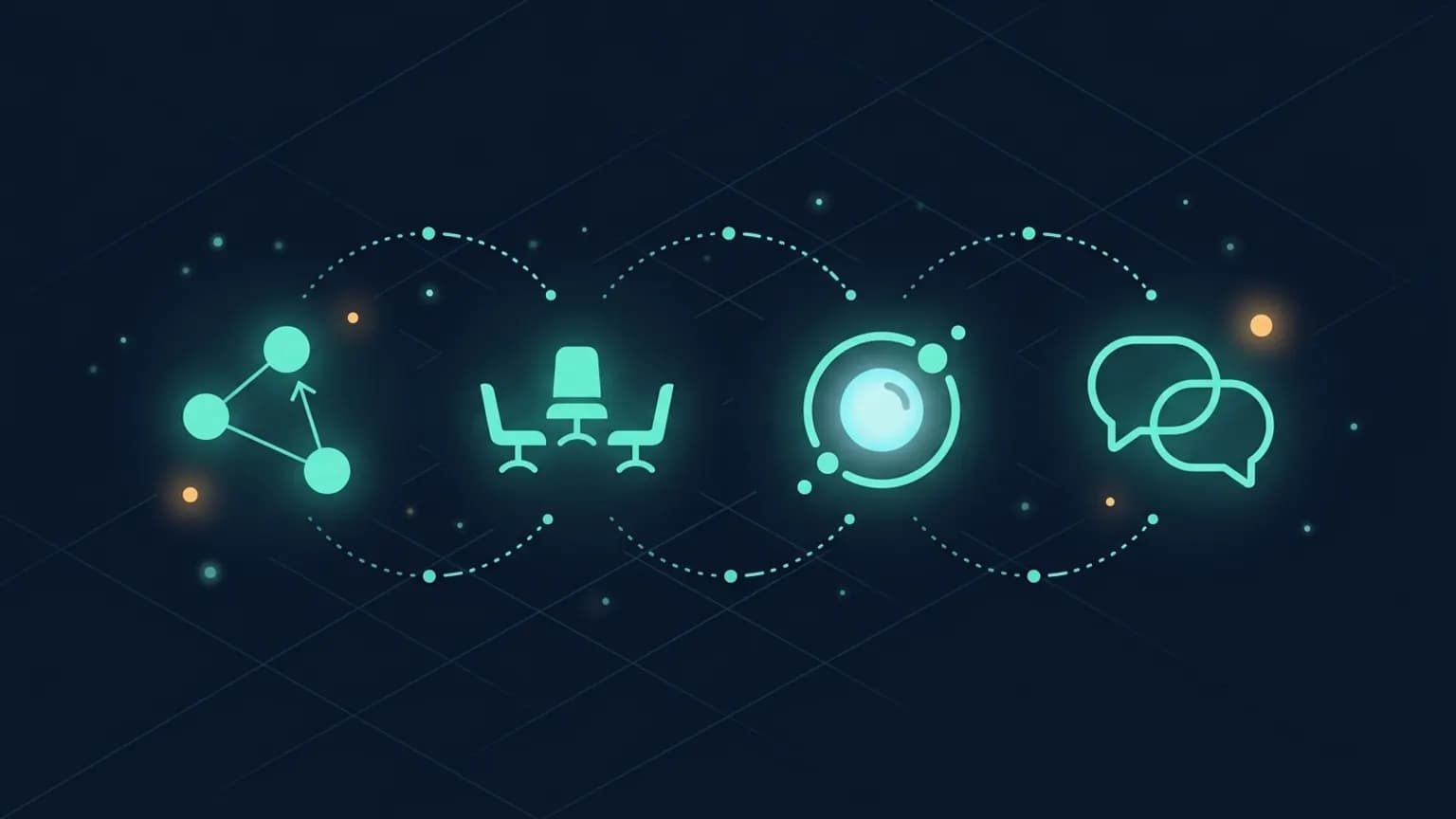
Picking the best Python AI agent framework in 2026 comes down to one question: how should the agent think? LangGraph models it as a state machine. CrewAI casts it as a crew of role-played coworkers. Letta makes memory the runtime. AutoGen turns multi-agent dialogue into the orchestration layer. We compared all four against the same workload, with every fact pulled from official repos so you can decide without reading four READMEs.
On this page · 15 sections▾
- TL;DR + decision tree
- What Python agent frameworks do
- Graph vs role vs memory vs conversation
- Side-by-side matrix
- LangGraph — graph orchestration
- CrewAI — role-based crews
- Letta — memory as primitive
- AutoGen — conversational agents
- Production readiness deep dive
- MCP integration patterns
- Framework vs raw API
- Common pitfalls
- Community signal
- FAQ
- Sources
TL;DR + decision tree
- You want explicit control flow — typed state, named edges, deterministic transitions — pick LangGraph. It maps cleanly to how senior engineers think about production agent loops.
- You want a fast prototype that reads like an org chart — define roles, hand off tasks, ship the demo — pick CrewAI. The mental model fits business-y multi-agent workflows.
- You want memory that survives between sessions without bolting on a separate vector store — pick Letta. The framework is built around an archival-memory primitive, not a chat loop.
- You want Microsoft Research lineage and a UI for prototyping — pick AutoGen. The v0.4 redesign moved it to an async actor model that scales better than the original conversational-pair pattern.
These four overlap less than the marketing pages suggest. A LangGraph user is not really weighing CrewAI as an alternative most of the time — they want different things from their framework. If you’re early enough in a project to be choosing, spend an hour cloning the “getting started” directory of each, run the hello-world, and notice which API shape you reach for fastest. That instinct is more reliable than any comparison table, including the one below.
What Python agent frameworks actually do
An agent framework gives you four things you’d otherwise build by hand. First, an agent loop: call the model, parse tool calls, execute them, feed results back, repeat until done. Second, state management: somewhere to put intermediate data the next step might need. Third, multi-agent orchestration: rules for how multiple agents pass work to each other — sequential pipelines, parallel fan-out, debate-style back-and-forth. Fourth, observability hooks: tracing, checkpointing, replay, human-in-the-loop pauses.
The four frameworks in this post solve those four problems with different defaults:
- LangGraph treats the agent as a directed graph of nodes (functions) with edges (transitions). State is a typed object passed between nodes. Multi-agent setups are just bigger graphs.
- CrewAI treats the agent as a role (a string: “Senior Researcher”) with a goal and a backstory. Tasks have expected outputs. A Crew runs the tasks; agents collaborate through outputs.
- Letta treats the agent as a long-lived entity with core memory (a small block always in the context) and archival memory (a searchable store the agent edits through tools). Conversations resume across sessions.
- AutoGen treats the agent as an actor that receives and sends messages. v0.4 makes this explicit with an async runtime; multi-agent is just multiple actors exchanging typed messages.
There’s no “best” abstraction here — different problems map naturally to different shapes. If you’re new to the protocol layer agents talk over, our What is MCP primer covers the JSON-RPC wire format these frameworks plug into when they consume tools from MCP servers.
What you write by hand without a framework
It’s worth seeing the bare metal to appreciate what each framework is actually giving you. A working ReAct loop against the OpenAI SDK is small enough to fit in a single screen:
# raw_loop.py — no framework, just the SDK
from openai import OpenAI
import json

client = OpenAI()
tools = [{
    "type": "function",
    "function": {
        "name": "search",
        "description": "Look up a fact.",
        "parameters": {"type": "object", "properties": {"q": {"type": "string"}}, "required": ["q"]},
    },
}]

def run_tool(name, args):
    if name == "search":
        return f"Result for: {args['q']}"
    raise ValueError(name)

messages = [{"role": "user", "content": "Find the capital of Bhutan."}]
for _ in range(8):  # cap iterations
    resp = client.chat.completions.create(model="gpt-4o-mini", messages=messages, tools=tools)
    msg = resp.choices[0].message
    messages.append(msg.model_dump(exclude_none=True))
    if not msg.tool_calls:
        print(msg.content)
        break
    for call in msg.tool_calls:
        out = run_tool(call.function.name, json.loads(call.function.arguments))
        messages.append({"role": "tool", "tool_call_id": call.id, "content": out})
That works. It will keep working for a single agent calling one or two tools against one model provider. What it doesn’t give you, the moment your problem gets one notch bigger: a typed state object that survives between iterations, retry policy when the tool throws, a checkpoint you can resume after a crash, a hook that fires on every model call for tracing, a way to pause the loop until a human approves the next step, a graph that says “run these two tool calls in parallel, then converge.” You’d build each of those yourself, one at a time, in a pattern that’s subtly different from the next engineer’s pattern.
A framework gives you all of that as defaults. The cost is the dependency, the version churn, and a layer of abstraction between you and the model call. Whether that trade is worth it depends on how many of those checkboxes you’d be writing yourself anyway. We come back to this explicitly in Framework vs raw API — but the short version is: if your agent loop is going to grow past three or four of those features, you’re rebuilding a framework one quarter at a time, and one of these four already solved your problem.
Graph vs role vs memory-first vs conversation
Before the matrix, the most useful thing you can know is which mental model each framework picks. The four frameworks in this post each represent a fundamentally different answer to “what IS an agent?” — and the answer shapes everything downstream, from how you debug it to how you scale it. Match your problem shape to the framework’s shape and the rest gets easy. Mismatch them and you’ll spend months fighting the abstraction.
LangGraph: the agent is a state machine
In LangGraph’s worldview, an agent is a directed graph of pure functions operating on shared typed state. You define the nodes (a function per step), the edges (which node runs next, possibly conditionally), and a single state schema. Every turn, a node reads the state, produces a partial update, and LangGraph merges that update back in before deciding which edge to follow. It’s the same mental model as XState in JavaScript or a workflow engine like Temporal — explicit transitions, typed state, no hidden control flow.
This fits problem shapes where the flow IS the product. Extract-transform-load pipelines, customer service routing trees, regulated workflows where every transition needs an audit log, anything you’d otherwise draw on a whiteboard before you write it. If you can sketch the agent as a flowchart on the back of a napkin and you want that flowchart to BE the code, LangGraph is the closest framework to that ideal.
CrewAI: the agent is a role on a team
CrewAI takes the opposite tack. An agent isn’t a node in a graph — it’s a coworker with a job title, a goal, and a backstory. Tasks describe work the way you’d write a ticket: what to do, what the deliverable looks like, who owns it. A Crew gathers agents around the table and runs the tasks. The orchestration is implicit; you describe roles and outputs, and the framework figures out who picks up what.
This fits creative or open-ended workflows where the process isn’t a fixed graph. Marketing copy drafts where a writer hands off to an editor, research where an analyst feeds a summarizer, ideation flows where multiple personas riff on a problem. The same workflow expressed as a LangGraph would be ten or twenty nodes with conditional edges; in CrewAI it’s three Agents and three Tasks. If your domain involves “roles working together” more than “steps following each other,” CrewAI’s abstraction is honestly closer to how your team already talks.
Letta: the agent is what it remembers
Letta is built on the premise that an agent without persistent memory is just a chatbot. The agent IS its memory: core memory blocks that live in the context window across sessions, archival memory that the agent reads and writes via tool calls, and an agent ID that survives restarts. The control flow is essentially fixed — Letta uses a particular loop — but state is the headliner.
This fits problems where continuity is the feature. Personal assistants that need to remember last Tuesday’s conversation. Customer support agents that recall the user’s history across tickets. Character agents in games where the character has to feel like the same entity across sessions. Anything that would otherwise require you to bolt a vector store onto a stateless framework and wire up retrieval prompts. If “the agent remembers” is a top-three feature, Letta’s shape will save you weeks.
AutoGen: the agent is a message in a conversation
AutoGen models multi-agent systems as conversations between actors. Each agent is an async actor with a mailbox; the runtime delivers messages, agents process them, send replies, possibly trigger handoffs. The orchestration emerges from who’s speaking and what they say. v0.4 made this explicit by replacing the old conversational-pair pattern with a real actor model under the hood.
This fits problems where the agents really do need to talk. Debate-style review (writer vs critic), research-team simulation (analyst, fact-checker, skeptic), multi-perspective brainstorming, any agentic pattern where the natural unit of work is a message rather than a function call. If you find yourself drawing a sequence diagram of agents exchanging messages, AutoGen’s shape matches your instinct. The downside is that conversational orchestration is less predictable than a graph — you’re trading determinism for emergence.
Picking by problem shape, not by features
The trap is to compare features. All four can call tools, all four work with OpenAI and Anthropic and local models, all four have some flavor of multi-agent. The feature matrix converges, the mental models diverge. If your problem maps naturally to a state machine, LangGraph is right even when CrewAI is “easier” on the surface. If your problem is a team of personas, CrewAI is right even when LangGraph is “more powerful.” Pick the framework whose mental model you wouldn’t want to fight.
Side-by-side matrix
Every cell is sourced from the official repo or docs as of 2026-05-11. Star counts move; we omitted them deliberately — they’re not load-bearing for a framework choice.
| Dimension | LangGraph | CrewAI | Letta | AutoGen |
|---|---|---|---|---|
| Maintainer | LangChain Inc. | CrewAI Inc. | Letta Labs | Microsoft |
| License | MIT | MIT (open core) | Apache-2.0 | MIT |
| Core model | Directed graph + typed state | Role + Task + Crew | Agent with core + archival memory | Async actors exchanging messages |
| Python install | pip install langgraph | pip install crewai | pip install letta | pip install autogen-agentchat |
| TypeScript port? | Yes (@langchain/langgraph) | No | No (REST API only) | No |
| MCP support | Via langchain-mcp-adapters | Built-in MCPServerAdapter | First-class via server config | Via autogen-ext mcp adapter |
| Best for | Production agents with explicit flow | Multi-agent prototypes | Long-running stateful agents | Research & multi-agent chat |
| Managed hosting | LangGraph Cloud | CrewAI Enterprise | Letta Cloud | None (DIY) |
Two patterns jump out. License is uniformly permissive — none of these projects are GPL or source- available, so you can ship them inside a closed-source product without legal review. Python is the lingua franca; only LangGraph has a TypeScript port worth using, and Letta is language-agnostic at the REST boundary (you can drive it from anything that speaks HTTP).
LangGraph — graph orchestration
Python framework
LangGraph
LangChain Inc. · MIT
What it does best
LangGraph turns the agent loop inside out. Instead of an opaque while-loop that calls the model and parses tool calls, you draw the loop as a graph: nodes are functions, edges are transitions, state is a typed dict that gets passed between nodes. When something misbehaves in production, you can point at a specific edge and ask why it fired. The framework ships with checkpointing (so you can resume a graph after a crash), streaming (so you can stream tokens out of any node), and human-in-the-loop pauses (so you can require human approval between specific nodes).
Pick this if you...
- Already think in state machines and want every transition to be explicit and reviewable in code
- Need checkpointing, replay, or human-in-the-loop approval — LangGraph’s persistence layer is the most mature of the four
- Are migrating off a legacy LangChain AgentExecutor and want the official upgrade path
- Plan to deploy with LangGraph Cloud or run your own langgraph-server for streaming + persistence
Recipe: minimal ReAct loop
pip install langgraph langchain-openai

# minimal_react.py
from typing import TypedDict, Annotated
from langgraph.graph import StateGraph, END
from langgraph.graph.message import add_messages
from langchain_openai import ChatOpenAI
from langchain_core.tools import tool
from langgraph.prebuilt import ToolNode

@tool
def search(query: str) -> str:
    """Look up a fact."""
    return f"Result for: {query}"

class State(TypedDict):
    messages: Annotated[list, add_messages]

model = ChatOpenAI(model="gpt-4o-mini").bind_tools([search])

def call_model(state: State):
    return {"messages": [model.invoke(state["messages"])]}

def should_continue(state: State):
    last = state["messages"][-1]
    return "tools" if getattr(last, "tool_calls", None) else END

graph = StateGraph(State)
graph.add_node("agent", call_model)
graph.add_node("tools", ToolNode([search]))
graph.set_entry_point("agent")
graph.add_conditional_edges("agent", should_continue, {"tools": "tools", END: END})
graph.add_edge("tools", "agent")

app = graph.compile()
print(app.invoke({"messages": [("user", "Find the capital of Bhutan.")]}))
The shape is the value. You can see, line by line, exactly what the agent does each turn. Want to add a logging node? Insert it between two edges. Want to require approval before a destructive tool runs? Add an interrupt before that node. None of this requires you to fork the framework.
Skip it if you...
- Want to ship a multi-agent demo in 30 lines — CrewAI is shorter
- Don’t want anything LangChain-adjacent in your dependency tree; LangGraph ships with langchain-core
- Need built-in long-term memory; LangGraph has checkpointing but no archival-memory primitive — pair with Letta or Mem0
CrewAI — role-based crews
Python framework
CrewAI
CrewAI Inc. · MIT (open core)
What it does best
CrewAI’s bet is that “define your agents like you’d describe coworkers” is the right abstraction for the next wave of business-y AI projects. An Agent has a role (“Senior Researcher”), a goal (“Find the most recent results on X”), and a backstory (a short paragraph of context). A Task has a description and an expected output. A Crew gathers agents and tasks and runs them in order. The resulting code reads like a project brief — which is the point. It also means you can hand a CrewAI script to a non-engineer stakeholder and they’ll mostly follow it.
Pick this if you...
- Want the shortest possible distance from idea to working multi-agent demo
- Have stakeholders who’ll read the code and you want it to read like an org chart
- Already use OpenAI-compatible endpoints (or local Ollama) and don’t need fine-grained graph control
- Plan to use the official MCPServerAdapter to attach MCP tools to a Crew agent
Recipe: a two-agent research crew
pip install crewai crewai-tools

# research_crew.py
from crewai import Agent, Task, Crew
from crewai_tools import SerperDevTool

search = SerperDevTool()

researcher = Agent(
    role="Senior Researcher",
    goal="Find the latest peer-reviewed results on a topic",
    backstory="A meticulous PhD-level researcher who only trusts primary sources.",
    tools=[search],
    verbose=True,
)

writer = Agent(
    role="Tech Writer",
    goal="Turn research notes into a clear two-paragraph explainer",
    backstory="A former Wired contributor who values precision over flair.",
    verbose=True,
)

find = Task(
    description="Find 3 recent results on transformer scaling laws (2024-2026).",
    expected_output="A bulleted list of 3 papers with title, authors, year, URL.",
    agent=researcher,
)

write = Task(
    description="Write a 2-paragraph explainer based on the researcher's notes.",
    expected_output="Two paragraphs, 150 words total, no jargon.",
    agent=writer,
    context=[find],
)

crew = Crew(agents=[researcher, writer], tasks=[find, write], verbose=True)
result = crew.kickoff()
print(result)
Two agents, two tasks, one Crew. The researcher runs first because its task has no context dependency; the writer waits because its task references find. You read the script and you immediately understand the workflow. That’s the entire pitch.
Skip it if you...
- Need fine control over the agent loop — CrewAI’s defaults are good for prototypes, less good for “exactly this sequence with these guardrails” production setups
- Want native long-term memory; CrewAI added a memory layer in late 2024 but it’s still less mature than Letta’s
- Are allergic to role-play prompts; the backstory field is a load-bearing string and that bothers some teams
Letta — memory as primitive
Python framework
Letta
Letta Labs · Apache-2.0
What it does best
Letta — formerly MemGPT, renamed in 2024 — is built on the premise that an agent without persistent memory is a glorified chatbot. The framework gives every agent two first-class memory surfaces: core memory, a small set of editable blocks that always sit in the context window; and archival memory, an embedded vector store the agent searches and edits through tool calls. Both are first-class, not bolted on. Letta also runs as a server (letta server after install), so “agents as a service” is the default deployment shape — agents survive process restarts and keep their memory.
Pick this if you...
- Need agents that remember things across sessions, days, or conversations without you wiring up a separate vector store
- Want a REST API for agents-as-a-service rather than a Python library you embed in your app
- Are building a personal assistant, character agent, or long-running research agent where memory IS the feature
- Want MCP tools as first-class — Letta’s server config registers MCP servers and the tools show up to every agent
Recipe: an agent that remembers your name
pip install letta-client letta

# Terminal 1: run the server
# letta server

# remember_me.py
from letta_client import Letta, MessageCreate

client = Letta(base_url="http://localhost:8283")

# Create an agent with persistent memory
agent = client.agents.create(
    name="rememberer",
    memory_blocks=[
        {"label": "human", "value": "I know nothing about the user yet."},
        {"label": "persona", "value": "I am a friendly research assistant."},
    ],
    model="openai/gpt-4o-mini",
    embedding="openai/text-embedding-3-small",
)

# First turn — tell it something
client.agents.messages.create(
    agent_id=agent.id,
    messages=[MessageCreate(role="user", content="My name is Devanshu, I like Rust.")],
)

# Restart your process. Memory persists in the server.
# Second turn (next day, new script, same agent id):
resp = client.agents.messages.create(
    agent_id=agent.id,
    messages=[MessageCreate(role="user", content="What do you remember about me?")],
)
print(resp.messages[-1].content)
# -> "Your name is Devanshu and you like Rust."
Note the shape: there’s a server process running in the background, and your script is a thin client. You give the agent an ID once; everything else is incremental. Memory blocks update themselves as the model rewrites them. Archival memory kicks in for facts that don’t fit in the small core blocks.
Skip it if you...
- Don’t want to run a separate server process; Letta is a service architecture, not just a library
- Have complex multi-agent graphs to orchestrate; Letta is excellent for single long-running agents, less so for intricate multi-agent choreography
- Want maximum control over the prompt and loop; Letta’s opinions are good defaults but they’re opinions
AutoGen — conversational agents
Python framework
AutoGen
Microsoft · MIT
What it does best
AutoGen is the research lineage in this group. It came out of Microsoft Research as a conversational multi-agent framework — two or more agents take turns sending messages to each other until a task is done. The v0.4 redesign cleaned up the original v0.2 patterns and moved everything onto an async actor model: agents are typed actors with mailboxes, runtimes manage delivery, and the surface area is much smaller than the old initiate_chat dance. AutoGen Studio (a separate package) gives you a UI for prototyping these conversations, which is rare in the agent-framework space.
Pick this if you...
- Want a UI for prototyping multi-agent conversations before committing them to Python — AutoGen Studio fills that gap
- Are building agent systems where the “agents talking to each other” pattern is the natural shape (debate, review, role-played personas)
- Care about Microsoft Research’s roadmap — Magentic-One, AgentChat, and related projects sit in the same monorepo
- Like async-first code; v0.4 is built around asyncio actors
Recipe: two agents reviewing each other
pip install "autogen-agentchat" "autogen-ext[openai]"

# review.py
import asyncio
from autogen_agentchat.agents import AssistantAgent
from autogen_agentchat.teams import RoundRobinGroupChat
from autogen_agentchat.conditions import TextMentionTermination
from autogen_ext.models.openai import OpenAIChatCompletionClient

async def main():
    model_client = OpenAIChatCompletionClient(model="gpt-4o-mini")

    writer = AssistantAgent(
        name="writer",
        model_client=model_client,
        system_message="You write 2-sentence product descriptions.",
    )

    critic = AssistantAgent(
        name="critic",
        model_client=model_client,
        system_message=(
            "You critique product descriptions for clarity. "
            "Reply 'APPROVED' when satisfied."
        ),
    )

    termination = TextMentionTermination("APPROVED")
    team = RoundRobinGroupChat([writer, critic], termination_condition=termination)

    async for msg in team.run_stream(task="Write a description for a portable espresso maker."):
        print(f"{getattr(msg, 'source', '?')}: {getattr(msg, 'content', msg)}")

asyncio.run(main())
Writer drafts. Critic responds. RoundRobinGroupChat alternates them until the critic types APPROVED. The whole loop is six lines of orchestration code; the rest is agent definitions. v0.4 also ships SelectorGroupChat (model picks the next speaker) and Swarm (handoff-driven), so you’re not stuck on round-robin if your workflow needs something fancier.
Skip it if you...
- Have v0.2 code you don’t want to rewrite — the migration to v0.4 is non-trivial; pin v0.2 if you must
- Want first-party deployment infrastructure; unlike LangGraph Cloud or Letta Cloud, AutoGen leaves hosting to you
- Find async-first code awkward; v0.4 leans into asyncio and the API reflects that
Production readiness deep dive
The hello-world examples above all work. What we’re asked more than anything is: how do these hold up under load, when things fail, and when you need to debug a misbehaving agent at 2 a.m.? The honest answer is that they’re not equal here. Below is what it actually takes to put each one into production today.
LangGraph in production
LangGraph has the most mature operational story of the four. State persistence is built in: checkpointers (in-memory, SQLite, Postgres) record the full graph state after every node, so a crashed agent resumes from the last checkpoint without losing context. Streaming is first-class — any node can stream tokens back to the caller while the graph is still running. Observability plugs into LangSmith for traces and evals, or any OpenTelemetry-compatible backend if you don’t want LangChain’s SaaS in your stack. Human-in-the-loop pauses are a single interrupt_before argument when you compile the graph; the run blocks until you resume it with the human’s input.
Deployment choices: LangGraph Cloud (managed, opinionated), self-hosted langgraph-server (Docker image you run on your own infrastructure with the same API surface), or embed the library in a FastAPI app of your own. The self-hosted server supports horizontal scaling because state is in Postgres and the workers are stateless. That’s as close to turn-key as agent infrastructure gets.
CrewAI in production
CrewAI is a Python library, not a service. The framework provides callbacks (step_callback, task_callback) where you can wire in logging, metrics, or external tracing — but the deployment shape is up to you. Most teams wrap a Crew in a FastAPI handler, deploy it on Cloud Run or Modal or a basic Docker container, and call it good. CrewAI Inc. sells CrewAI Enterprise for managed deployments with built-in observability, but the OSS surface stops at the library boundary.
The thing to know about CrewAI in production: it doesn’t durably persist state between kickoffs by default. If your Crew runs for 90 seconds and the process dies at second 60, you lose the run. You can wire up your own checkpointing with the callbacks, but it’s not a one-liner the way LangGraph’s checkpointers are. For prototypes and short-lived workflows this is fine. For long-running multi-day agents, you’ll want something heavier underneath.
Letta in production
Letta was designed as a service from day one. letta server exposes a REST API for agents; your application code is the client. Agents persist in Postgres (or SQLite in dev mode), messages and memory survive restarts, and the service can be run on any container platform that speaks HTTP. Letta Cloud is the managed version. Of the four frameworks, Letta is the one whose “production deploy” story is closest to “deploy a service, point your app at the URL.”
The tradeoff is that the service model adds operational surface. You’re running a stateful server, you’re managing a database, you’re thinking about backup and restore for agent state. That’s fine if memory is a feature you care about; it’s overkill if your agent doesn’t need to remember anything.
AutoGen in production
AutoGen v0.4 is the most DIY of the four for production. There’s no first-party hosting, no managed cloud, no LangGraph-Cloud equivalent. The library gives you the async actor runtime, the agent abstractions, and the multi-agent patterns; everything else — scaling, persistence, observability — is your problem to solve. AutoGen Studio is a prototyping UI, not a production system. The autogen-magentic-one repo has reference deployment patterns if you want to copy them, but you’re still writing the FastAPI handlers and the database adapters yourself.
What AutoGen has going for it: the actor model maps cleanly onto async workers, queue-based scaling, and event-driven architectures. If your stack is already async-first and you have an opinion about how stateful workers should run, you can build something more bespoke and more efficient than what the more opinionated frameworks would give you.
MCP integration patterns
None of the four frameworks were born MCP-native — MCP shipped after all of them. What matters in 2026 is how each bridges the MCP protocol into its own tool abstraction. The pattern is the same across all four: an adapter wraps an MCP server’s tools and exposes them as the framework’s native tool type. The details and the maturity differ.
LangGraph + MCP
LangGraph uses the langchain-mcp-adapters package from LangChain. You connect to an MCP server, load its tools, and they appear as standard LangChain tools — which means they drop into any LangGraph ToolNode the same way as a tool defined with the @tool decorator. Both stdio and HTTP transports are supported. The integration is mature because it inherits LangChain’s broader tooling story.
from langchain_mcp_adapters.client import MultiServerMCPClient
from langgraph.prebuilt import ToolNode

client = MultiServerMCPClient({
    "fs": {"command": "npx", "args": ["-y", "@modelcontextprotocol/server-filesystem", "/tmp"]},
})
tools = await client.get_tools()
tool_node = ToolNode(tools)
CrewAI + MCP
CrewAI ships MCPServerAdapter in its tools package. You instantiate the adapter with an MCP server config and pass it to an Agent’s toolslist. Under the hood the adapter handles the MCP handshake, lists tools, and translates calls. The benefit of CrewAI’s approach is that MCP tools coexist seamlessly with native CrewAI tools — your researcher Agent might have a SerperDevTool from crewai-tools alongside a custom MCP server.
from crewai_tools import MCPServerAdapter

mcp_tools = MCPServerAdapter({
    "command": "npx",
    "args": ["-y", "@modelcontextprotocol/server-filesystem", "/tmp"],
})
researcher = Agent(role="Researcher", goal="...", tools=mcp_tools.tools)
Letta + MCP
Letta integrates MCP at the server-config level: you register MCP servers in the Letta server’s config, and the tools become available to every agent on that server. This is the cleanest of the four integrations because it matches Letta’s overall service architecture — tools are first-class server-level resources, not per-agent imports. Refer to current Letta docs for the exact config format, which has been evolving.
AutoGen + MCP
AutoGen v0.4’s extensions package includes an MCP adapter that wraps MCP tools as AutoGen Tool instances. Once registered, they’re indistinguishable from any other AutoGen tool — an agent can call them, the runtime delivers the result, the actor model carries on. Because AutoGen tools are typed and async-native, MCP’s async transport maps onto AutoGen more naturally than onto some of the others.
Which integration is most production-ready? LangGraph’s, narrowly, because it inherits the maturity of the broader LangChain MCP work. CrewAI’s is the simplest to wire up. Letta’s is the most architecturally consistent if you’re already running the Letta server. AutoGen’s is the most native-feeling if you’re already in the v0.4 async world. None of them are bad. The MCP servers themselves are the same across all four — that’s the whole point of the protocol. Browse /servers to find ones that fit your problem, then pick the framework that fits everything else.
Framework vs raw API — when do you actually need one?
Plenty of working agents in production are 50 lines against openai.chat.completions.create or anthropic.messages.create with a tool loop. No framework. So when is a framework actually pulling its weight?
The honest answer is: when one of these constraints applies.
- Multiple agents that pass work to each other. You can hand-roll this; it gets fiddly fast. CrewAI and AutoGen exist because hand-rolling is annoying.
- Persistent state across runs. Once your agent needs to remember last Tuesday, you want a real memory layer — Letta’s archival memory, LangGraph’s checkpointing, or an external service like Mem0 or Zep wired into a custom loop.
- Conditional control flow that’s hard to read as code. If your agent loop has 4+ branches, a graph beats a tangle of
ifstatements. LangGraph wins here. - Human-in-the-loop approval. Pausing an agent for human input and resuming later is a checkpointing problem. Roll-your-own works for one boundary; gets painful for several.
- Observability you want for free. All four frameworks integrate with tracing (LangSmith, OpenTelemetry, custom). Bolting tracing onto a hand-rolled loop is doable but tedious.
If none of these apply, write the loop yourself. You’ll save the dependency, the version churn, and the cognitive cost of learning whichever framework you’d otherwise pick. Reach for a framework when the second or third constraint shows up — not preemptively. The decision is independent of MCP support, since all four frameworks consume MCP servers, and you can also do that from a raw SDK loop using the MCP Python SDK directly.
Common pitfalls
LangGraph — state mutation surprises
Nodes return partial state updates; LangGraph merges them. If two nodes return the same key, the later one wins — or if you used Annotated[list, add_messages], they append. New users get bitten when they expect mutation but get a merge, or expect a merge but get overwrite. Read the Annotated rules once; print state between nodes while you debug.
CrewAI — backstory bloat
CrewAI’s role/goal/backstory strings end up in the system prompt of every model call. Teams get carried away writing two-paragraph backstories per agent and then wonder why their token cost is 3x what it should be. Keep backstories under 50 words; put detail in tasks, not personas.
Letta — forgetting agent IDs are durable
The whole point of Letta is that agents persist. That also means a runaway test script can pile up hundreds of orphan agents on your server, each holding memory. Clean up with client.agents.delete(agent_id) in your test teardown. Treat agent IDs like database rows — they survive your process.
AutoGen — v0.2 tutorials on Google
Most blog posts indexed today are v0.2 — they reference initiate_chat, UserProxyAgent, and other patterns that don’t exist in v0.4. Check the import path before copy-pasting: v0.4 imports from autogen_agentchat and autogen_core, v0.2 imported from autogen. Mixing versions in one project will produce confusing errors.
LangGraph — mutating state instead of returning it
The LangGraph contract is that a node returns a partial state update — a new dict — and the framework merges it in. Engineers coming from object-oriented codebases instinctively reach into the state argument and mutate it (state["count"] += 1), then return something else. That mutation might appear to work, but it bypasses the checkpointer and breaks replay. Treat state like an immutable redux store: read from it, return a new partial dict, never mutate in place.
CrewAI — context-window blowup across the crew
CrewAI Tasks accumulate context across the Crew. By the time the third or fourth Agent runs, its prompt includes the output of every previous task — and the role, goal, and backstory of every Agent. A six-Agent crew with chatty Tasks can hit token limits surprisingly fast and you’ll see Anthropic or OpenAI returning context- length errors mid-run. Either compress intermediate outputs explicitly (have a summarizer agent in the middle), or break the workflow into multiple smaller Crews rather than one giant one.
All four — model capability is the ceiling
No framework makes a small open-weight model reliably multi-tool agentic. If your agent’s flaky, the bug is usually upstream of the framework — the model can’t follow the tool schema, can’t plan over more than two steps, or can’t recover from a tool error. Try the same agent with gpt-4o or claude-sonnet-4 first to isolate model issues from framework issues.
Community signal
Documentation tells you what a framework can do; community conversations tell you what people actually do with it. Here’s what we’ve found scanning Hacker News threads, GitHub issues, and developer forums for these four frameworks. Quotes are verbatim with source attribution; we left out anything we couldn’t verify back to a real URL.
On Letta’s explicit memory model
One of the recurring themes in the MemGPT (now Letta) Hacker News discussion is whether explicit memory management is the right primitive at all. The framework author put it bluntly in that thread:
“Explicit memory management (when the LLM works) makes the overall system a lot simpler.”
— pacjam (Letta/MemGPT author), via Hacker News discussion, HN item 37901902
That’s the whole pitch in one line. The bet is that you’d rather model memory as a tool the LLM uses than as an opaque retrieval system the LLM doesn’t know exists. It’s a different bet than what Mem0 or Zep are making — they treat memory as a backend service that fronts a vector store. If you find Letta’s approach intuitive, the framework will feel right. If you’d rather your agent not know its memory exists, Letta is the wrong frame.
On the framework treadmill
The other consistent theme — across all four frameworks — is fatigue with how quickly the agent framework landscape moves. LangChain’s shift from AgentExecutor to LangGraph, AutoGen’s v0.2 → v0.4 rewrite, CrewAI’s evolving memory API, Letta’s rename from MemGPT — every framework here has had at least one major migration in the last 18 months. The practical advice we’ve seen repeated: pin your versions, write integration tests around the agent loop boundary (not against framework internals), and treat framework upgrades as a planned investment, not a background dependency bump. The frameworks ARE getting better, but “pip install --upgrade” six months later is rarely a no-op.
What we couldn’t verify
We tried to source verbatim quotes for LangGraph, CrewAI, and AutoGen production stories and couldn’t reach a high enough confidence bar to print them. Reddit threads we’d normally pull from were not fetchable, and several Hacker News threads we looked at had been moderated or deleted. Rather than fill the section with paraphrased anonymous opinions, we left it short. If you have a verified public source you’d like to see represented, the source list below points to the official repos where issue threads are the best public record of what’s working and what isn’t.
Frequently asked questions
LangGraph vs CrewAI — which one should I start with as a Python developer?
Start with CrewAI if you're prototyping and want code that reads like a team org chart — define an Agent with a role, a Task with an expected output, hand the list to a Crew, run it. You'll have a working multi-agent demo in under 50 lines. Start with LangGraph if you already think in state machines and you want explicit control over which step runs next, what state carries between steps, and how loops terminate. LangGraph's surface area is larger and the docs assume you're comfortable with directed graphs, but the payoff is fewer surprises in production — every transition is a typed edge, not a heuristic.
Does Letta replace tools like Mem0 or Zep for memory?
Partially. Letta (the framework formerly known as MemGPT) treats memory as a first-class agent primitive — every Letta agent has core memory blocks the model can read on every turn and archival memory it can search via tool calls. That's tighter integration than wiring Mem0 or Zep into LangGraph as an external service. The tradeoff: Letta is an opinionated runtime, so adopting it means buying into its agent loop, not just its memory layer. If you want a memory layer underneath your existing LangGraph or CrewAI code, Mem0 and Zep are the right shape. If you want memory baked into the framework itself, Letta is.
Is AutoGen still maintained after the v0.4 redesign?
Yes — Microsoft Research and the Microsoft AutoGen team continue to ship. The v0.4 release was a major redesign that moved AutoGen from the original conversational-pair pattern to an async actor model with cleaner separation between the core runtime, agent abstractions, and extensions. Old v0.2 code does not run on v0.4 without migration; the team maintains a migration guide in the repo. AutoGen Studio (the UI for prototyping multi-agent setups) was rewritten on top of v0.4 and is the recommended entry point for non-Python tinkering.
Which of these frameworks supports MCP natively?
All four can talk to MCP servers, but the support story differs. LangGraph integrates through langchain-mcp-adapters — you load an MCP server as a tool collection and the graph treats those tools like any other LangChain tool. CrewAI ships with an MCPServerAdapter in its tools package; you point a Crew agent at an MCP server and the tools are available to that agent. Letta exposes MCP servers as agent tools through its server config; once an agent is created, the MCP tool calls are first-class. AutoGen v0.4's extensions package ships an mcp adapter that bridges MCP tools into AutoGen's tool interface. None of them are an MCP server themselves — they're MCP clients that consume servers built with the protocol.
How do these compare to LangChain agents (the old AgentExecutor)?
The old LangChain AgentExecutor (initialize_agent, AgentType.OPENAI_FUNCTIONS) is deprecated in favor of LangGraph. LangChain Inc. now explicitly recommends LangGraph for any new agent work; AgentExecutor lingers for legacy code. If you're maintaining a LangChain app from 2023 with AgentExecutor, the migration is mechanical — wrap your existing tools, define a single-node graph that loops until a stop condition, and you've reproduced the AgentExecutor loop with more visibility. The other three frameworks (CrewAI, Letta, AutoGen) are independent projects and don't share LangChain's abstractions, though they all interop with the same model providers (OpenAI, Anthropic, Google, etc.).
Can I run these locally with Ollama or vLLM instead of OpenAI?
All four support local model inference, but the maturity varies. LangGraph inherits LangChain's broad model coverage — ChatOllama, ChatVLLM, llama.cpp wrappers all work as drop-in chat-model classes. CrewAI documents Ollama setup in its quickstart and works fine with any OpenAI-compatible endpoint (vLLM exposes one). Letta has explicit Ollama and vLLM provider support in its server config; pick the model in the agent spec. AutoGen v0.4 routes through OpenAI-compatible clients, so vLLM works out of the box and Ollama works once you point at its OpenAI-compatible endpoint on localhost:11434/v1. The bottleneck for local models is usually tool-calling reliability, not framework support — small open-weight models still trail GPT-4-class models on multi-tool reasoning.
What's the production deployment story for each framework?
LangGraph ships with LangGraph Cloud (managed) and a self-hostable server (langgraph-server) — both support streaming, persistence, and human-in-the-loop pauses. CrewAI is a Python library by default; production deployment is whatever you wrap it in (FastAPI, Modal, Cloud Run). CrewAI Inc. sells CrewAI Enterprise for managed deployments with monitoring. Letta is itself a server (pip install letta then letta server) that exposes a REST API for agents, so production deployment looks like running the Letta server in your infrastructure or using Letta Cloud. AutoGen runs as a Python library; deployment is your problem, but the actor model maps well to async workers and the team publishes deployment recipes in autogen-magentic-one and the docs. None of them are turn-key — you'll still pick a hosting platform.
If I just want one agent calling some tools, do I need any of these?
No. A single agent with a tool loop is 30 lines of code against the OpenAI or Anthropic SDK directly — you don't need a framework. The case for these frameworks kicks in when you have: multiple agents that collaborate, persistent state across runs, long-horizon memory, complex control flow (conditionals, loops, fan-out/fan-in), human-in-the-loop pauses, or a need to swap models without rewriting your agent code. For a single-tool ReAct loop, raw SDK calls are simpler, cheaper to reason about, and don't lock you into a framework's update cadence.
How do I test agents built on these frameworks without burning tokens?
The same answer applies across all four: test at the boundary, not the internals. Wrap your agent in a thin function (input → output), then write integration tests that call that function with recorded model responses. LangGraph supports VCR-style replay through its checkpointer — record once, replay forever. CrewAI lets you mock the LLM via the model_name parameter pointing at a fake. Letta has a test mode you can configure via the server. AutoGen's actor model is straightforward to mock at the model_client level. The anti-pattern is testing framework internals; those churn. Test what your agent does, not how the framework implements it. For unit tests of individual tool functions, mock the tool side and assert the agent calls it with the right arguments — that's where most regressions live.
Can I switch frameworks later if I pick the wrong one?
Yes, but it's not free. The four frameworks don't share an interchange format, so 'switching' means rewriting the orchestration layer. What ports easily: your tool definitions (they're just Python functions), your prompts (strings move), your test harness if you tested at the boundary. What doesn't port: the orchestration code itself — a LangGraph state machine is not a CrewAI crew, and the structure differs. Two pragmatic strategies: (a) keep your tool definitions and prompts in framework-neutral modules and import them into whichever framework you're using; (b) put a thin facade over the framework so your application code calls run_agent(input) rather than touching framework APIs. With those two patterns in place, a framework migration is a one-week project rather than a one-quarter one. We'd still rather pick correctly the first time — but if you're early enough, this is recoverable.
Sources
LangGraph
- github.com/langchain-ai/langgraph — official repo, MIT
- langchain-ai.github.io/langgraph — docs (graphs, state, checkpointers)
- github.com/langchain-ai/langchain-mcp-adapters — MCP integration
CrewAI
- github.com/crewAIInc/crewAI — official repo, MIT
- docs.crewai.com — Agents, Tasks, Crews, MCPServerAdapter
- crewai.com — commercial offerings
Letta
- github.com/letta-ai/letta — official repo (formerly MemGPT), Apache-2.0
- docs.letta.com — server, agents, memory blocks
- research.memgpt.ai — original MemGPT paper
AutoGen
- github.com/microsoft/autogen — official Microsoft repo, MIT
- microsoft.github.io/autogen/stable — v0.4 docs
- v0.2 → v0.4 migration guide
Related comparisons
- /blog/goose-vs-cline-vs-aider-vs-claude-code-vs-opencode-2026 — CLI coding agents
- /blog/mem0-vs-letta-vs-zep-vs-cognee-2026 — memory layer deep dive
- /blog/claude-skills-vs-mcp-vs-subagents-vs-cli-2026-decision-matrix — how skills, MCP, subagents, and CLIs compare
Internal links