
AgentKits Memory
Gives AI coding assistants persistent memory across sessions by storing decisions, patterns, and context locally in SQLite. Your AI remembers previous conversations and learns from past interactions.
A local, persistent memory system for AI coding assistants that stores decisions, patterns, and session context via MCP tools. It enables cross-session memory management using SQLite and optional vector search without external dependencies or cloud storage.
What it does
- Store coding decisions and patterns across sessions
- Search previous AI conversations and context
- Manage session-based memory with SQLite storage
- Retrieve relevant past interactions automatically
- Export and import memory data
- Browse stored memories via web interface
Best for
About AgentKits Memory
AgentKits Memory is a community-built MCP server published by aitytech that provides AI assistants with tools and capabilities via the Model Context Protocol. AgentKits Memory — local, persistent memory for AI coding assistants. On-premise SQLite with optional vector search for cross-session context, no cloud. It is categorized under ai ml, developer tools.
How to install
You can install AgentKits Memory in your AI client of choice. Use the install panel on this page to get one-click setup for Cursor, Claude Desktop, VS Code, and other MCP-compatible clients. This server runs locally on your machine via the stdio transport.
License
AgentKits Memory is released under the MIT license. This is a permissive open-source license, meaning you can freely use, modify, and distribute the software.

AgentKits Memory
by AityTech









Persistent Memory System for AI Coding Assistants
Your AI assistant forgets everything between sessions. AgentKits Memory fixes that.
Decisions, patterns, errors, and context — all persisted locally via MCP.
Website • Docs • Quick Start • How It Works • Platforms • CLI • Web Viewer
English · 简体中文 · 日本語 · 한국어 · Español · Deutsch · Français · Português · Tiếng Việt · Русский · العربية
Features
| Feature | Benefit |
|---|---|
| 100% Local | All data stays on your machine. No cloud, no API keys, no accounts |
| Blazing Fast | Native SQLite (better-sqlite3) = instant queries, zero latency |
| Zero Config | Works out of the box. No database setup required |
| Multi-Platform | Claude Code, Cursor, Windsurf, Cline, OpenCode — one setup command |
| MCP Server | 9 tools: save, search, timeline, details, recall, list, update, delete, status |
| Auto-Capture | Hooks capture session context, tool usage, summaries automatically |
| AI Enrichment | Background workers enrich observations with AI-generated summaries |
| Vector Search | sqlite-vec semantic similarity with multilingual embeddings (100+ languages) |
| Web Viewer | Browser UI to view, search, add, edit, delete memories |
| 3-Layer Search | Progressive disclosure saves ~87% tokens vs fetching everything |
| Lifecycle Mgmt | Auto-compress, archive, and clean up old sessions |
| Export/Import | Backup and restore memories as JSON |
How It Works
Session 1: "Use JWT for auth"          Session 2: "Add login endpoint"
┌──────────────────────────┐          ┌──────────────────────────┐
│  You code with AI...     │          │  AI already knows:       │
│  AI makes decisions      │          │  ✓ JWT auth decision     │
│  AI encounters errors    │   ───►   │  ✓ Error solutions       │
│  AI learns patterns      │  saved   │  ✓ Code patterns         │
│                          │          │  ✓ Session context        │
└──────────────────────────┘          └──────────────────────────┘
         │                                      ▲
         ▼                                      │
    .claude/memory/memory.db  ──────────────────┘
    (SQLite, 100% local)
- Setup once —
npx @aitytech/agentkits-memoryconfigures your platform - Auto-capture — Hooks record decisions, tool usage, and summaries as you work
- Context injection — Next session starts with relevant history from past sessions
- Background processing — Workers enrich observations with AI, generate embeddings, compress old data
- Search anytime — AI uses MCP tools (
memory_search→memory_details) to find past context
All data stays in .claude/memory/memory.db on your machine. No cloud. No API keys required.
Design Decisions That Matter
Most memory tools scatter data across markdown files, require Python runtimes, or send your code to external APIs. AgentKits Memory makes fundamentally different choices:
| Design Choice | Why It Matters |
|---|---|
| Single SQLite database | One file (memory.db) holds everything — memories, sessions, observations, embeddings. No scattered files to sync, no merge conflicts, no orphaned data. Backup = copy one file |
| Native Node.js, zero Python | Runs wherever Node runs. No conda, no pip, no virtualenv. Same language as your MCP server — one npx command, done |
| Token-efficient 3-layer search | Search index first (~50 tokens/result), then timeline context, then full details. Only fetch what you need. Other tools dump entire memory files into context, burning tokens on irrelevant content |
| Auto-capture via hooks | Decisions, patterns, and errors are recorded as they happen — not after you remember to save them. Session context injection happens automatically on next session start |
| Local embeddings, no API calls | Vector search uses a local ONNX model (multilingual-e5-small). Semantic search works offline, costs nothing, and supports 100+ languages |
| Background workers | AI enrichment, embedding generation, and compression run asynchronously. Your coding flow is never blocked |
| Multi-platform from day one | One --platform=all flag configures Claude Code, Cursor, Windsurf, Cline, and OpenCode simultaneously. Same memory database, different editors |
| Structured observation data | Tool usage is captured with type classification (read/write/execute/search), file tracking, intent detection, and AI-generated narratives — not raw text dumps |
| No process leaks | Background workers self-terminate after 5 minutes, use PID-based lock files with stale-lock cleanup, and handle SIGTERM/SIGINT gracefully. No zombie processes, no orphaned workers |
| No memory leaks | Hooks run as short-lived processes (not long-running daemons). Database connections close on shutdown. Embedding subprocess has bounded respawn (max 2), pending request timeouts, and graceful cleanup of all timers and queues |
Web Viewer
View and manage your memories through a modern web interface.
npx @aitytech/agentkits-memory web
Then open http://localhost:1905 in your browser.
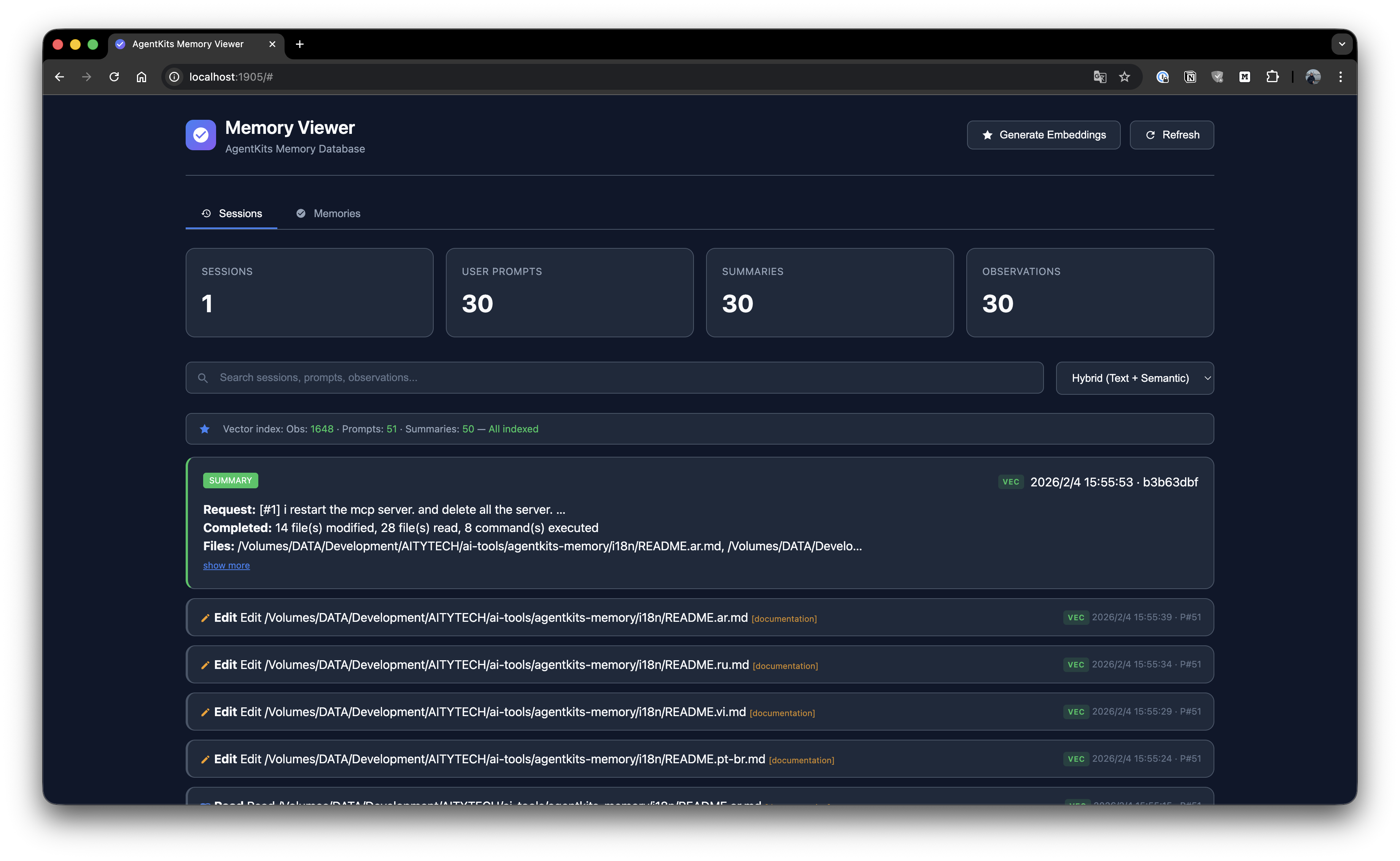
Session List
Browse all sessions with timeline view and activity details.
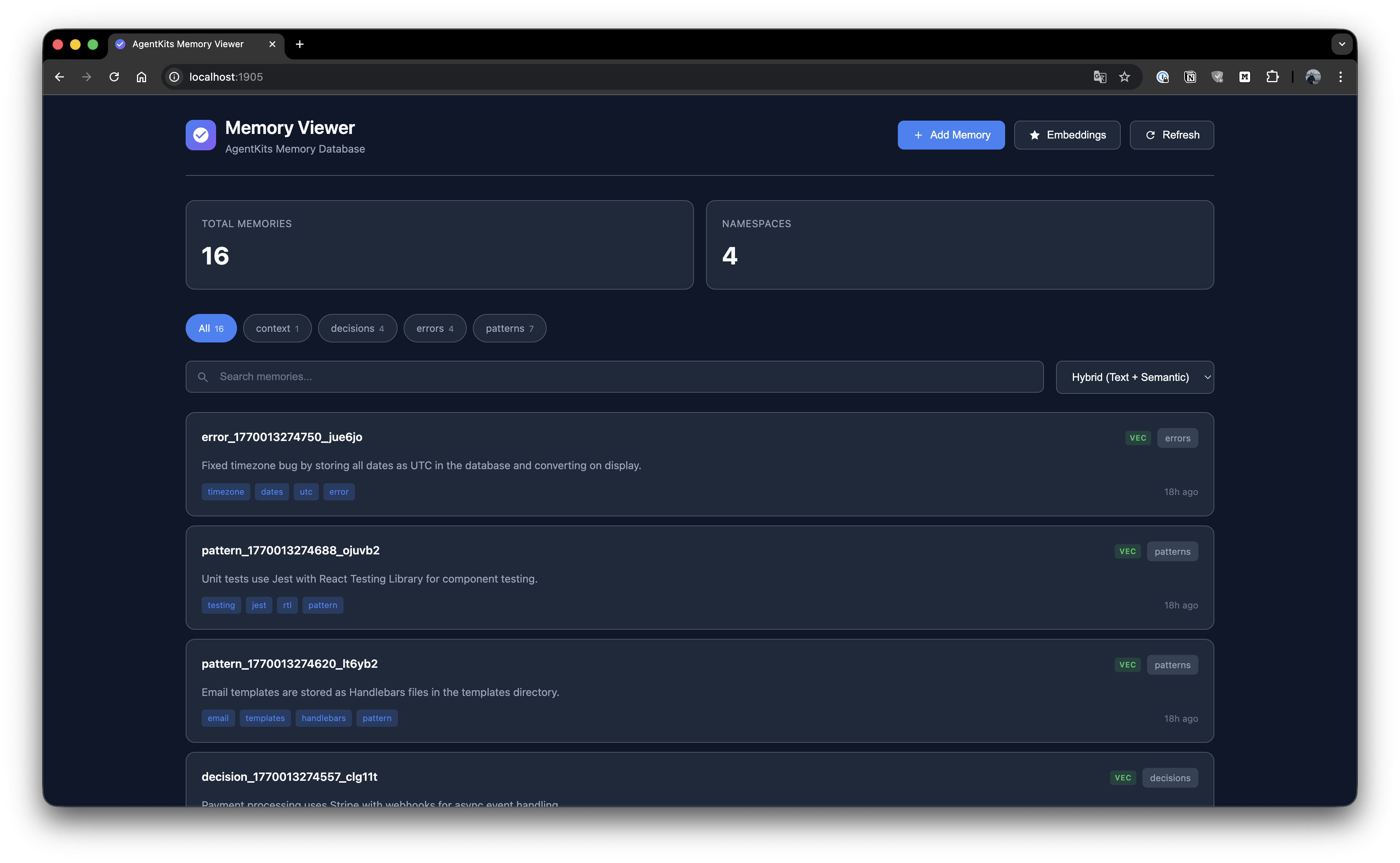
Memory List
Browse all stored memories with search and namespace filtering.
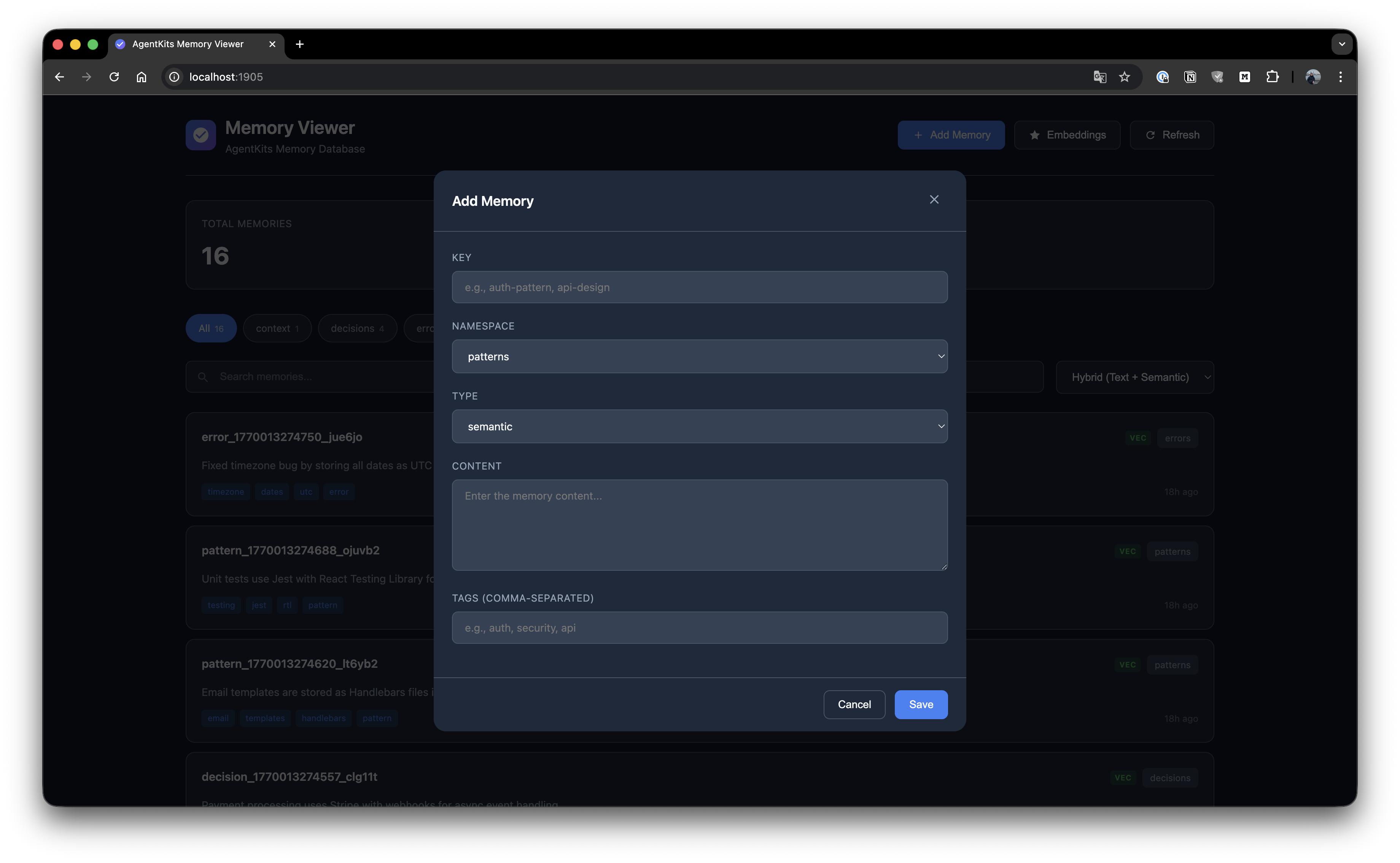
Add Memory
Create new memories with key, namespace, type, content, and tags.
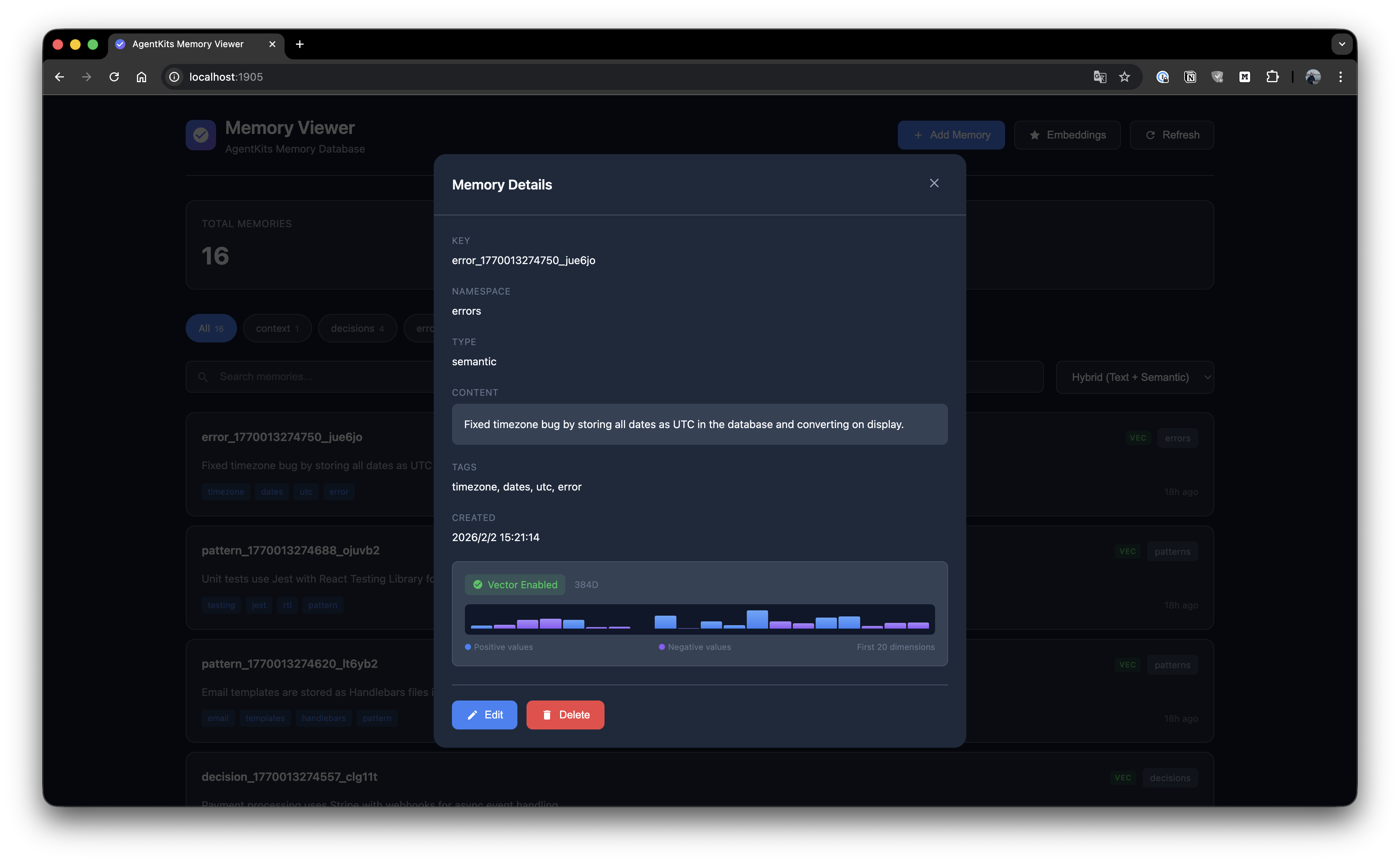
Memory Details
View full memory details with edit and delete options.
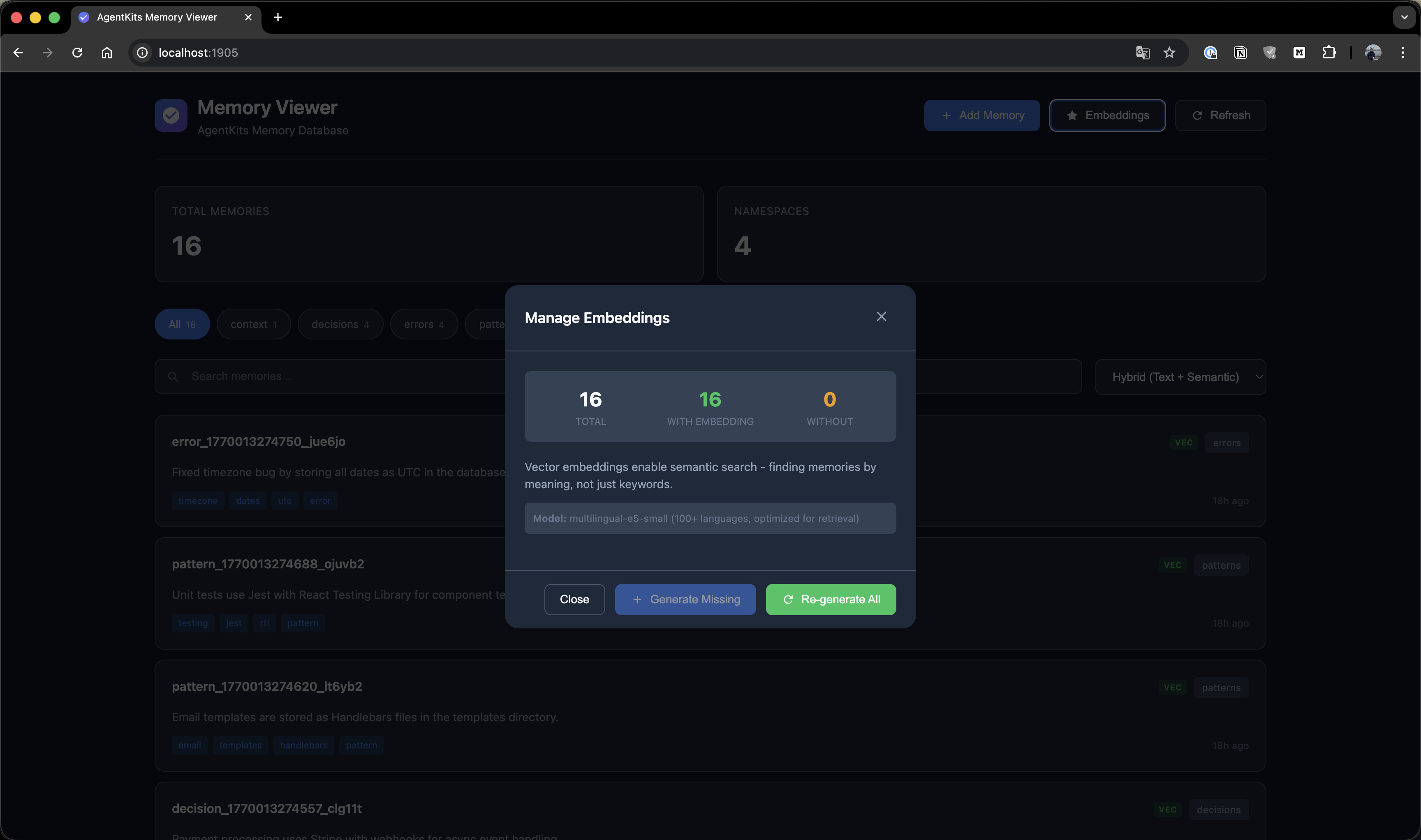
Manage Embeddings
Generate and manage vector embeddings for semantic search.
Quick Start
Option 1: Claude Code Plugin Marketplace (Recommended for Claude Code)
Install as a plugin with one command — no manual configuration needed:
/plugin marketplace add aitytech/agentkits-memory
/plugin install agentkits-memory@agentkits-memory
This installs hooks, MCP server, and memory workflow skill automatically. Restart Claude Code after installation.
Option 2: Automated Setup (All Platforms)
npx @aitytech/agentkits-memory
This auto-detects your platform and configures everything: MCP server, hooks (Claude Code/OpenCode), rules files (Cursor/Windsurf/Cline), and downloads the embedding model.
Target a specific platform:
npx @aitytech/agentkits-memory --platform=cursor
npx @aitytech/agentkits-memory --platform=windsurf,cline
npx @aitytech/agentkits-memory --platform=all
Option 3: Manual MCP Configuration
If you prefer manual setup, add to your MCP config:
{
  "mcpServers": {
    "memory": {
      "command": "npx",
      "args": ["-y", "@aitytech/agentkits-memory", "server"]
    }
  }
}
Config file locations:
- Claude Code:
.claude/settings.json(embedded inmcpServerskey) - Cursor:
.cursor/mcp.json - Windsurf:
.windsurf/mcp.json - Cline / OpenCode:
.mcp.json(project root)
3. MCP Tools
Once configured, your AI assistant can use these tools:
| Tool | Description |
|---|---|
memory_status | Check memory system status (call first!) |
memory_save | Save decisions, patterns, errors, or context |
memory_search | [Step 1] Search index — lightweight IDs + titles (~50 tokens/result) |
memory_timeline | [Step 2] Get temporal context around a memory |
memory_details | [Step 3] Get full content for specific IDs |
memory_recall | Quick topic overview — grouped summary |
memory_list | List recent mem |
README truncated. View full README on GitHub.
Alternatives



Related Skills
Browse all skillsGuide for reverse engineering tools and techniques used in game security research. Use this skill when working with debuggers, disassemblers, memory analysis tools, binary analysis, or decompilers for game security research.
UI design system toolkit for Senior UI Designer including design token generation, component documentation, responsive design calculations, and developer handoff tools. Use for creating design systems, maintaining visual consistency, and facilitating design-dev collaboration.
Answer questions about the AI SDK and help build AI-powered features. Use when developers: (1) Ask about AI SDK functions like generateText, streamText, ToolLoopAgent, embed, or tools, (2) Want to build AI agents, chatbots, RAG systems, or text generation features, (3) Have questions about AI providers (OpenAI, Anthropic, Google, etc.), streaming, tool calling, structured output, or embeddings, (4) Use React hooks like useChat or useCompletion. Triggers on: "AI SDK", "Vercel AI SDK", "generateText", "streamText", "add AI to my app", "build an agent", "tool calling", "structured output", "useChat".
Master memory forensics techniques including memory acquisition, process analysis, and artifact extraction using Volatility and related tools. Use when analyzing memory dumps, investigating incidents, or performing malware analysis from RAM captures.
Use and troubleshoot the Memory MCP server for episodic memory retrieval and pattern analysis. Use this skill when working with MCP server tools (query_memory, analyze_patterns, advanced_pattern_analysis), validating the MCP implementation, or debugging MCP server issues.
Use when working with the OpenAI API (Responses API) or OpenAI platform features (tools, streaming, Realtime API, auth, models, rate limits, MCP) and you need authoritative, up-to-date documentation (schemas, examples, limits, edge cases). Prefer the OpenAI Developer Documentation MCP server tools when available; otherwise guide the user to enable `openaiDeveloperDocs`.