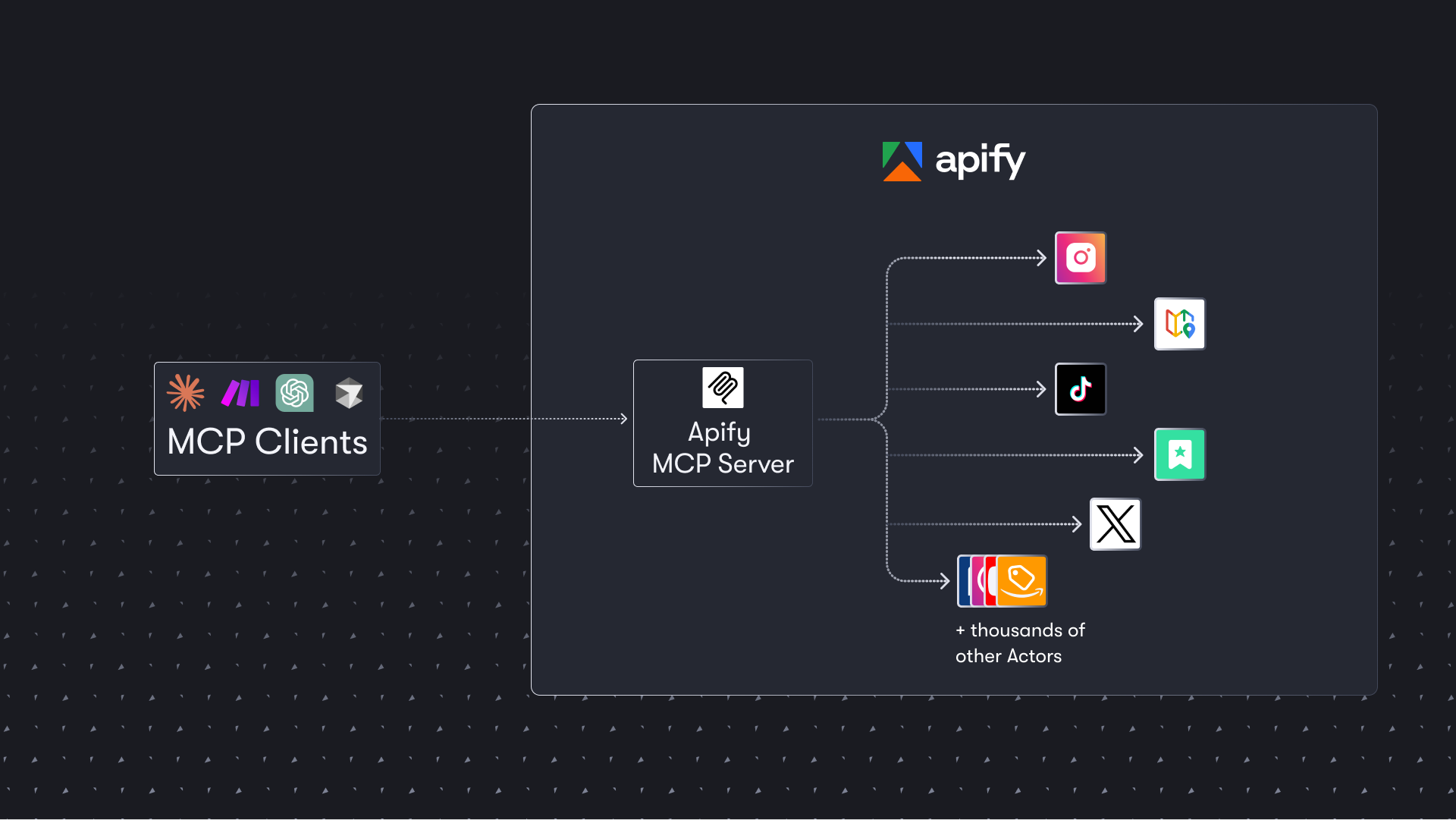
Connects AI agents to 4,000+ pre-built web scrapers and crawlers from Apify Store to extract data from websites, social media, search engines, and e-commerce platforms.
Use 4,000+ pre-built cloud tools, known as Actors, to extract data from websites, e-commerce, social media, search engines, maps, and more.
Data scientists needing web scraping at scaleMarket researchers tracking competitor informationE-commerce businesses monitoring pricingAI agents requiring web data extraction
4,000+ ready-made scrapers availableOAuth support for easy authenticationHosted service with zero setup
About Apify Actor
Apify Actor is an official MCP server published by apify that provides AI assistants with tools and capabilities via the Model Context Protocol. Apify Actor offers 4,000+ cloud tools for web scraping. Scrape any website for data from e-commerce, social media, maps, & more—fast and easy. It is categorized under search web, developer tools.
How to install
You can install Apify Actor in your AI client of choice. Use the install panel on this page to get one-click setup for Cursor, Claude Desktop, VS Code, and other MCP-compatible clients. This server supports remote connections over HTTP, so no local installation is required.
License
Apify Actor is released under the MIT license. This is a permissive open-source license, meaning you can freely use, modify, and distribute the software.
The Apify Model Context Protocol (MCP) server at mcp.apify.com enables your AI agents to extract data from social media, search engines, maps, e-commerce sites, and any other website using thousands of ready-made scrapers, crawlers, and automation tools from the Apify Store. It supports OAuth, allowing you to connect from clients like Claude.ai or Visual Studio Code using just the URL.
🚀 Use the hosted Apify MCP Server!
For the best experience, connect your AI assistant to our hosted server at https://mcp.apify.com. The hosted server supports the latest features - including output schema inference for structured Actor results - that are not available when running locally via stdio.
💰 The server also supports Skyfire agentic payments, allowing AI agents to pay for Actor runs without an API token.
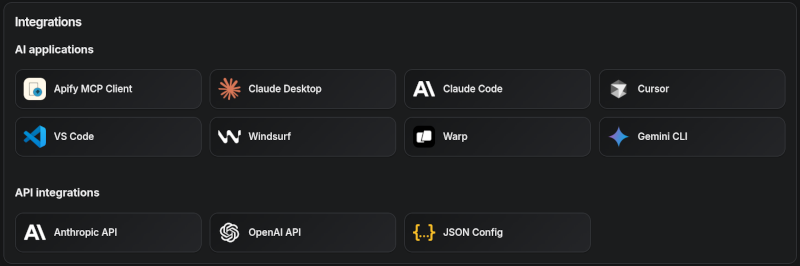
Apify MCP Server is compatible with Claude Code, Claude.ai, Cursor, VS Code and any client that adheres to the Model Context Protocol.
Check out the MCP clients section for more details or visit the MCP configuration page.
Use Instagram Scraper to scrape Instagram posts, profiles, places, photos, and comments.
Use RAG Web Browser to search the web, scrape the top N URLs, and return their content.
Video tutorial: Integrate 8,000+ Apify Actors and Agents with Claude
🚀 Quickstart
You can use the Apify MCP Server in two ways:
HTTPS Endpoint (mcp.apify.com): Connect from your MCP client via OAuth or by including the Authorization: Bearer <APIFY_TOKEN> header in your requests. This is the recommended method for most use cases. Because it supports OAuth, you can connect from clients like Claude.ai or Visual Studio Code using just the URL: https://mcp.apify.com.
https://mcp.apify.com streamable transport
Standard Input/Output (stdio): Ideal for local integrations and command-line tools like the Claude for Desktop client.
Set the MCP client server command to npx @apify/actors-mcp-server and the APIFY_TOKEN environment variable to your Apify API token.
See npx @apify/actors-mcp-server --help for more options.
You can find detailed instructions for setting up the MCP server in the Apify documentation.
⚠️ SSE transport deprecation on April 1, 2026
Update your MCP client config before April 1, 2026.
The Apify MCP server is dropping Server-Sent Events (SSE) transport in favor of Streamable HTTP, in line with the official MCP spec.
Go to mcp.apify.com to update the installation for your client of choice, with a valid endpoint.
🤖 MCP clients
Apify MCP Server is compatible with any MCP client that adheres to the Model Context Protocol, but the level of support for dynamic tool discovery and other features may vary between clients.
Visit mcp.apify.com to configure the server for your preferred client.
Supported clients matrix
The following table outlines the tested MCP clients and their level of support for key features.
Client
Dynamic Tool Discovery
Notes
Claude.ai (web)
🟡 Partial
Tools mey need to be reloaded manually in the client
Claude Desktop
🟡 Partial
Tools may need to be reloaded manually in the client
VS Code (Genie)
✅ Full
Cursor
✅ Full
Apify Tester MCP Client
✅ Full
Designed for testing Apify MCP servers
OpenCode
✅ Full
Smart tool selection based on client capabilities:
When the actors tool category is requested, the server intelligently selects the most appropriate Actor-related tools based on the client's capabilities:
Clients with dynamic tool support (e.g., Claude.ai web, VS Code Genie): The server provides the add-actor tool instead of call-actor. This allows for a better user experience where users can dynamically discover and add new Actors as tools during their conversation.
Clients with limited dynamic tool support (e.g., Claude Desktop): The server provides the standard call-actor tool along with other Actor category tools, ensuring compatibility while maintaining functionality.
This interactive, chat-like interface provides an easy way to explore the capabilities of Apify MCP without any local setup.
Just sign in with your Apify account and start experimenting with web scraping, data extraction, and automation tools!
Or use the MCP bundle file (formerly known as Anthropic Desktop extension file, or DXT) for one-click installation: Apify MCP server MCPB file
💰 Skyfire agentic payments
The Apify MCP Server integrates with Skyfire to enable agentic payments - AI agents can autonomously pay for Actor runs without requiring an Apify API token. Instead of authenticating with APIFY_TOKEN, the agent uses Skyfire PAY tokens to cover billing for each tool call.
An MCP client that supports multiple servers (e.g., Claude Desktop, OpenCode, VS Code)
Setup:
Configure both the Skyfire MCP server and the Apify MCP server in your MCP client. Enable payment mode by adding the payment=skyfire query parameter to the Apify server URL:
{
  "mcpServers": {
    "skyfire":

---

*README truncated. [View full README on GitHub](https://github.com/apify/actors-mcp-server).*