
Chain of Thought Task Manager
Converts natural language task descriptions into organized development plans with dependency tracking, step-by-step implementation guides, and verification criteria.
Task management system that converts natural language into organized development tasks with dependency tracking, implementation guides, and verification criteria through structured reasoning phases.
What it does
- Break down complex tasks into manageable subtasks
- Track task dependencies and status
- Generate implementation guides with verification criteria
- Store task history for reference
- Define project-specific rules and standards
- Provide step-by-step reasoning for problem solving
Best for
About Chain of Thought Task Manager
Chain of Thought Task Manager is a community-built MCP server published by liorfranko that provides AI assistants with tools and capabilities via the Model Context Protocol. Organize projects using leading project track software. Convert tasks with dependency tracking for optimal time management and success. It is categorized under productivity.
How to install
You can install Chain of Thought Task Manager in your AI client of choice. Use the install panel on this page to get one-click setup for Cursor, Claude Desktop, VS Code, and other MCP-compatible clients. This server runs locally on your machine via the stdio transport.
License
Chain of Thought Task Manager is released under the MIT license. This is a permissive open-source license, meaning you can freely use, modify, and distribute the software.
MCP Chain of Thought
🚀 An intelligent task management system based on Model Context Protocol (MCP), providing an efficient programming workflow framework for AI Agents.
📑 Table of Contents
- ✨ Features
- 🧭 Usage Guide
- 🔧 Installation
- 🔌 Using with MCP-Compatible Clients
- 🛠️ Tools Overview
- 🤖 Recommended Models
- 📄 License
- 📚 Documentation
✨ Features
- 🧠 Task Planning & Analysis: Deep understanding of complex task requirements
- 🧩 Intelligent Task Decomposition: Break down large tasks into manageable smaller tasks
- 🔄 Dependency Management & Status Tracking: Handle dependencies and monitor progress
- ✅ Task Verification: Ensure results meet requirements
- 💾 Task Memory: Store task history for reference and learning
- ⛓️ Thought Chain Process: Step-by-step reasoning for complex problems
- 📋 Project Rules: Define standards to maintain consistency
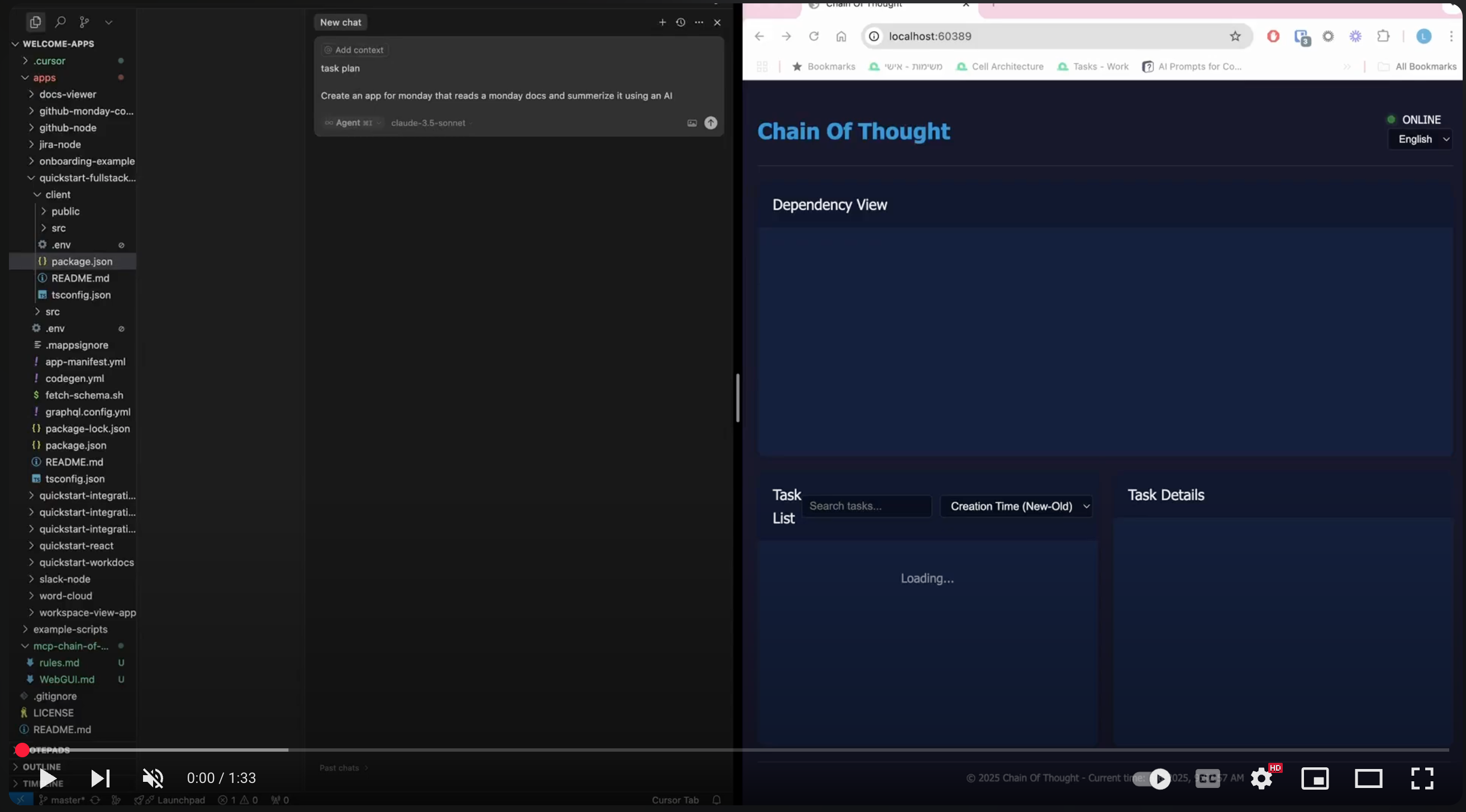
- 🌐 Web GUI: Optional web interface (enable with
ENABLE_GUI=true) - 📝 Detailed Mode: View conversation history (enable with
ENABLE_DETAILED_MODE=true)
🧭 Usage Guide
🚀 Quick Start
- 🔽 Installation: Install MCP Chain of Thought via Smithery or manually
- 🏁 Initial Setup: Tell the Agent "init project rules" to establish project-specific guidelines
- 📝 Plan Tasks: Use "plan task [description]" to create a development plan
- 👀 Review & Feedback: Provide feedback during the planning process
- ▶️ Execute Tasks: Use "execute task [name/ID]" to implement a specific task
- 🔄 Continuous Mode: Say "continuous mode" to process all tasks sequentially
🔍 Memory & Thinking Features
- 💾 Task Memory: Automatically saves execution history for reference
- 🔄 Thought Chain: Enables systematic reasoning through
process_thoughttool - 📋 Project Rules: Maintains consistency across your codebase
🔧 Installation
🔽 Via Smithery
npx -y @smithery/cli install @liorfranko/mcp-chain-of-thought --client claude
🔽 Manual Installation
npm install
npm run build
🔌 Using with MCP-Compatible Clients
⚙️ Configuration in Cursor IDE
Add to your Cursor configuration file (~/.cursor/mcp.json or project-specific .cursor/mcp.json):
{
  "mcpServers": {
    "chain-of-thought": {
      "command": "npx",
      "args": ["-y", "mcp-chain-of-thought"],
      "env": {
        "DATA_DIR": "/path/to/project/data", // Must use absolute path
        "ENABLE_THOUGHT_CHAIN": "true",
        "TEMPLATES_USE": "en",
        "ENABLE_GUI": "true",
        "ENABLE_DETAILED_MODE": "true"
      }
    }
  }
}
⚠️ Important:
DATA_DIRmust use an absolute path.
🔧 Environment Variables
- 📁 DATA_DIR: Directory for storing task data (absolute path required)
- 🧠 ENABLE_THOUGHT_CHAIN: Controls detailed thinking process (default: true)
- 🌐 TEMPLATES_USE: Template language (default: en)
- 🖥️ ENABLE_GUI: Enables web interface (default: false)
- 📝 ENABLE_DETAILED_MODE: Shows conversation history (default: false)
🛠️ Tools Overview
| Category | Tool | Description |
|---|---|---|
| 📋 Planning | plan_task | Start planning tasks |
analyze_task | Analyze requirements | |
process_thought | Step-by-step reasoning | |
reflect_task | Improve solution concepts | |
init_project_rules | Set project standards | |
| 🧩 Management | split_tasks | Break into subtasks |
list_tasks | Show all tasks | |
query_task | Search tasks | |
get_task_detail | Show task details | |
delete_task | Remove tasks | |
| ▶️ Execution | execute_task | Run specific tasks |
verify_task | Verify completion | |
complete_task | Mark as completed |
🤖 Recommended Models
- 👑 Claude 3.7: Offers strong understanding and generation capabilities
- 💎 Gemini 2.5: Google's latest model, performs excellently
📄 License
This project is licensed under the MIT License - see the LICENSE file for details.
📚 Documentation
⭐ Star History
Alternatives




Related Skills
Browse all skillsOrchestrates comprehensive cognitive thinking patterns including sequential, systems, lateral, divergent/convergent, abductive, analogical, first-principles, double-loop learning, gestalt, metacognitive, and neurodivergent patterns (ADHD hyperfocus, autistic detail-orientation, dyslexic spatial reasoning). Analyzes tasks to select optimal pattern(s), chains multiple patterns when needed, and validates outputs before responding. Use for complex problem-solving, creative tasks, analytical challenges, or when diverse cognitive approaches enhance solution quality.
Use when tackling complex reasoning tasks requiring step-by-step logic, multi-step arithmetic, commonsense reasoning, symbolic manipulation, or problems where simple prompting fails - provides comprehensive guide to Chain-of-Thought and related prompting techniques (Zero-shot CoT, Self-Consistency, Tree of Thoughts, Least-to-Most, ReAct, PAL, Reflexion) with templates, decision matrices, and research-backed patterns
Use when complex problems require systematic step-by-step reasoning with ability to revise thoughts, branch into alternative approaches, or dynamically adjust scope. Ideal for multi-stage analysis, design planning, problem decomposition, or tasks with initially unclear scope.
Build Python APIs with FastAPI, Pydantic v2, and SQLAlchemy 2.0 async. Covers project structure, JWT auth, validation, and database integration with uv package manager. Prevents 7 documented errors. Use when: creating Python APIs, implementing JWT auth, or troubleshooting 422 validation, CORS, async blocking, form data, background tasks, or OpenAPI schema errors.
Comprehensive personal finance management system for analyzing transaction data, generating insights, creating visualizations, and providing actionable financial recommendations. Use when users need to analyze spending patterns, track budgets, visualize financial data, extract transactions from PDFs, calculate savings rates, identify spending trends, generate financial reports, or receive personalized budget recommendations. Triggers include requests like "analyze my finances", "track my spending", "create a financial report", "extract transactions from PDF", "visualize my budget", "where is my money going", "financial insights", "spending breakdown", or any finance-related analysis tasks.
Expert in designing effective prompts for LLM-powered applications. Masters prompt structure, context management, output formatting, and prompt evaluation. Use when: prompt engineering, system prompt, few-shot, chain of thought, prompt design.