
Clay
OfficialConnects to Clay's personal CRM platform to search contacts, retrieve interaction history, and manage professional relationships through natural language queries.
Provides a bridge to Clay's personal CRM platform for searching, retrieving, and managing contact information, interactions, and professional relationships through natural language queries.
What it does
- Search contacts by job title, company, or location
- Retrieve past interaction history
- Add new contacts with details
- Get contact statistics and analytics
- Access detailed contact information
- Create notes for contacts
Best for
About Clay
Clay is an official MCP server published by clay-inc that provides AI assistants with tools and capabilities via the Model Context Protocol. Bridge to Clay's CRM platform for searching, managing contacts, and relationships using natural language. CRM relationship management made easy. It is categorized under productivity.
How to install
You can install Clay in your AI client of choice. Use the install panel on this page to get one-click setup for Cursor, Claude Desktop, VS Code, and other MCP-compatible clients. This server runs locally on your machine via the stdio transport.
License
Clay is released under the MIT license. This is a permissive open-source license, meaning you can freely use, modify, and distribute the software.

Clay MCP Server
A simple Model Context Protocol (MCP) server for Clay.
Demo Video
Getting Started
Via Clay (preferred)
- Enter our MCP server url into your client https://mcp.clay.earth/mcp
- Followed the guided login flow to connect your account.
Via Smithery
-
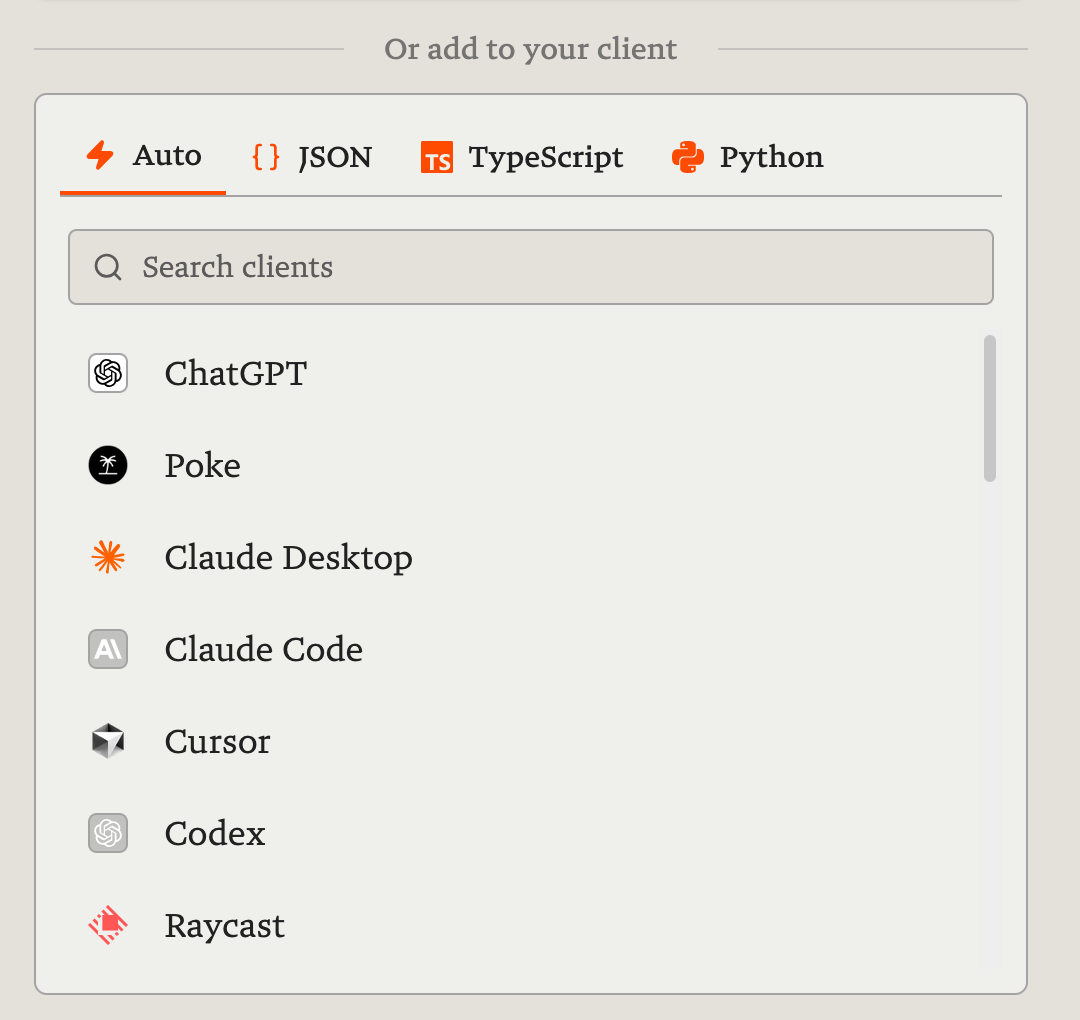
Visit Clay's Smithery page, choose your preferred client (e.g. Claude, ChatGPT, Poke, Cursor, Raycast, etc.) and connect through the guided login flow.
-
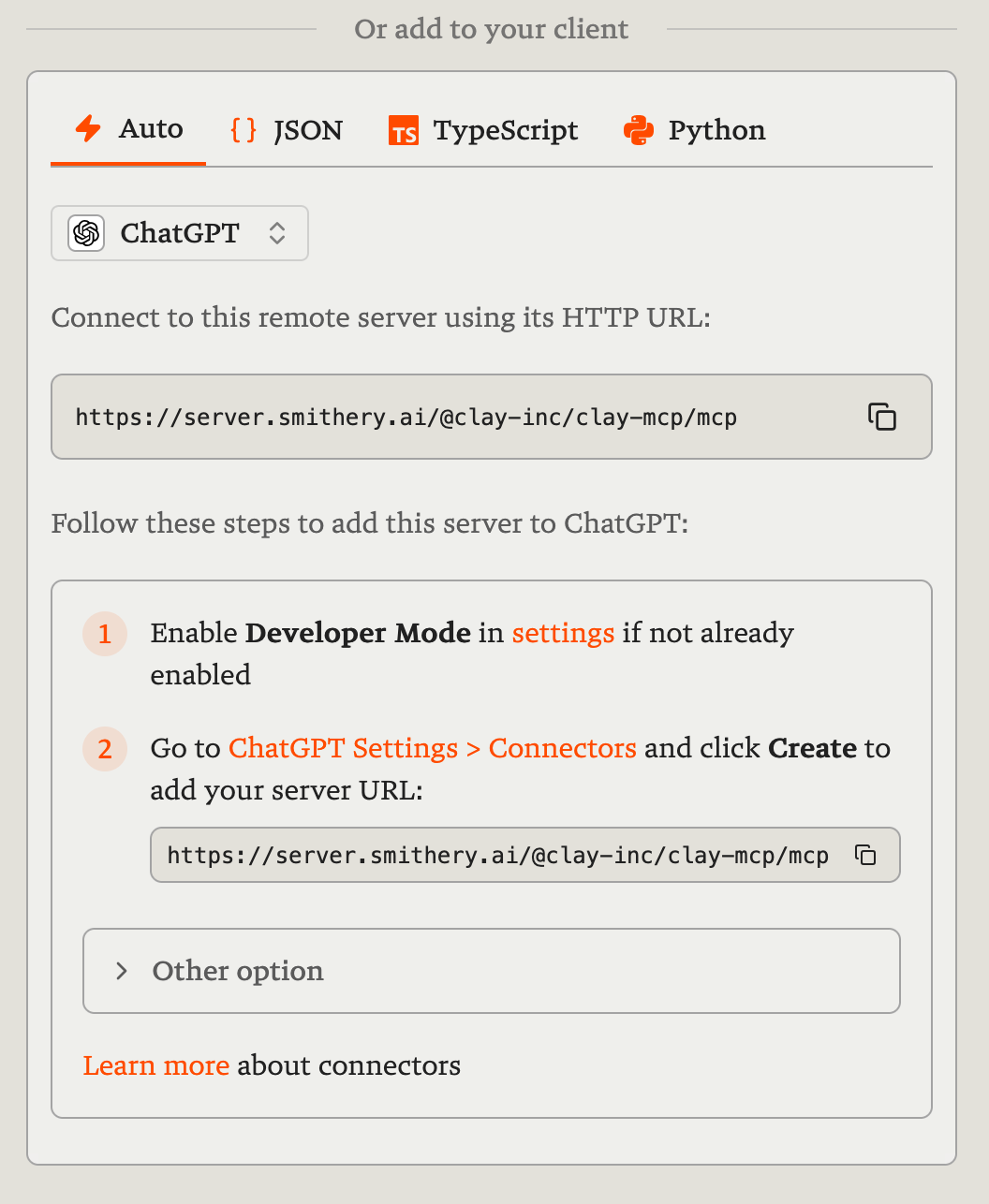
Follow Smithery's instructions to configure the server URL with your preferred client.
Features
- Contact Search: Find contacts by job title, company, location, or specific keywords.
- Interaction Search: Retrieve past interactions based on various criteria.
- Contact Statistics: Obtain numerical statistics and percentages related to your contacts.
- Detailed Contact Info: Access comprehensive information for a specific contact by ID.
- Add New Contact: Create new contacts with details like name, phone, email, and more.
- Add Contact Note: Create a note associated with a specific contact.
- Retrieve Groups: Get all user-defined groups or lists.
- Create New Group: Create a new group or list.
- Update Group: Update a group's title or modify its members.
- Retrieve Notes: Get notes created within a specified date range.
- Retrieve Events: Fetch meetings and events scheduled within a specified date range.
Examples
- "Who in my network works at Google as a Product Manager?"
- "Who have I emailed the most this year?"
- "How many of my contacts are based in New York?"
- "Who is John Smith?"
- "Add a new contact named Jane Doe, who is a Designer at Figma."
- "Save a note for John Smith: 'Follow up about the Q2 report.'"
- "Create a group called 'Investors 2025.'"
- "Add Jane Doe and John Smith to the Investors 2025 group."
- "What notes did I take last week?"
- "What meetings do I have scheduled for tomorrow?"
More information
Learn more and reach out at the Clay Library.
Alternatives




Related Skills
Browse all skills"UI/UX design intelligence. 50 styles, 21 palettes, 50 font pairings, 20 charts, 8 stacks (React, Next.js, Vue, Svelte, SwiftUI, React Native, Flutter, Tailwind). Actions: plan, build, create, design, implement, review, fix, improve, optimize, enhance, refactor, check UI/UX code. Projects: website, landing page, dashboard, admin panel, e-commerce, SaaS, portfolio, blog, mobile app, .html, .tsx, .vue, .svelte. Elements: button, modal, navbar, sidebar, card, table, form, chart. Styles: glassmorphism, claymorphism, minimalism, brutalism, neumorphism, bento grid, dark mode, responsive, skeuomorphism, flat design. Topics: color palette, accessibility, animation, layout, typography, font pairing, spacing, hover, shadow, gradient."
PERSONAL APP ARCHITECT - Strategic development orchestrator for personal productivity applications. Analyzes project context, makes architectural decisions for single-developer projects, delegates to specialized skills, and ensures alignment between user experience goals and technical implementation. Optimized for personal apps targeting 10-100 users.
Boost your productivity with automated task management
Creates educational Teams channel posts for internal knowledge sharing about Claude Code features, tools, and best practices. Applies when writing posts, announcements, or documentation to teach colleagues effective Claude Code usage, announce new features, share productivity tips, or document lessons learned. Provides templates, writing guidelines, and structured approaches emphasizing concrete examples, underlying principles, and connections to best practices like context engineering. Activates for content involving Teams posts, channel announcements, feature documentation, or tip sharing.
Expert methodology for defining, tracking, and interpreting engineering performance metrics including DORA, team health, productivity, and executive reporting.
Leveraging AI coding assistants and tools to boost development productivity, while maintaining oversight to ensure quality results.