
CLI
Lets AI models execute shell commands on your local system with built-in security protections like command blacklisting and validation.
Execute system commands and scripts on the host machine.
What it does
- Execute shell commands safely
- Validate commands before execution
- Block dangerous system operations
- Return command output and errors
- Integrate with Claude Desktop
Best for
About CLI
CLI is a community-built MCP server published by g0t4 that provides AI assistants with tools and capabilities via the Model Context Protocol. Use CLI to execute system commands and scripts directly on your host using a powerful cli command line interface. Ideal for advanced users. It is categorized under developer tools. This server exposes 1 tool that AI clients can invoke during conversations and coding sessions.
How to install
You can install CLI in your AI client of choice. Use the install panel on this page to get one-click setup for Cursor, Claude Desktop, VS Code, and other MCP-compatible clients. This server runs locally on your machine via the stdio transport.
License
CLI is released under the MIT license. This is a permissive open-source license, meaning you can freely use, modify, and distribute the software.
Tools (1)
Run a command on this linux machine
runProcess renaming/redesign
Recently I renamed the tool to runProcess to better reflect that you can run more than just shell commands with it. There are two explicit modes now:
mode=executablewhere you passargvwithargv[0]representing theexecutablefile and then the rest of the array contains args to it.mode=shellwhere you passcommand_line(just like typing intobash/fish/pwsh/etc) which will use your system's default shell.
I hate APIs that make ambiguous if you're executing something via a shell, or not. I hate it being a toggle b/c there's way more to running a shell command vs exec than just flipping a switch. So I made that explicit in the new tool's parameters
If you want your model to use specific shell(s) on a system, I would list them in your system prompt. Or, maybe in your tool instructions, though models tend to pay better attention to examples in a system prompt.
I've used this new design with gptoss-120b extensively and it went off without a hitch, no issues switching as the model doesn't care about names nor even the redesigned mode part, it all seems to "make sense" to gptoss.
Let me know if you encounter problems!
Tools
Tools are for LLMs to request. Claude Sonnet 3.5 intelligently uses run_process. And, initial testing shows promising results with Groq Desktop with MCP and llama4 models.
Currently, just one command to rule them all!
run_process- run a command, i.e.hostnameorls -alorecho "hello world"etc- Returns
STDOUTandSTDERRas text - Optional
stdinparameter means your LLM can- pass scripts over
STDINto commands likefish,bash,zsh,python - create files with
cat >> foo/bar.txtfrom the text instdin
- pass scripts over
- Returns
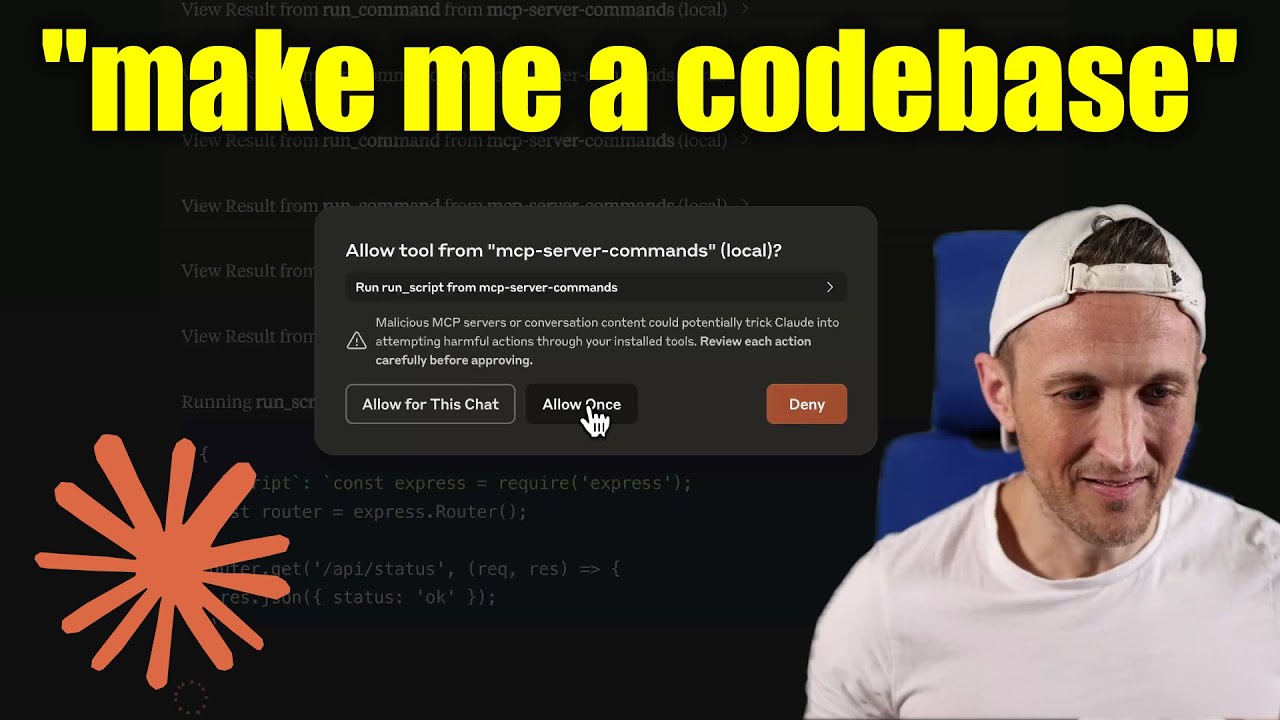
[!WARNING] Be careful what you ask this server to run! In Claude Desktop app, use
Approve Once(notAllow for This Chat) so you can review each command, useDenyif you don't trust the command. Permissions are dictated by the user that runs the server. DO NOT run withsudo.
Video walkthrough
Prompts
Prompts are for users to include in chat history, i.e. via Zed's slash commands (in its AI Chat panel)
run_process- generate a prompt message with the command output
- FYI this was mostly a learning exercise... I see this as a user requested tool call. That's a fancy way to say, it's a template for running a command and passing the outputs to the model!
Development
Install dependencies:
npm install
Build the server:
npm run build
For development with auto-rebuild:
npm run watch
Installation
To use with Claude Desktop, add the server config:
On MacOS: ~/Library/Application Support/Claude/claude_desktop_config.json
On Windows: %APPDATA%/Claude/claude_desktop_config.json
Groq Desktop (beta, macOS) uses ~/Library/Application Support/groq-desktop-app/settings.json
Use the published npm package
Published to npm as mcp-server-commands using this workflow
{
  "mcpServers": {
    "mcp-server-commands": {
      "command": "npx",
      "args": ["mcp-server-commands"]
    }
  }
}
Use a local build (repo checkout)
Make sure to run npm run build
{
  "mcpServers": {
    "mcp-server-commands": {
      // works b/c of shebang in index.js
      "command": "/path/to/mcp-server-commands/build/index.js"
    }
  }
}
Local Models
- Most models are trained such that they don't think they can run commands for you.
- Sometimes, they use tools w/o hesitation... other times, I have to coax them.
- Use a system prompt or prompt template to instruct that they should follow user requests. Including to use
run_processswithout double checking.
- Ollama is a great way to run a model locally (w/ Open-WebUI)
# NOTE: make sure to review variants and sizes, so the model fits in your VRAM to perform well!

# Probably the best so far is [OpenHands LM](https://www.all-hands.dev/blog/introducing-openhands-lm-32b----a-strong-open-coding-agent-model)
ollama pull https://huggingface.co/lmstudio-community/openhands-lm-32b-v0.1-GGUF

# https://ollama.com/library/devstral
ollama pull devstral

# Qwen2.5-Coder has tool use but you have to coax it
ollama pull qwen2.5-coder
HTTP / OpenAPI
The server is implemented with the STDIO transport.
For HTTP, use mcpo for an OpenAPI compatible web server interface.
This works with Open-WebUI
uvx mcpo --port 3010 --api-key "supersecret" -- npx mcp-server-commands

# uvx runs mcpo => mcpo run npx => npx runs mcp-server-commands
# then, mcpo bridges STDIO <=> HTTP
[!WARNING] I briefly used
mcpowithopen-webui, make sure to vet it for security concerns.
Logging
Claude Desktop app writes logs to ~/Library/Logs/Claude/mcp-server-mcp-server-commands.log
By default, only important messages are logged (i.e. errors).
If you want to see more messages, add --verbose to the args when configuring the server.
By the way, logs are written to STDERR because that is what Claude Desktop routes to the log files.
In the future, I expect well formatted log messages to be written over the STDIO transport to the MCP client (note: not Claude Desktop app).
Debugging
Since MCP servers communicate over stdio, debugging can be challenging. We recommend using the MCP Inspector, which is available as a package script:
npm run inspector
The Inspector will provide a URL to access debugging tools in your browser.
Alternatives



Related Skills
Browse all skillsGuide for building TypeScript CLIs with Bun. Use when creating command-line tools, adding subcommands to existing CLIs, or building developer tooling. Covers argument parsing, subcommand patterns, output formatting, and distribution.
Use when building MCP servers or clients that connect AI systems with external tools and data sources. Invoke for MCP protocol compliance, TypeScript/Python SDKs, resource providers, tool functions.
Use when building CLI tools, implementing argument parsing, or adding interactive prompts. Invoke for CLI design, argument parsing, interactive prompts, progress indicators, shell completions.
Azure Identity SDK for Rust authentication. Use for DeveloperToolsCredential, ManagedIdentityCredential, ClientSecretCredential, and token-based authentication. Triggers: "azure-identity", "DeveloperToolsCredential", "authentication rust", "managed identity rust", "credential rust".
This skill should be used when working on Godot Engine projects. It provides specialized knowledge of Godot's file formats (.gd, .tscn, .tres), architecture patterns (component-based, signal-driven, resource-based), common pitfalls, validation tools, code templates, and CLI workflows. The `godot` command is available for running the game, validating scripts, importing resources, and exporting builds. Use this skill for tasks involving Godot game development, debugging scene/resource files, implementing game systems, or creating new Godot components.
Production-ready financial analyst skill with ratio analysis, DCF valuation, budget variance analysis, and rolling forecast construction. 4 Python tools (all stdlib-only). Works with Claude Code, Codex CLI, and OpenClaw.