
DBHub (Universal Database Gateway)
OfficialConnects to PostgreSQL, MySQL, SQLite, and DuckDB databases through a unified interface. Execute read-only SQL queries and browse database schemas safely.
Provides a universal database gateway for connecting to PostgreSQL, MySQL, SQLite, and DuckDB, enabling table browsing, schema inspection, and read-only SQL queries with built-in safety checks
What it does
- Execute SQL queries across multiple database types
- Browse database tables and schemas
- Search database objects like tables and columns
- Inspect database structure and metadata
Best for
About DBHub (Universal Database Gateway)
DBHub (Universal Database Gateway) is an official MCP server published by bytebase that provides AI assistants with tools and capabilities via the Model Context Protocol. DBHub: Universal database gateway to view SQLite database, run sequel queries & browse tables. Secure, safe, and easy-to-use SQLite browser. It is categorized under databases, developer tools. This server exposes 2 tools that AI clients can invoke during conversations and coding sessions.
How to install
You can install DBHub (Universal Database Gateway) in your AI client of choice. Use the install panel on this page to get one-click setup for Cursor, Claude Desktop, VS Code, and other MCP-compatible clients. This server runs locally on your machine via the stdio transport.
License
DBHub (Universal Database Gateway) is released under the MIT license. This is a permissive open-source license, meaning you can freely use, modify, and distribute the software.
Tools (2)
Execute SQL queries on the sqlite database
Search and list database objects (schemas, tables, columns, procedures, indexes) on the sqlite database
[!NOTE]
Brought to you by Bytebase, open-source database DevSecOps platform.

            +------------------+    +--------------+    +------------------+
            |                  |    |              |    |                  |
            |                  |    |              |    |                  |
            |  Claude Desktop  +--->+              +--->+    PostgreSQL    |
            |                  |    |              |    |                  |
            |  Claude Code     +--->+              +--->+    SQL Server    |
            |                  |    |              |    |                  |
            |  Cursor          +--->+    DBHub     +--->+    SQLite        |
            |                  |    |              |    |                  |
            |  VS Code         +--->+              +--->+    MySQL         |
            |                  |    |              |    |                  |
            |  Copilot CLI     +--->+              +--->+    MariaDB       |
            |                  |    |              |    |                  |
            |                  |    |              |    |                  |
            +------------------+    +--------------+    +------------------+
                 MCP Clients           MCP Server             Databases
DBHub is a zero-dependency, token efficient MCP server implementing the Model Context Protocol (MCP) server interface. This lightweight gateway allows MCP-compatible clients to connect to and explore different databases:
- Local Development First: Zero dependency, token efficient with just two MCP tools to maximize context window
- Multi-Database: PostgreSQL, MySQL, MariaDB, SQL Server, and SQLite through a single interface
- Multi-Connection: Connect to multiple databases simultaneously with TOML configuration
- Guardrails: Read-only mode, row limiting, and query timeout to prevent runaway operations
- Secure Access: SSH tunneling and SSL/TLS encryption
Supported Databases
PostgreSQL, MySQL, SQL Server, MariaDB, and SQLite.
MCP Tools
DBHub implements MCP tools for database operations:
- execute_sql: Execute SQL queries with transaction support and safety controls
- search_objects: Search and explore database schemas, tables, columns, indexes, and procedures with progressive disclosure
- Custom Tools: Define reusable, parameterized SQL operations in your
dbhub.tomlconfiguration file
Workbench
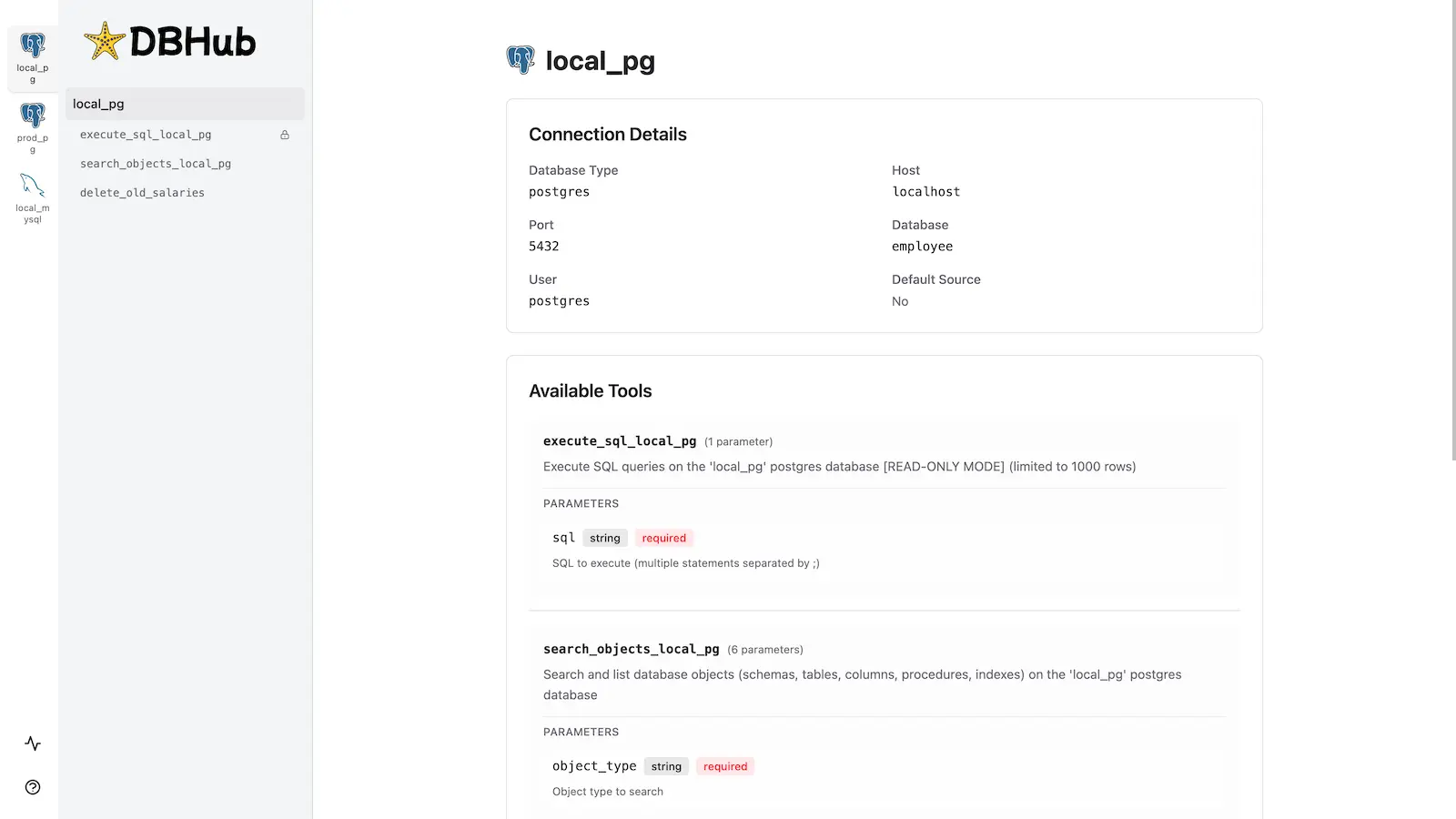
DBHub includes a built-in web interface for interacting with your database tools. It provides a visual way to execute queries, run custom tools, and view request traces without requiring an MCP client.
Installation
See the full Installation Guide for detailed instructions.
Quick Start
Docker:
docker run --rm --init \
   --name dbhub \
   --publish 8080:8080 \
   bytebase/dbhub \
   --transport http \
   --port 8080 \
   --dsn "postgres://user:password@localhost:5432/dbname?sslmode=disable"
NPM:
npx @bytebase/dbhub@latest --transport http --port 8080 --dsn "postgres://user:password@localhost:5432/dbname?sslmode=disable"
Demo Mode:
npx @bytebase/dbhub@latest --transport http --port 8080 --demo
See Command-Line Options for all available parameters.
Multi-Database Setup
Connect to multiple databases simultaneously using TOML configuration files. Perfect for managing production, staging, and development databases from a single DBHub instance.
See Multi-Database Configuration for complete setup instructions.
Development
# Install dependencies
pnpm install

# Run in development mode
pnpm dev

# Build and run for production
pnpm build && pnpm start --transport stdio --dsn "postgres://user:password@localhost:5432/dbname"
Contributors
Star History
Alternatives



Related Skills
Browse all skillsModern web development expertise covering React, Node.js, databases, and full-stack architecture. Use when: building web applications, developing APIs, creating frontends, setting up databases, deploying web apps, or when user mentions React, Next.js, Express, REST API, GraphQL, MongoDB, PostgreSQL, or full-stack development.
Find, connect, and use MCP tools and skills via the Smithery CLI. Use when the user searches for new tools or skills, wants to discover integrations, connect to an MCP, install a skill, or wants to interact with an external service (email, Slack, Discord, GitHub, Jira, Notion, databases, cloud APIs, monitoring, etc.).
Use this skill when working with scientific research tools and workflows across bioinformatics, cheminformatics, genomics, structural biology, proteomics, and drug discovery. This skill provides access to 600+ scientific tools including machine learning models, datasets, APIs, and analysis packages. Use when searching for scientific tools, executing computational biology workflows, composing multi-step research pipelines, accessing databases like OpenTargets/PubChem/UniProt/PDB/ChEMBL, performing tool discovery for research tasks, or integrating scientific computational resources into LLM workflows.
Guidance for recovering data from corrupted or truncated SQLite database files through binary analysis and manual parsing. This skill applies when working with damaged SQLite databases that cannot be opened with standard tools, particularly when corruption is due to binary truncation, incomplete writes, or filesystem errors.
Automate Notion tasks via Rube MCP (Composio): pages, databases, blocks, comments, users. Always search tools first for current schemas.
Search and deploy services from Railway's template marketplace. Use when user wants to add a service from a template, find templates for a specific use case, or deploy tools like Ghost, Strapi, n8n, Minio, Uptime Kuma, etc. For databases (Postgres, Redis, MySQL, MongoDB), prefer the railway-database skill.