
Documentation Scraper
Fetches and indexes official documentation from GitHub, NPM, PyPI, and web sources so AI assistants can reference current, accurate library docs instead of hallucinating outdated information.
Provides specialized documentation scraping and retrieval from GitHub, NPM, PyPI, and web pages, enabling accurate reference to up-to-date library documentation without disrupting workflow.
What it does
- Scrape documentation from GitHub repositories
- Index NPM and PyPI package documentation
- Process HTML, Markdown, PDF, and Office documents
- Query version-specific library documentation
- Index local documentation folders
- Search across multiple documentation sources
Best for
About Documentation Scraper
Documentation Scraper is a community-built MCP server published by arabold that provides AI assistants with tools and capabilities via the Model Context Protocol. Easily retrieve swift language documentation from GitHub, NPM, PyPI, and web pages with accurate, up-to-date references for your workflow. It is categorized under search web, developer tools.
How to install
You can install Documentation Scraper in your AI client of choice. Use the install panel on this page to get one-click setup for Cursor, Claude Desktop, VS Code, and other MCP-compatible clients. This server runs locally on your machine via the stdio transport.
License
Documentation Scraper is released under the MIT license. This is a permissive open-source license, meaning you can freely use, modify, and distribute the software.
Grounded Docs: Your AI's Up-to-Date Documentation Expert
Docs MCP Server solves the problem of AI hallucinations and outdated knowledge by providing a personal, always-current documentation index for your AI coding assistant. It fetches official docs from websites, GitHub, npm, PyPI, and local files, allowing your AI to query the exact version you are using.
✨ Why Grounded Docs MCP Server?
The open-source alternative to Context7, Nia, and Ref.Tools.
- ✅ Up-to-Date Context: Fetches documentation directly from official sources on demand.
- 🎯 Version-Specific: Queries target the exact library versions in your project.
- 💡 Reduces Hallucinations: Grounds LLMs in real documentation.
- 🔒 Private & Local: Runs entirely on your machine; your code never leaves your network.
- 🧩 Broad Compatibility: Works with any MCP-compatible client (Claude, Cline, etc.).
- 📁 Multiple Sources: Index websites, GitHub repositories, local folders, and zip archives.
- 📄 Rich File Support: Processes HTML, Markdown, PDF, Word (.docx), Excel, PowerPoint, and source code.
🚀 Quick Start
1. Start the server (requires Node.js 22+):
npx @arabold/docs-mcp-server@latest
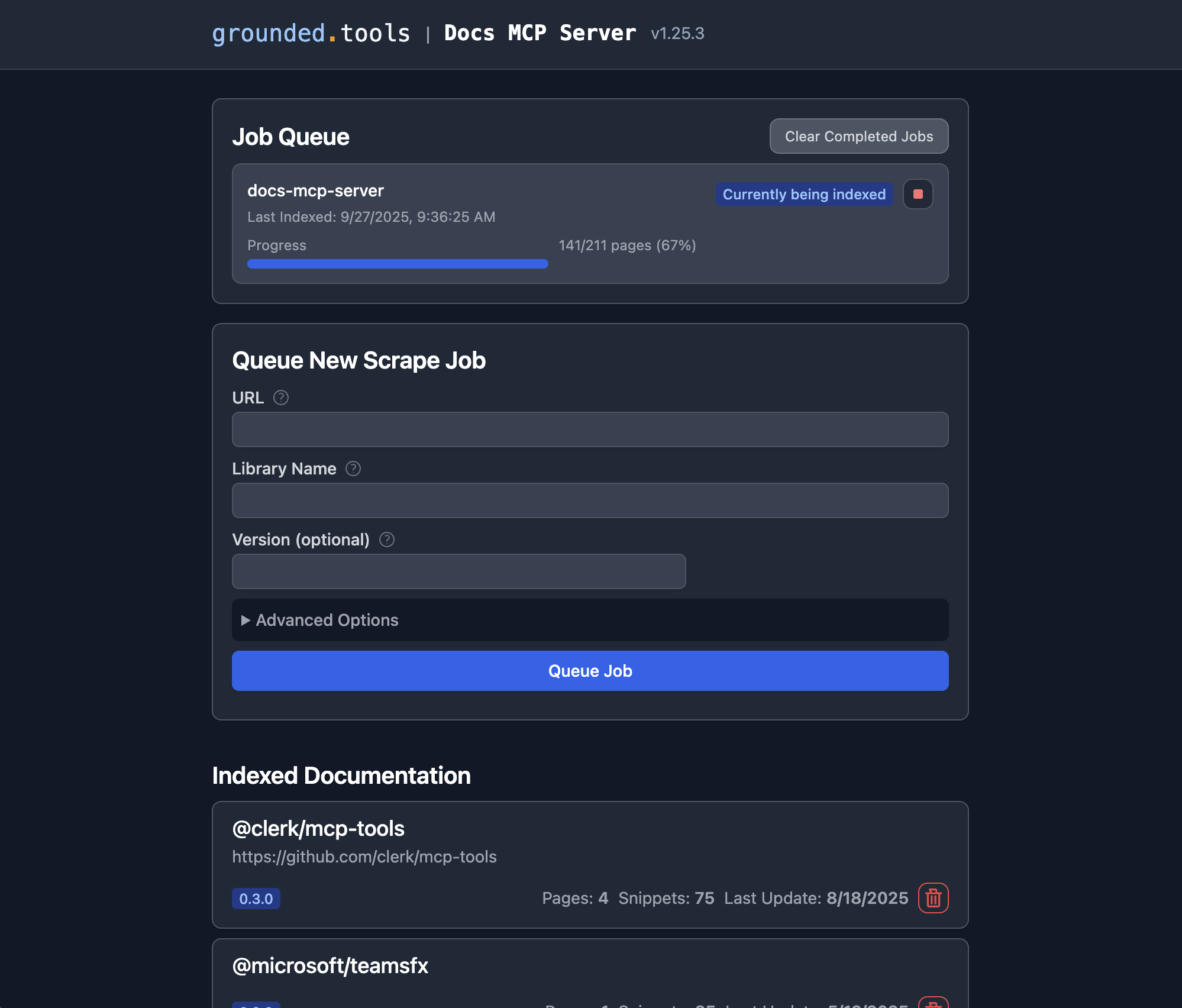
2. Open the Web UI at http://localhost:6280 to add documentation.
3. Connect your AI client by adding this to your MCP settings (e.g., claude_desktop_config.json):
{
  "mcpServers": {
    "docs-mcp-server": {
      "type": "sse",
      "url": "http://localhost:6280/sse"
    }
  }
}
See Connecting Clients for VS Code (Cline, Roo) and other setup options.
Alternative: Run with Docker
docker run --rm \
  -v docs-mcp-data:/data \
  -v docs-mcp-config:/config \
  -p 6280:6280 \
  ghcr.io/arabold/docs-mcp-server:latest \
  --protocol http --host 0.0.0.0 --port 6280
🧠 Configure Embedding Model (Recommended)
Using an embedding model is optional but dramatically improves search quality by enabling semantic vector search.
Example: Enable OpenAI Embeddings
OPENAI_API_KEY="sk-proj-..." npx @arabold/docs-mcp-server@latest
See Embedding Models for configuring Ollama, Gemini, Azure, and others.
📚 Documentation
Getting Started
- Installation: Detailed setup guides for Docker, Node.js (npx), and Embedded mode.
- Connecting Clients: How to connect Claude, VS Code (Cline/Roo), and other MCP clients.
- Basic Usage: Using the Web UI, CLI, and scraping local files.
- Configuration: Full reference for config files and environment variables.
- Embedding Models: Configure OpenAI, Ollama, Gemini, and other providers.
Key Concepts & Architecture
- Deployment Modes: Standalone vs. Distributed (Docker Compose).
- Authentication: Securing your server with OAuth2/OIDC.
- Telemetry: Privacy-first usage data collection.
- Architecture: Deep dive into the system design.
🤝 Contributing
We welcome contributions! Please see CONTRIBUTING.md for development guidelines and setup instructions.
License
This project is licensed under the MIT License. See LICENSE for details.
Alternatives



Related Skills
Browse all skillsIntegrate Vercel AI SDK applications with You.com tools (web search, AI agent, content extraction). Use when developer mentions AI SDK, Vercel AI SDK, generateText, streamText, or You.com integration with AI SDK.
Use Xquik for tweet search, user lookup, follower extraction, media download, webhooks, MCP tools, and confirmation-gated X actions.
Official Google SEO guide covering search optimization, best practices, Search Console, crawling, indexing, and improving website search visibility based on official Google documentation
UI design system toolkit for Senior UI Designer including design token generation, component documentation, responsive design calculations, and developer handoff tools. Use for creating design systems, maintaining visual consistency, and facilitating design-dev collaboration.
Search the web using SearXNG. Use when you need current information, research topics, find documentation, verify facts, or look up anything beyond your knowledge. Returns ranked results with titles, URLs, and content snippets.
GPT Researcher is an autonomous deep research agent that conducts web and local research, producing detailed reports with citations. Use this skill when helping developers understand, extend, debug, or integrate with GPT Researcher - including adding features, understanding the architecture, working with the API, customizing research workflows, adding new retrievers, integrating MCP data sources, or troubleshooting research pipelines.