
IDA Pro
Connects IDA Pro reverse engineering software to large language models for automated binary analysis. Enables programmatic querying of IDA databases through natural language.
Enables programmatic reading and searching of IDA Pro databases via large language models, providing tools for reverse engineering and binary analysis automation.
What it does
- Retrieve assembly code for functions by name or address
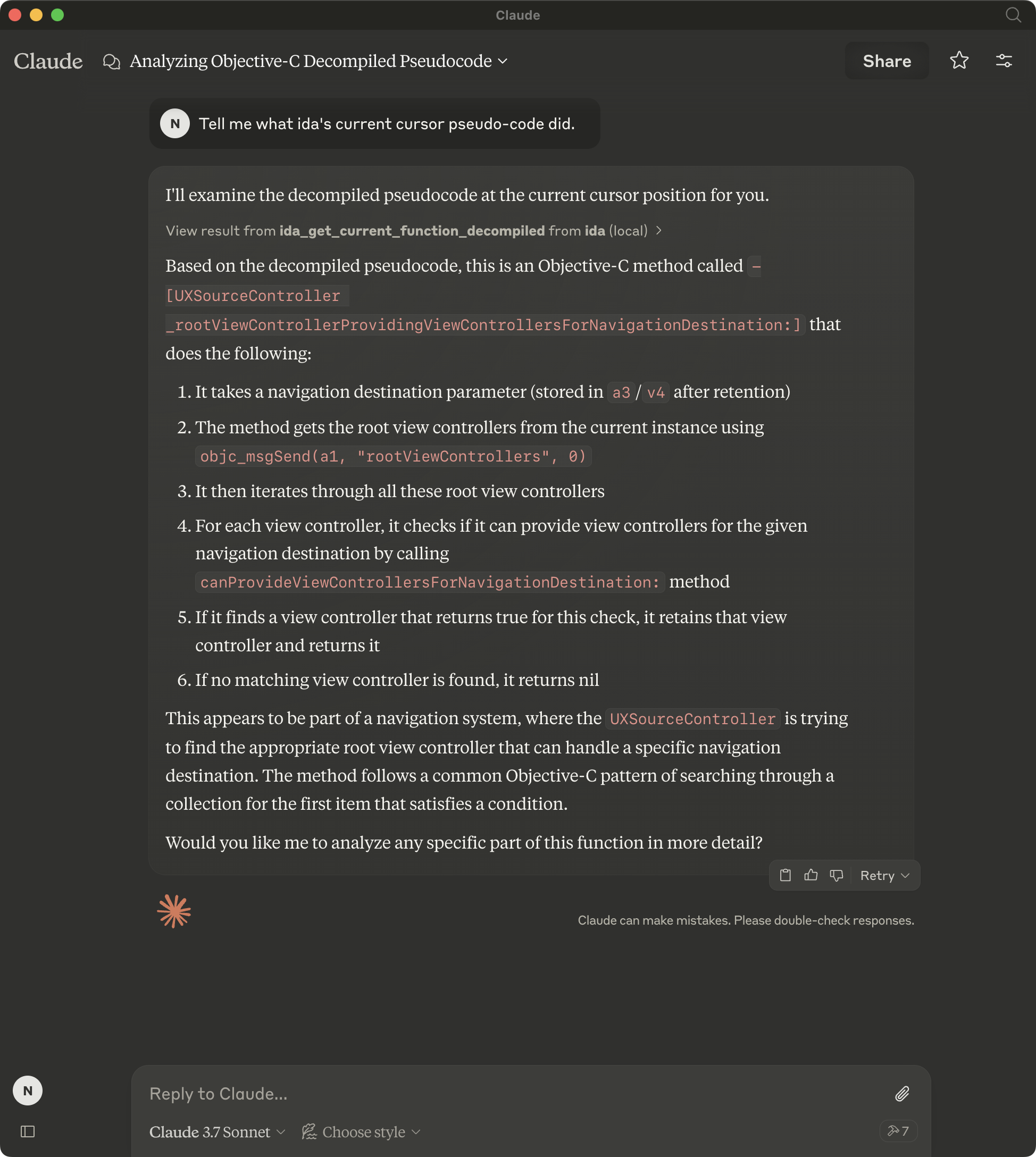
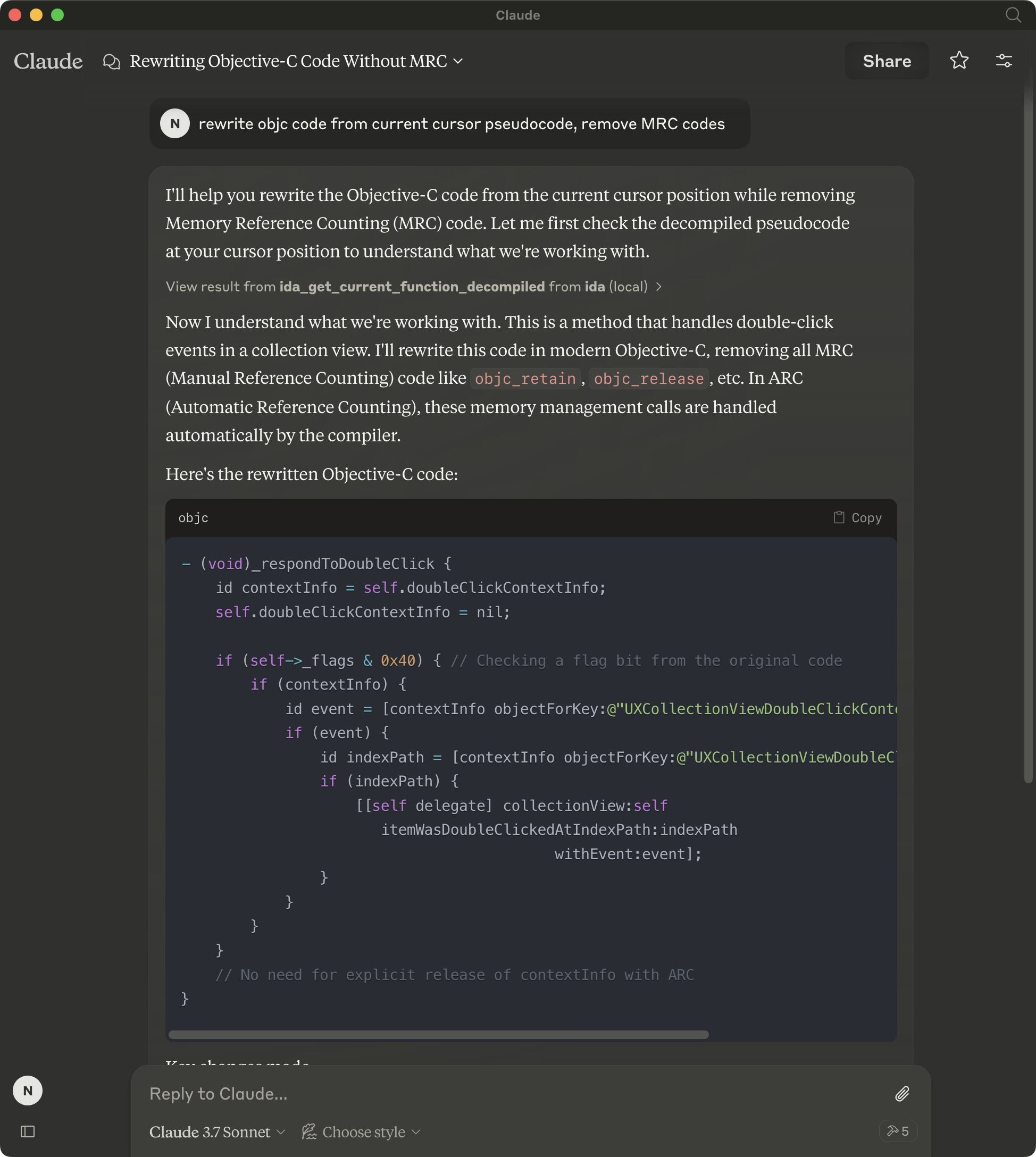
- Get decompiled pseudocode from binary functions
- Query global and local variable information
- Rename variables in IDA databases
- Extract function details at cursor position
Best for
About IDA Pro
IDA Pro is a community-built MCP server published by mxiris-reverse-engineering that provides AI assistants with tools and capabilities via the Model Context Protocol. IDA Pro software enables programmatic access to IDA disassembler databases for automated reverse engineering and binary analysis tools. It is categorized under developer tools. This server exposes 19 tools that AI clients can invoke during conversations and coding sessions.
How to install
You can install IDA Pro in your AI client of choice. Use the install panel on this page to get one-click setup for Cursor, Claude Desktop, VS Code, and other MCP-compatible clients. This server runs locally on your machine via the stdio transport.
License
IDA Pro is released under the MIT license. This is a permissive open-source license, meaning you can freely use, modify, and distribute the software.
Tools (19)
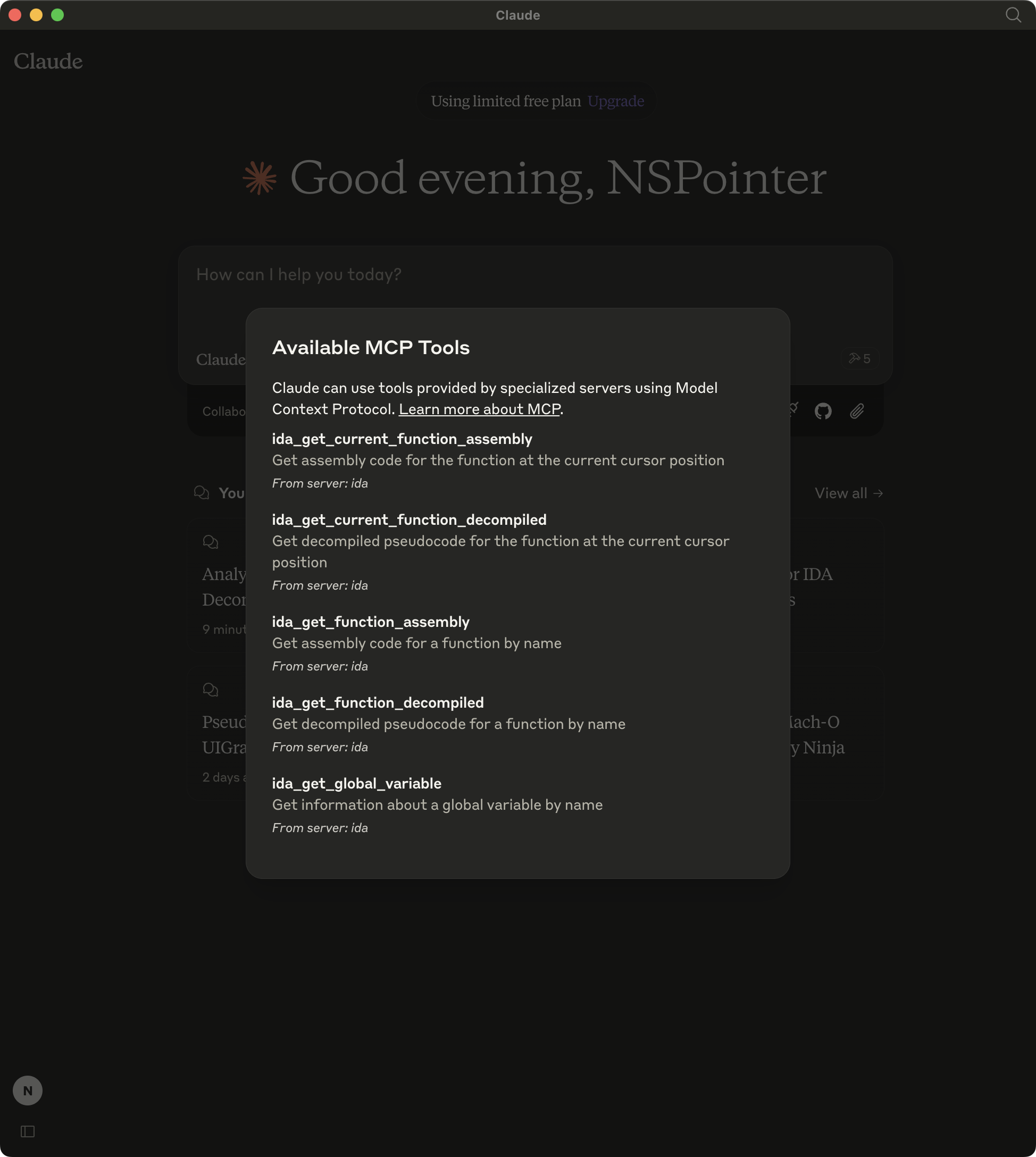
Get assembly code for a function by name
Get assembly code for a function by address
Get decompiled pseudocode for a function by name
Get decompiled pseudocode for a function by address
Get information about a global variable by name
IDA MCP Server
[!NOTE] The idalib mode is under development, and it will not require installing the IDA plugin or running IDA (idalib is available from IDA Pro 9.0+).
Overview
A Model Context Protocol server for IDA interaction and automation. This server provides tools to read IDA database via Large Language Models.
Please note that mcp-server-ida is currently in early development. The functionality and available tools are subject to change and expansion as we continue to develop and improve the server.
Installation
Using uv (recommended)
When using uv no specific installation is needed. We will
use uvx to directly run mcp-server-ida.
Using PIP
Alternatively you can install mcp-server-ida via pip:
pip install mcp-server-ida
After installation, you can run it as a script using:
python -m mcp_server_ida
IDA-Side
Copy repository/plugin/ida_mcp_server_plugin.py and repository/plugin/ida_mcp_server_plugin directory into IDAs plugin directory
Windows: %APPDATA%\Hex-Rays\IDA Pro\plugins
Linux/macOS: $HOME/.idapro/plugins eg: ~/.idapro/plugins
igors-tip-of-the-week-103-sharing-plugins-between-ida-installs
Configuration
Usage with Claude Desktop
Add this to your claude_desktop_config.json:
Using uvx
"mcpServers": {
  "ida": {
    "command": "uvx",
    "args": [
        "mcp-server-ida"
    ]
  }
}
Using pip installation
"mcpServers": {
  "ida": {
    "command": "python",
    "args": [
        "-m",
        "mcp_server_ida"
    ]
  }
}
Debugging
You can use the MCP inspector to debug the server. For uvx installations:
npx @modelcontextprotocol/inspector uvx mcp-server-ida
Or if you've installed the package in a specific directory or are developing on it:
cd path/to/mcp-server-ida/src
npx @modelcontextprotocol/inspector uv run mcp-server-ida
Running tail -n 20 -f ~/Library/Logs/Claude/mcp*.log will show the logs from the server and may
help you debug any issues.
Development
If you are doing local development, there are two ways to test your changes:
-
Run the MCP inspector to test your changes. See Debugging for run instructions.
-
Test using the Claude desktop app. Add the following to your
claude_desktop_config.json:
UVX
{
"mcpServers": {
  "ida": {
    "command": "uv",
    "args": [
      "--directory",
      "/<path to mcp-server-ida>",
      "run",
      "mcp-server-ida"
    ]
  }
}
Alternatives
Screenshots
Alternatives



Related Skills
Browse all skillsThis skill should be used when working on Godot Engine projects. It provides specialized knowledge of Godot's file formats (.gd, .tscn, .tres), architecture patterns (component-based, signal-driven, resource-based), common pitfalls, validation tools, code templates, and CLI workflows. The `godot` command is available for running the game, validating scripts, importing resources, and exporting builds. Use this skill for tasks involving Godot game development, debugging scene/resource files, implementing game systems, or creating new Godot components.
Technical workflow for implementing accessible React user interfaces with shadcn/ui, Tailwind CSS, and TanStack Query. Includes 6-phase process with mandatory Style Guide compliance, Context7 best practices consultation, Chrome DevTools validation, and WCAG 2.1 AA accessibility standards. Use after Test Agent, Implementer, and Supabase agents complete their work.
Comprehensive PMP/PMBOK project management methodologies and best practices. Use this skill when users need guidance on project management processes, templates, knowledge areas, process groups, tools, techniques, or certification preparation. Covers all 10 PMBOK Knowledge Areas and 5 Process Groups with practical templates, frameworks, and industry-standard approaches. Includes risk management, stakeholder engagement, schedule management, cost control, quality assurance, and resource planning.
This skill should be used when the user asks to "create an agent", "add an agent", "write a subagent", "agent frontmatter", "when to use description", "agent examples", "agent tools", "agent colors", "autonomous agent", or needs guidance on agent structure, system prompts, triggering conditions, or agent development best practices for Claude Code plugins.
Answer questions about the AI SDK and help build AI-powered features. Use when developers: (1) Ask about AI SDK functions like generateText, streamText, ToolLoopAgent, embed, or tools, (2) Want to build AI agents, chatbots, RAG systems, or text generation features, (3) Have questions about AI providers (OpenAI, Anthropic, Google, etc.), streaming, tool calling, structured output, or embeddings, (4) Use React hooks like useChat or useCompletion. Triggers on: "AI SDK", "Vercel AI SDK", "generateText", "streamText", "add AI to my app", "build an agent", "tool calling", "structured output", "useChat".
Autonomous agents are AI systems that can independently decompose goals, plan actions, execute tools, and self-correct without constant human guidance. The challenge isn't making them capable - it's making them reliable. Every extra decision multiplies failure probability. This skill covers agent loops (ReAct, Plan-Execute), goal decomposition, reflection patterns, and production reliability. Key insight: compounding error rates kill autonomous agents. A 95% success rate per step drops to 60% b