
Kash.click
Connects AI assistants like ChatGPT and Claude to the Kash.click French point-of-sale system. Create sales transactions, manage inventory, and get business reports through conversational commands.
Integrates with the Kash.click French point-of-sale system to create sales transactions, manage product catalogs and customer data, and configure shop settings including departments, payment methods, and delivery options.
What it does
- Create and record sales receipts
- Manage product catalogs and inventory
- View sales data and revenue reports
- Configure shop settings and departments
- Manage customer information
- Set up payment methods and delivery options
Best for
About Kash.click
Kash.click is a community-built MCP server published by paracetamol951 that provides AI assistants with tools and capabilities via the Model Context Protocol. Kash.click — Intégration complète avec le POS français pour gérer ventes, catalogue produits, clients et paramètres boutique (paiements, livraisons,… It is categorized under developer tools.
How to install
You can install Kash.click in your AI client of choice. Use the install panel on this page to get one-click setup for Cursor, Claude Desktop, VS Code, and other MCP-compatible clients. This server supports remote connections over HTTP, so no local installation is required.
License
Kash.click is released under the GPL-3.0 license.
🧾 Kash MCP Server


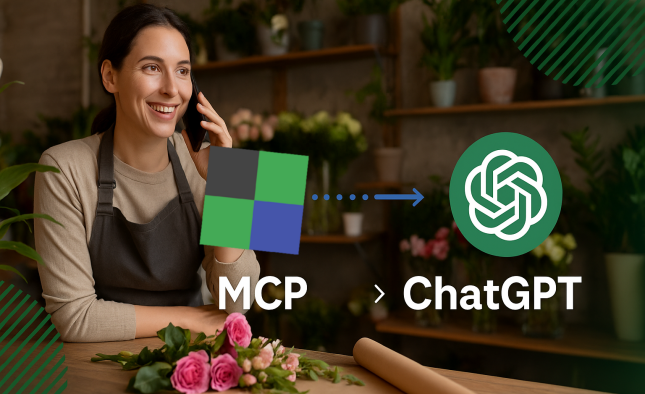
Kash MCP Server is a server compliant with the MCP (Model Context Protocol), allowing ChatGPT, Claude, and other MCP-compatible clients to connect to a sales recorder system (or POS, cash register).
It provides a simple interface to:
- 📊 View sales and revenue
- 🧾 Create and record receipts
- 🛒 Manage products and stock
- 🧠 Generate automated reports through conversational requests
🟢 Live Server: https://mcp.kash.click
Connect your cash register to ChatGPT, Claude, or n8n — and manage your business simply by talking.
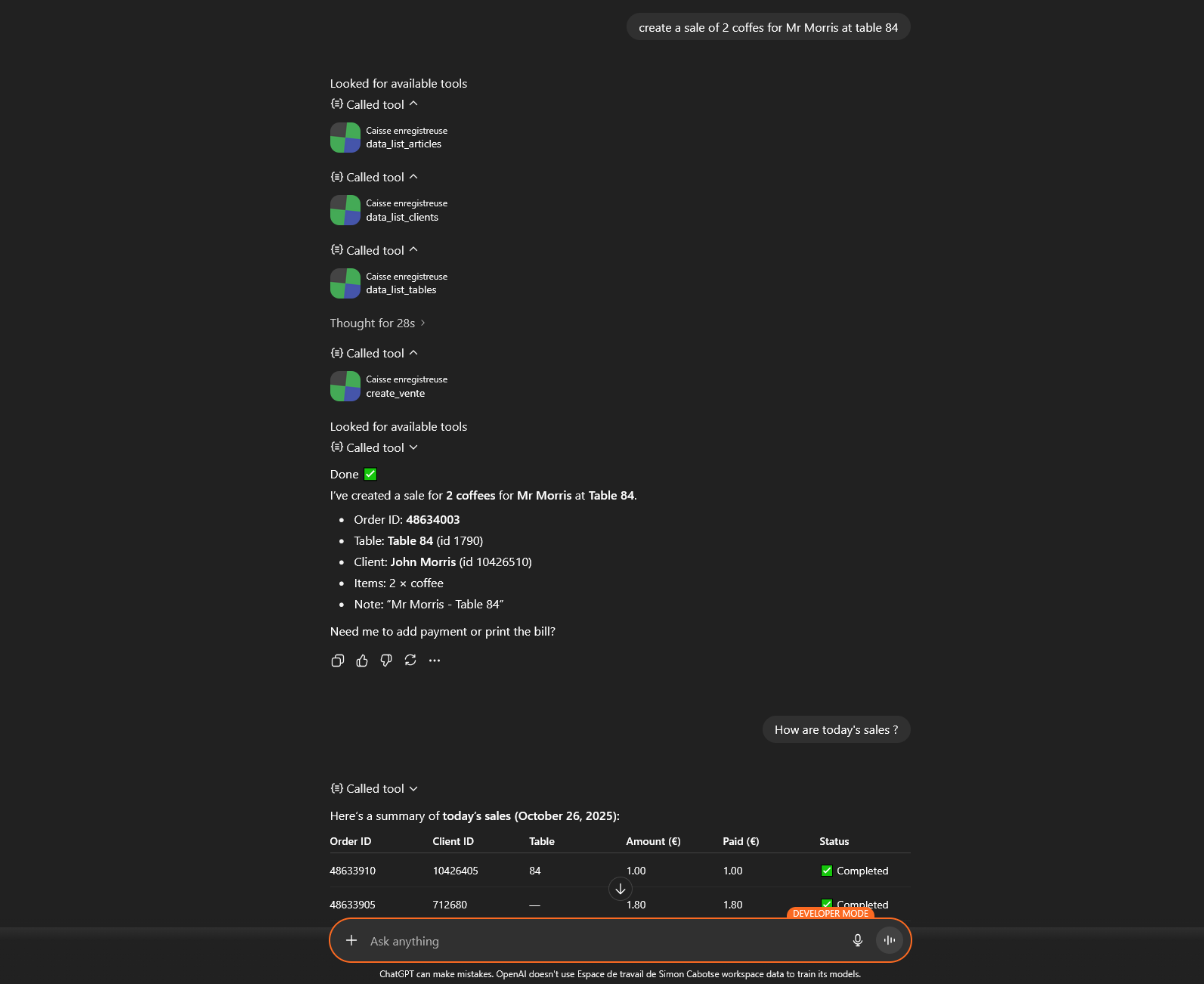
Imagine your cash register understanding your sentences, executing your commands, and analyzing your reports — without a single click.
With this intelligent gateway, the free-cash-register.net software becomes compatible with ChatGPT, Claude, and n8n, transforming your interactions into concrete actions.
Just say “record an order for two coffees at table 4” or “show me the invoice for order 125” — and it’s done.
You can also ask “what’s my revenue for this week?” or “who are my best customers on Tuesdays?”.
Your favorite assistant communicates directly with your cash register and responds instantly.
This is a new way to run your business: smoother, faster, and incredibly natural.
Your voice becomes your interface, and your assistant becomes your new coworker.
This project exposes the kash.click API as Model Context Protocol (MCP) tools, available over HTTP (Streamable) and/or STDIO.
🚀 Features
- Sales:
sale_createwith support for catalog and free lines. - Orders : get the order list in the specified date range
- Data (lists): products, departments, department groups, clients, variations, deliveries, payment methods, cashboxes, delivery zones, relay points, discounts, users…
🔹 Example usage (ChatGPT / Claude MCP)
- 💬 “Show me today’s sales”
- 💬 “Record a sale of 2 coffees and 1 croissant at table 84”
- 💬 “Ten red roses to deliver to Mrs. Dupond at 6:15 PM!”
- 💬 “Generate a cash register report for the week”
- 💬 “Have takeaway sales increased this year?”
- 💬 “Did customer Dupont pay for their order?”
⚙Prerequisities
You need to have a free-cash-register.net account.
If you don't have one, you can register at :
https://kash.click/free-pos-software/ChatGPT
Then in the software, you have to get your APIKEY and SHOPID in Setup, Webservices page.
⚙️ Installation
Claude
Minimum installation
Edit the file claude_desktop_config.json in your Claude Desktop configuration directory:
Windows
%APPDATA%\Claude\claude_desktop_config.json
Mac OS
~/Library/Application Support/Claude/claude_desktop_config.json
Provide the following content after replacing your SHOPID and APIKEY.
  {
  "mcpServers": {
    "caisse": {
      "command": "npx",
      "args": [
        "caisse-enregistreuse-mcp-server",
        "--shopid=[replaceWithYourSHOPID]",
        "--apikey=[replaceWithYourAPIKEY]"
      ]
    }
  }
}
Install via npx
Create an installation folder and run the following command in your shell:
npx caisse-enregistreuse-mcp-server --shopid=12345 --apikey=abcdef123456
Install via npm
# 1) Dependencies
npm install

# 2) Environment variables (see below)

# 3) Build
npm run build
Configuration
The binary/runner launches src/stdio.ts and communicates via MCP stdin/stdout.
Edit the file claude_desktop_config.json in your Claude Desktop configuration directory
Customize the installation path and set your SHOPID and APIKEY (retrieve them from https://kash.click):
{
  "mcpServers": {
    "caisse": {
      "command": "node",
      "args": [
        "{{PATH_TO_SRC}}/build/stdio.js"
      ],
      "cwd": "{{PATH_TO_SRC}}",
      "env": {
        "SHOPID": "16",
        "APIKEY": "XXXXXXXX"
      }
    }
  }
}
ChatGPT
Requires a workspace account
In Settings → Connectors → Create Connector, fill in the following:
| Variable | Value |
|---|---|
Name | Kash POS |
Description | Can record sales from your catalog and retrieve your sales reports. POS software integration. |
MCP Server URL | https://mcp.kash.click/mcp |
Authentication | oAuth |
Once added, the connector will be available in new conversations.
Environment variables
| Variable | Default | Description |
|---|---|---|
APIKEY | ---- | Required: your API key |
SHOPID | ---- | Required: your shop ID |
Create a .env file:
APIKEY=XXXXXXXXXXXXXX
SHOPID=XXX
▶️ Launch
HTTP Mode (Streamable MCP)
The HTTP mode requires a Redis server.
It is recommended to use the hosted MCP HTTP/WebSocket server available at https://mcp.kash.click:
- POST
https://mcp.kash.click/mcpwith a JSON-RPC MCP message - GET
https://mcp.kash.click/health→{ "status": "ok" } - GET
https://mcp.kash.click/.well-known/mcp/manifest.json→ MCP manifest
🧪 Available MCP Tools (excerpt)
sale_create
Creates a sale.
Input (Zod schema, main fields):
shopId: string,apiKey: stringpayment: numberdeliveryMethod: 0|1|2|3|4|5|6idUser?: number | stringidClient?: number | stringidtable?: number | stringidcaisse?: number | stringnumcouverts?: number | stringpublicComment?: stringprivateComment?: stringpagerNum?: number | stringclient?: {{ firstname?, lastname?, email?, phone?, address?, zip?, city?, country? }}- `items: Array<
{{ type:'catalog', productId?, quantity?, titleOverride?, priceOverride?, declinaisons? }}
| {{ type:'dept', departmentId?, price?, title? }}
| {{ type:'free', price?, title? }}
`
Legacy item encoding:
- Catalog:
productId_quantity_titleOverride_priceOverride_[...declinaisons] - Department sale:
-<departmentId>_<price>_<title> - Free line:
Free_<price>_<title>→ Sent asitemsList[].
data_list_* (examples)
data_list_productsdata_list_departmentsdata_list_department_groupsdata_list_clientsdata_list_variationsdata_list_delivery_mendata_list_paymentsdata_list_cashboxesdata_list_delivery_zonesdata_list_relay_pointsdata_list_discountsdata_list_usersdata_list_tables
All accept: {{ format=('json'|'csv'|'html') }}.
💻 Compatible Clients
- ChatGPT (OpenAI) — via external MCP configuration
- Claude (Anthropic) — via “Tools manifest URL”
- n8n / Flowise / LangChain — import via public URL
🧩 MCP Manifest Endpoint
The MCP API exposes a JSON manifest describing all available tools for compatible clients (ChatGPT, Claude, n8n, etc.).
Public manifest URL
https://mcp.kash.click/.well-known/mcp/manifest.json
🗂️ This URL is the one to provide to your MCP client when configuring the server.
📋 License
© 2025. GNU GENERAL PUBLIC LICENSE
Alternatives



Related Skills
Browse all skillsUI design system toolkit for Senior UI Designer including design token generation, component documentation, responsive design calculations, and developer handoff tools. Use for creating design systems, maintaining visual consistency, and facilitating design-dev collaboration.
Answer questions about the AI SDK and help build AI-powered features. Use when developers: (1) Ask about AI SDK functions like generateText, streamText, ToolLoopAgent, embed, or tools, (2) Want to build AI agents, chatbots, RAG systems, or text generation features, (3) Have questions about AI providers (OpenAI, Anthropic, Google, etc.), streaming, tool calling, structured output, or embeddings, (4) Use React hooks like useChat or useCompletion. Triggers on: "AI SDK", "Vercel AI SDK", "generateText", "streamText", "add AI to my app", "build an agent", "tool calling", "structured output", "useChat".
Use when working with the OpenAI API (Responses API) or OpenAI platform features (tools, streaming, Realtime API, auth, models, rate limits, MCP) and you need authoritative, up-to-date documentation (schemas, examples, limits, edge cases). Prefer the OpenAI Developer Documentation MCP server tools when available; otherwise guide the user to enable `openaiDeveloperDocs`.
Guide for building TypeScript CLIs with Bun. Use when creating command-line tools, adding subcommands to existing CLIs, or building developer tooling. Covers argument parsing, subcommand patterns, output formatting, and distribution.
Guide developers through setting up development environments with proper tools, dependencies, and configurations
Integrate Vercel AI SDK applications with You.com tools (web search, AI agent, content extraction). Use when developer mentions AI SDK, Vercel AI SDK, generateText, streamText, or You.com integration with AI SDK.