
Magic
OfficialGenerates React UI components using natural language descriptions with AI. Integrates with popular IDEs to create TypeScript-supported components with real-time previews.
Create stunning UI components instantly with Magic AI Agent using natural language commands. This powerful tool supports popular IDEs like Cursor, Windsurf, and VSCode, generating modern, customizable React components inspired by 21st.dev’s library. Enjoy real-time previews, full TypeScript support, and access to professional brand assets via SVGL. Magic AI Agent seamlessly integrates generated components into your project, respecting your code style, and handles designs from simple buttons to complex interactive forms. Stay up to date with new community-published components and enhance your UI development workflow effortlessly.
What it does
- Generate React components from natural language descriptions
- Preview components in real-time during development
- Access professional brand assets and logos via SVGL
- Create TypeScript-supported UI components
- Integrate components directly into your project codebase
- Build responsive navigation bars, forms, and interactive elements
Best for
About Magic
Magic is an official MCP server published by 21st-dev that provides AI assistants with tools and capabilities via the Model Context Protocol. Create modern React UI components instantly with Magic AI Agent. Integrates with top IDEs for fast, stunning design and workflow improvement. It is categorized under developer tools, design.
How to install
You can install Magic in your AI client of choice. Use the install panel on this page to get one-click setup for Cursor, Claude Desktop, VS Code, and other MCP-compatible clients. This server runs locally on your machine via the stdio transport.
License
Magic is released under the MIT license. This is a permissive open-source license, meaning you can freely use, modify, and distribute the software.
21st.dev Magic AI Agent
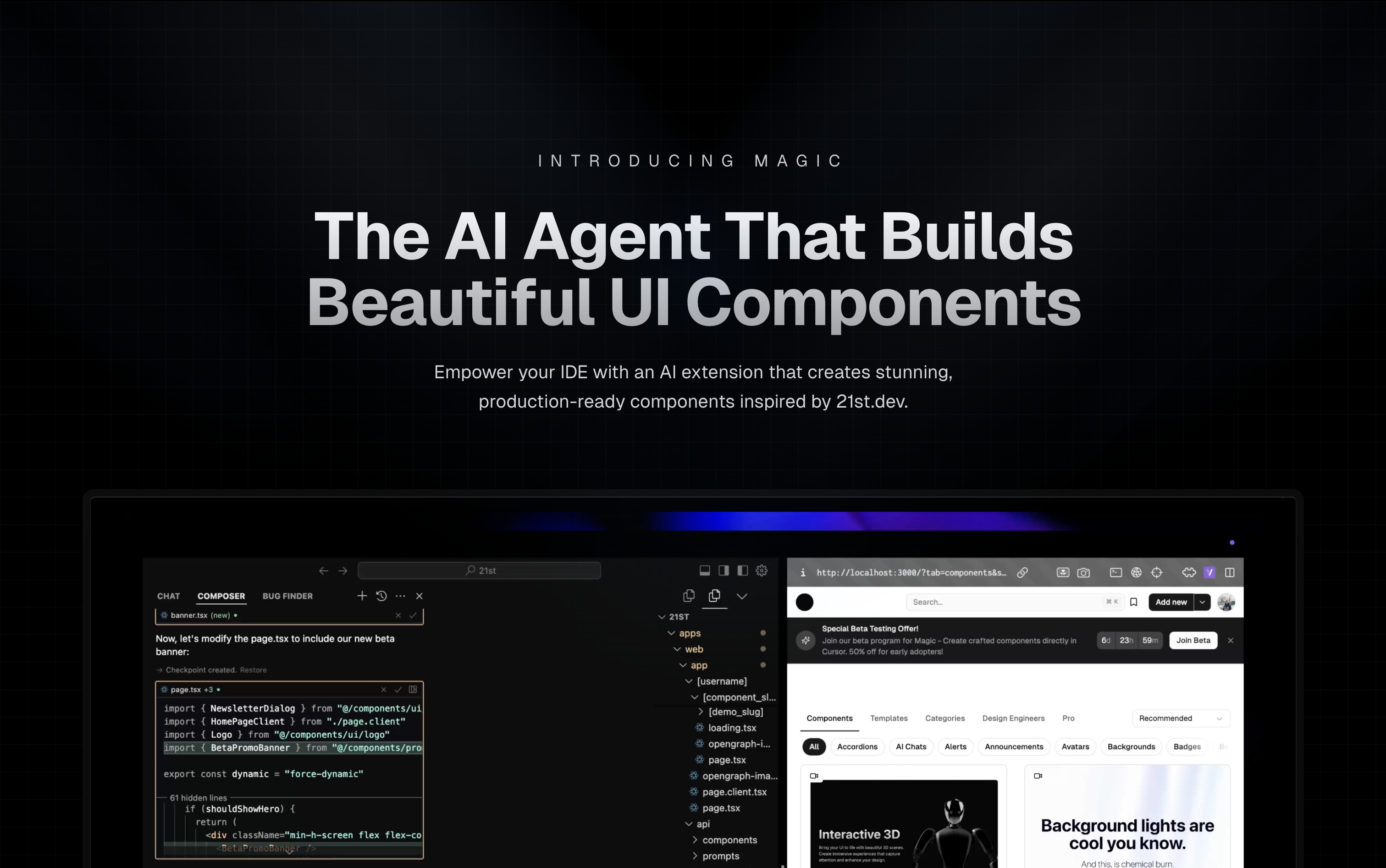
Magic Component Platform (MCP) is a powerful AI-driven tool that helps developers create beautiful, modern UI components instantly through natural language descriptions. It integrates seamlessly with popular IDEs and provides a streamlined workflow for UI development.
🌟 Features
- AI-Powered UI Generation: Create UI components by describing them in natural language
- Multi-IDE Support:
- Cursor IDE integration
- Windsurf support
- VSCode support
- VSCode + Cline integration (Beta)
- Modern Component Library: Access to a vast collection of pre-built, customizable components inspired by 21st.dev
- Real-time Preview: Instantly see your components as you create them
- TypeScript Support: Full TypeScript support for type-safe development
- SVGL Integration: Access to a vast collection of professional brand assets and logos
- Component Enhancement: Improve existing components with advanced features and animations (Coming Soon)
🎯 How It Works
-
Tell Agent What You Need
- In your AI Agent's chat, just type
/uiand describe the component you're looking for - Example:
/ui create a modern navigation bar with responsive design
- In your AI Agent's chat, just type
-
Let Magic Create It
- Your IDE prompts you to use Magic
- Magic instantly builds a polished UI component
- Components are inspired by 21st.dev's library
-
Seamless Integration
- Components are automatically added to your project
- Start using your new UI components right away
- All components are fully customizable
🚀 Getting Started
Prerequisites
- Node.js (Latest LTS version recommended)
- One of the supported IDEs:
- Cursor
- Windsurf
- VSCode (with Cline extension)
Installation
-
Generate API Key
- Visit 21st.dev Magic Console
- Generate a new API key
-
Choose Installation Method
Method 1: CLI Installation (Recommended)
One command to install and configure MCP for your IDE:
npx @21st-dev/cli@latest install <client> --api-key <key>
Supported clients: cursor, windsurf, cline, claude
Method 2: Manual Configuration
If you prefer manual setup, add this to your IDE's MCP config file:
{
  "mcpServers": {
    "@21st-dev/magic": {
      "command": "npx",
      "args": ["-y", "@21st-dev/magic@latest", "API_KEY=\"your-api-key\""]
    }
  }
}
Config file locations:
- Cursor:
~/.cursor/mcp.json - Windsurf:
~/.codeium/windsurf/mcp_config.json - Cline:
~/.cline/mcp_config.json - Claude:
~/.claude/mcp_config.json
Method 3: VS Code Installation
For one-click installation, click one of the install buttons below:


Manual VS Code Setup
First, check the install buttons above for one-click installation. For manual setup:
Add the following JSON block to your User Settings (JSON) file in VS Code. You can do this by pressing Ctrl + Shift + P and typing Preferences: Open User Settings (JSON):
{
  "mcp": {
    "inputs": [
      {
        "type": "promptString",
        "id": "apiKey",
        "description": "21st.dev Magic API Key",
        "password": true
      }
    ],
    "servers": {
      "@21st-dev/magic": {
        "command": "npx",
        "args": ["-y", "@21st-dev/magic@latest"],
        "env": {
          "API_KEY": "${input:apiKey}"
        }
      }
    }
  }
}
Optionally, you can add it to a file called .vscode/mcp.json in your workspace:
{
  "inputs": [
    {
      "type": "promptString",
      "id": "apiKey",
      "description": "21st.dev Magic API Key",
      "password": true
    }
  ],
  "servers": {
    "@21st-dev/magic": {
      "command": "npx",
      "args": ["-y", "@21st-dev/magic@latest"],
      "env": {
        "API_KEY": "${input:apiKey}"
      }
    }
  }
}
❓ FAQ
How does Magic AI Agent handle my codebase?
Magic AI Agent only writes or modifies files related to the components it generates. It follows your project's code style and structure, and integrates seamlessly with your existing codebase without affecting other parts of your application.
Can I customize the generated components?
Yes! All generated components are fully editable and come with well-structured code. You can modify the styling, functionality, and behavior just like any other React component in your codebase.
What happens if I run out of generations?
If you exceed your monthly generation limit, you'll be prompted to upgrade your plan. You can upgrade at any time to continue generating components. Your existing components will remain fully functional.
How soon do new components get added to 21st.dev's library?
Authors can publish components to 21st.dev at any time, and Magic Agent will have immediate access to them. This means you'll always have access to the latest components and design patterns from the community.
Is there a limit to component complexity?
Magic AI Agent can handle components of varying complexity, from simple buttons to complex interactive forms. However, for best results, we recommend breaking down very complex UIs into smaller, manageable components.
🛠️ Development
Project Structure
mcp/
├── app/
│   └── components/     # Core UI components
├── types/             # TypeScript type definitions
├── lib/              # Utility functions
└── public/           # Static assets
Key Components
IdeInstructions: Setup instructions for different IDEsApiKeySection: API key management interfaceWelcomeOnboarding: Onboarding flow for new users
🤝 Contributing
We welcome contributions! Please join our Discord community and provide feedback to help improve Magic Agent. The source code is available on GitHub.
👥 Community & Support
- Discord Community - Join our active community
- Twitter - Follow us for updates
⚠️ Beta Notice
Magic Agent is currently in beta. All features are free during this period. We appreciate your feedback and patience as we continue to improve the platform.
📝 License
MIT License
🙏 Acknowledgments
- Thanks to our beta testers and community members
- Special thanks to the Cursor, Windsurf, and Cline teams for their collaboration
- Integration with 21st.dev for component inspiration
- SVGL for logo and brand asset integration
For more information, join our Discord community or visit 21st.dev/magic.
Alternatives



Related Skills
Browse all skillsUI design system toolkit for Senior UI Designer including design token generation, component documentation, responsive design calculations, and developer handoff tools. Use for creating design systems, maintaining visual consistency, and facilitating design-dev collaboration.
Use when building CLI tools, implementing argument parsing, or adding interactive prompts. Invoke for CLI design, argument parsing, interactive prompts, progress indicators, shell completions.
Guide for creating high-quality MCP (Model Context Protocol) servers that enable LLMs to interact with external services through well-designed tools. Use when building MCP servers to integrate external APIs or services, whether in Python (FastMCP) or Node/TypeScript (MCP SDK).
Build full-stack applications with Supabase (PostgreSQL, Auth, Storage, Real-time, Edge Functions). Use when implementing authentication, database design with RLS, file storage, real-time features, or serverless functions.
Designer-turned-developer who crafts stunning UI/UX even without design mockups
Master REST and GraphQL API design principles to build intuitive, scalable, and maintainable APIs that delight developers. Use when designing new APIs, reviewing API specifications, or establishing API design standards.