
Twilio SMS
Lets Claude send SMS and MMS messages through your Twilio account with built-in phone number validation.
Enables Claude and other assistants to send SMS and MMS messages through Twilio's API with phone number validation and specialized prompts for greetings and haikus.
What it does
- Send SMS messages via Twilio API
- Send MMS messages with media
- Validate phone number formats
- Generate haikus and greetings for messages
Best for
About Twilio SMS
Twilio SMS is a community-built MCP server published by yiyangli that provides AI assistants with tools and capabilities via the Model Context Protocol. Twilio SMS is a text messaging service for business that offers automated texting and validation, perfect for professional auto msg needs. It is categorized under communication.
How to install
You can install Twilio SMS in your AI client of choice. Use the install panel on this page to get one-click setup for Cursor, Claude Desktop, VS Code, and other MCP-compatible clients. This server runs locally on your machine via the stdio transport.
License
Twilio SMS is released under the MIT license. This is a permissive open-source license, meaning you can freely use, modify, and distribute the software.
Twilio MCP Server
A Model Context Protocol (MCP) server that enables Claude and other AI assistants to send SMS and MMS messages using Twilio.
Demo
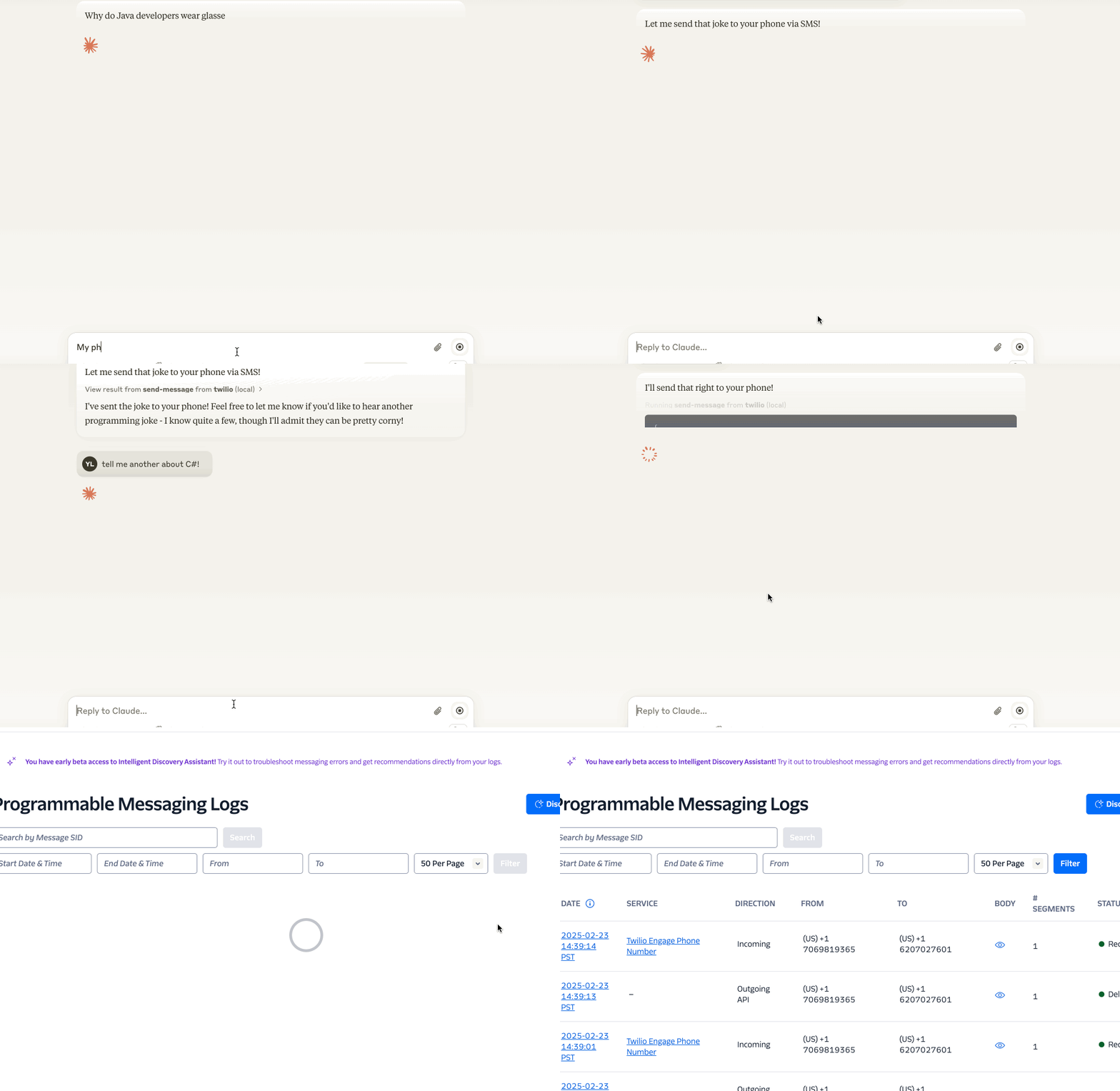
Features
- Send SMS messages 📱
- Pre-built prompts for common messaging scenarios 📝
- Secure handling of Twilio credentials 🔒
Requirements
- Node.js >= 18
- If you need to update Node.js, we recommend using
nvm(Node Version Manager):nvm install 18.14.2 nvm alias default 18.14.2 - If you encounter any errors in Claude Desktop, try running the following command in your terminal to verify the installation:
npx -y @yiyang.1i/sms-mcp-server
- If you need to update Node.js, we recommend using
Configuration
The server requires three environment variables:
ACCOUNT_SID: Your Twilio account SIDAUTH_TOKEN: Your Twilio auth tokenFROM_NUMBER: Your Twilio phone number (in E.164 format, e.g., +11234567890)
Claude Desktop Configuration
To use this server with Claude Desktop, add the following to your configuration file:
macOS: ~/Library/Application Support/Claude/claude_desktop_config.json
Windows: %APPDATA%\Claude\claude_desktop_config.json
{
  "mcpServers": {
    "twilio": {
      "command": "npx",
      "args": [
        "-y",
        "@yiyang.1i/sms-mcp-server"
      ],
      "env": {
        "ACCOUNT_SID": "your_account_sid",
        "AUTH_TOKEN": "your_auth_token",
        "FROM_NUMBER": "your_twilio_number"
      }
    }
  }
}
After that, restart Claude Desktop to reload the configuration. If connected, you should see Twilio under the 🔨 menu.
Example Interactions with Claude
Here are some natural ways to interact with the server through Claude:
- Simple SMS:
Send a text message to the number +11234567890 saying "Don't forget about dinner tonight!"
- Creative SMS:
Write a haiku about autumn and send it to my number +11234567890
Important Notes
- Phone Number Format: All phone numbers must be in E.164 format (e.g., +11234567890)
- Rate Limits: Be aware of your Twilio account's rate limits and pricing
- Security: Keep your Twilio credentials secure and never commit them to version control
Troubleshooting
Common error messages and solutions:
-
"Phone number must be in E.164 format"
- Make sure the phone number starts with "+" and the country code
-
"Invalid credentials"
- Double-check your ACCOUNT_SID and AUTH_TOKEN. You can copy them from the Twilio Console
Contributing
Contributions are welcome! Please read our contributing guidelines before submitting pull requests.
License
This project is licensed under the MIT License - see the LICENSE file for details.
Security
Please do not include any sensitive information (like phone numbers or Twilio credentials) in GitHub issues or pull requests.
Alternatives




Related Skills
Browse all skillsBuild communication features with Twilio: SMS messaging, voice calls, WhatsApp Business API, and user verification (2FA). Covers the full spectrum from simple notifications to complex IVR systems and multi-channel authentication. Critical focus on compliance, rate limits, and error handling. Use when: twilio, send SMS, text message, voice call, phone verification.
Send SMS messages with Azure Communication Services SMS Java SDK. Use when implementing SMS notifications, alerts, OTP delivery, bulk messaging, or delivery reports.
Remove signs of AI-generated writing from text. Use when editing or reviewing text to make it sound more natural and human-written. Based on Wikipedia's comprehensive "Signs of AI writing" guide. Detects and fixes patterns including: inflated symbolism, promotional language, superficial -ing analyses, vague attributions, em dash overuse, rule of three, AI vocabulary words, negative parallelisms, and excessive conjunctive phrases. Credits: Original skill by @blader - https://github.com/blader/humanizer
Create professional research posters in LaTeX using beamerposter, tikzposter, or baposter. Support for conference presentations, academic posters, and scientific communication. Includes layout design, color schemes, multi-column formats, figure integration, and poster-specific best practices for visual communication.
Expert backend architect specializing in scalable API design, microservices architecture, and distributed systems. Masters REST/GraphQL/gRPC APIs, event-driven architectures, service mesh patterns, and modern backend frameworks. Handles service boundary definition, inter-service communication, resilience patterns, and observability. Use PROACTIVELY when creating new backend services or APIs.
Complete visual content system for Unsupervised Learning. FOURTEEN workflows - (1) VISUALIZE (adaptive multi-modal orchestrator), (2) MERMAID (Excalidraw-style technical diagrams), (3) Editorial illustrations, (4) Technical diagrams, (5) Visual taxonomies, (6) Timelines, (7) Frameworks, (8) Comparisons, (9) Annotated screenshots, (10) Recipe cards, (11) Aphorisms, (12) Conceptual maps, (13) Stats, (14) Comics. USE WHEN user requests any visual content: 'visualize', 'mermaid', 'flowchart', 'sequence diagram', 'state diagram', 'infographic', 'art', 'illustration', 'diagram', 'taxonomy', 'timeline', 'framework', 'comparison', 'screenshot', 'recipe', 'aphorism', 'quote card', 'map', 'stat card', 'comic'. Note: Blogging skill auto-routes header images here.