
Universal Image Generator
Generates and edits images using multiple AI providers (Google Gemini, ZhipuAI, Alibaba Bailian) with automatic prompt optimization and translation for each provider.
Provides multi-provider image generation and transformation capabilities across Google Gemini, ZhipuAI, and Alibaba Bailian with automatic prompt translation and optimization for each provider's preferred language, supporting URL-based editing with mask support and flexible input methods including base64 encoding, file paths, and public URLs.
What it does
- Generate images from text prompts
- Edit existing images with masks
- Automatically translate prompts to optimal language per provider
- Support multiple input formats (base64, file paths, URLs)
- Save generated images locally
- Switch between Google, ZhipuAI, and Bailian providers
Best for
About Universal Image Generator
Universal Image Generator is a community-built MCP server published by ecnu3d that provides AI assistants with tools and capabilities via the Model Context Protocol. Universal Image Generator is an AI image generator that supports multi-provider photo creation, advanced editing, and automatic prompt optimization. It is categorized under ai ml.
How to install
You can install Universal Image Generator in your AI client of choice. Use the install panel on this page to get one-click setup for Cursor, Claude Desktop, VS Code, and other MCP-compatible clients. This server runs locally on your machine via the stdio transport.
License
Universal Image Generator is released under the MIT license. This is a permissive open-source license, meaning you can freely use, modify, and distribute the software.
Universal Image Generator MCP Server



This project is a fork and rewrite of the original: https://github.com/qhdrl12/mcp-server-gemini-image-generator repo.
Multi-provider AI image generation server for MCP clients. Generate high-quality images using Google (Imagen & Gemini), ZHIPU AI CogView-4, or Alibaba Bailian through any MCP-compatible application.
Features
- Multi-Provider Support: Choose between Google (Imagen/Gemini), ZhipuAI, or Bailian
- Image Generation: Text-to-image for all providers
- Image Transformation: Edit existing images (Google & Bailian only)
- Smart Language Optimization: Automatic prompt translation and optimization
- Local Storage: Save generated images to your specified directory
Quick Setup
1. Install via uvx
No manual installation required! The server will be automatically downloaded and run.
2. Get API Keys
Choose one provider and get an API key:
- Google: Google AI Studio (supports both Imagen and Gemini models)
- ZhipuAI: ZHIPU AI Platform
- Bailian: Alibaba DashScope
3. Configure MCP Client
Add to your MCP client configuration (e.g., claude_desktop_config.json):
{
    "mcpServers": {
        "universal-image-generator": {
            "command": "uvx",
            "args": [
                "universal-image-generator-mcp"
            ],
            "env": {
                "IMAGE_PROVIDER": "google",
                "GOOGLE_MODEL": "gemini",
                "ZHIPU_API_KEY": "your-api-key-here",
                "GEMINI_API_KEY": "your-api-key-here",
                "DASHSCOPE_API_KEY": "your-api-key-here",
                "OUTPUT_IMAGE_PATH": "/path/to/save/images"
            }
        }
    }
}
Environment Variables:
IMAGE_PROVIDER:"google","zhipuai", or"bailian"GOOGLE_MODEL:"gemini"or"imagen"(only for Google provider, defaults to "gemini")- Set the corresponding API key for your chosen provider
OUTPUT_IMAGE_PATH: Directory to save generated images (optional)
Available Tools
generate_image_from_text
Create images from text descriptions.
generate_image_from_text(prompt: str, model_type: Optional[str] = None) -> str
Parameters:
prompt: Text description of the image to generatemodel_type: Optional model selection for Google provider ("gemini"or"imagen")- Only applies to Google provider
- If not specified, uses
GOOGLE_MODELenvironment variable (defaults to "gemini")
transform_image_from_encoded (Google & Bailian only)
Transform images using base64-encoded image data.
transform_image_from_encoded(encoded_image: str, prompt: str) -> str
transform_image_from_file (Google & Bailian only)
Transform existing image files.
transform_image_from_file(image_file_path: str, prompt: str) -> str
Usage Examples
Once configured, ask your AI assistant:
- "Generate an image of a sunset over mountains"
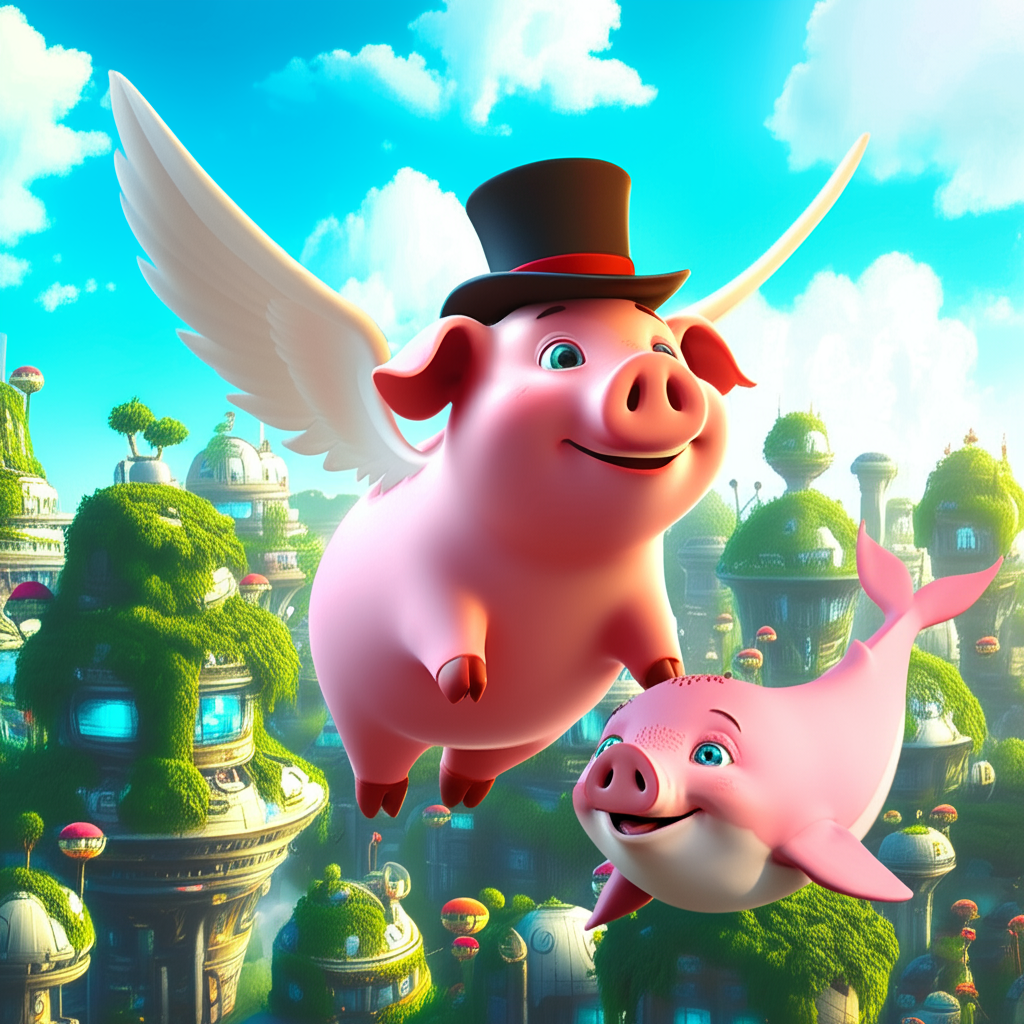
- "Create a 3D rendered flying pig in a sci-fi city"
- "Transform this image by adding snow to the scene"
Generated images are saved to your configured output directory.
Example Output
Prompt: "Create a 3D rendered image of a pig with wings and a top hat flying over a futuristic sci-fi city with lots of greenery"

Transform: "Add a cute baby whale flying alongside the pig"
Provider Capabilities
| Provider | Models | Generation | Transformation | Language Optimization |
|---|---|---|---|---|
| Imagen, Gemini | ✅ | ✅ (Gemini only) | English prompts | |
| ZhipuAI | CogView-4 | ✅ | ❌ | Chinese prompts |
| Bailian | WanX-2.1 | ✅ | ✅ | Chinese prompts |
Note: For Google provider, image transformation is only supported with Gemini models. Imagen is for generation only.
Development
Test the server locally:
git clone https://github.com/ECNU3D/universal-image-generator-mcp.git
cd universal-image-generator-mcp
fastmcp dev src/universal_image_generator_mcp/server.py
Visit http://localhost:5173/ to use the MCP Inspector for testing.
License
MIT License
Alternatives




Related Skills
Browse all skillsGenerate AI images with FLUX, Gemini, Grok, Seedream, Reve and 50+ models via inference.sh CLI. Models: FLUX Dev LoRA, FLUX.2 Klein LoRA, Gemini 3 Pro Image, Grok Imagine, Seedream 4.5, Reve, ImagineArt. Capabilities: text-to-image, image-to-image, inpainting, LoRA, image editing, upscaling, text rendering. Use for: AI art, product mockups, concept art, social media graphics, marketing visuals, illustrations. Triggers: flux, image generation, ai image, text to image, stable diffusion, generate image, ai art, midjourney alternative, dall-e alternative, text2img, t2i, image generator, ai picture, create image with ai, generative ai, ai illustration, grok image, gemini image
Generate ultra-photorealistic portraits using structured JSON prompts. Use when creating AI-generated portraits, character art, or realistic human images with cinematic quality and detailed specifications.
Generate AI model videos for TikTok livestreams using Pinterest, Claude, Nano Banana Pro, and Veo or Kling. Use for creating AI-generated fashion models wearing products, animating them into videos, or building automated TikTok content production workflows. This skill provides a complete 4-step workflow covering Pinterest reference selection, Claude JSON prompt generation, Nano Banana Pro image generation, and video animation. Perfect for e-commerce sellers, content creators, and TikTok marketers who need AI models to showcase products.
Generate web assets including favicons, app icons (PWA), and social media meta images (Open Graph) for Facebook, Twitter, WhatsApp, and LinkedIn. Use when users need icons, favicons, social sharing images, or Open Graph images from logos or text slogans. Handles image resizing, text-to-image generation, and provides proper HTML meta tags.
Generate images using Nano Banana Pro (Gemini 3 Pro Preview). Use when creating app icons, logos, UI graphics, marketing banners, social media images, illustrations, diagrams, or any visual assets. Triggers include phrases like 'generate an image', 'create a graphic', 'make an icon', 'design a logo', 'create a banner', or any request needing visual content.
Create 600x600 Instagram-style card news series automatically with optional background images. User provides topic, colors, and optional images - Claude generates content and creates multiple cards with proper text wrapping.