Omnigent: The Meta-Harness Explained (2026)
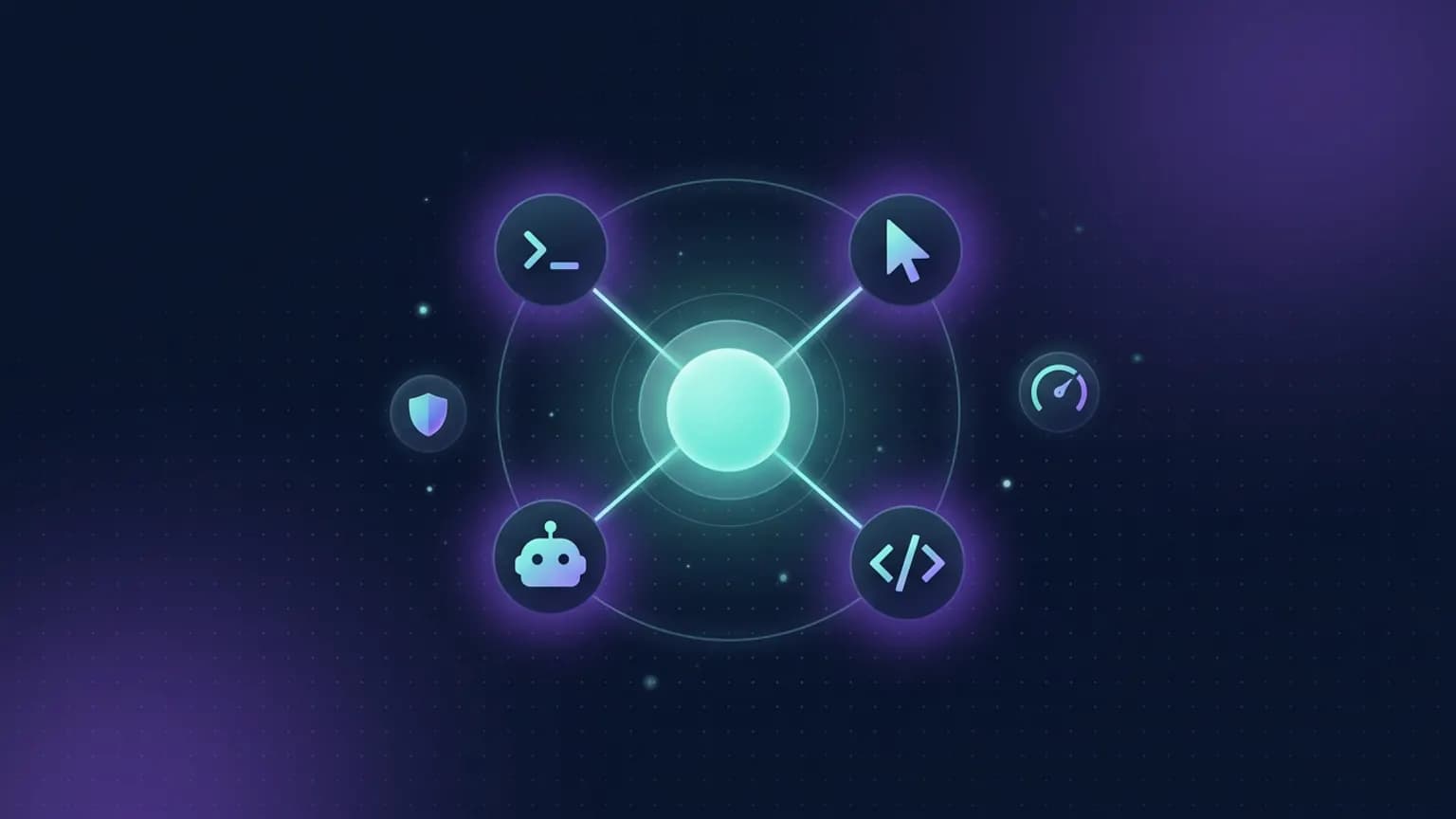
Most developers now run four or five coding agents at once and spend their day copy-pasting between them. Omnigent is the open-source answer: a meta-harness that wraps Claude Code, Codex, Cursor, Pi, and your own agents in one uniform session, so you can swap or combine them, govern them with real policies, and share a live session from any device. This guide covers what it is, who built it (the answer is more interesting than the repo name), how to install it, the four things it does that a single harness cannot, and where it is still rough.
On this page · 22 sections▾
- TL;DR + what you need
- One-sentence definition
- Why a meta-harness exists
- Who actually built it
- The named pieces
- Smallest end-to-end run
- Install (every path)
- The four capabilities
- · Composition
- · Control / policies
- · Collaboration
- · Cloud sandboxes
- vs Claude-only agents
- Polly & Debby
- What I got wrong
- Who it's for
- Community signal
- The verdict
- The bigger picture
- FAQ
- Glossary
- Sources
TL;DR + what you actually need
Omnigent is a control plane for coding agents. Instead of living inside Claude Code or Codex or Cursor, you run them all through one server that gives every session a uniform API, a policy layer, and a shareable URL. Three facts get you oriented:
- One package:
omnigenton PyPI (Apache 2.0, Python 3.12+). The CLI installs under two interchangeable names,omnigentandomni. - One idea: a meta-harness — a layer above the harness — because a harness (Claude Code, Codex, Pi) only understands its own sessions, and composition, governance, and collaboration all span harnesses.
- One command to try it:
curl -fsSL https://omnigent.ai/install.sh | sh, thenomnigent. It picks up anANTHROPIC_API_KEYorOPENAI_API_KEYalready in your environment and starts a session in your terminal and a local web UI.
It is not a coding agent itself, and it does not replace the one you use. It is the layer that makes several of them behave like parts of one system. If you only ever run a single agent, skip it — the value only appears once you have two or more.
One-sentence definition
Omnigent is an open-source meta-harness: a uniform session API and server that sits above coding-agent harnesses (Claude Code, Codex, Cursor, Pi) and agent SDKs, so you can swap or combine them, enforce stateful policies, and share live sessions across terminal, web, desktop, and phone.
Everything below unpacks one word of that sentence. Start with the one that carries the weight: harness.
Why a meta-harness exists
A harness is the wrapper that turns a model into an agent — the loop, the tools, the permission prompts. Claude Code is a harness. Codex is a harness. Pi is a harness. Each one is a silo: its own context, its own controls, its own way of running, and none of it carries over when you switch tools.
That was fine when people used one agent. It stopped being fine when they started using five. The failure mode is mundane and universal: you have Claude Code in one terminal, Codex in another, a Cursor window, maybe a hosted agent, and you spend the day shuttling text between them and your docs and Slack. Each harness can only see its own sessions. There is no shared place to search across them, no single policy that caps spend across all of them, no way to hand a live one to a teammate.
Three problems are intrinsically above the harness. Composition (using several agents together), governance (controlling what any of them may do), and collaboration (working on a session with other people) cannot be solved inside a tool that only knows its own runs. Omnigent’s bet is that the same abstraction jump that moved us from managing individual servers to managing fleets with Kubernetes is about to happen for agents — and the new layer is the meta-harness.
Who actually built it (this part matters)
The GitHub repo lives at github.com/omnigent-ai/omnigent under an org called omnigent-ai, which can make it look like an independent project. It is worth being precise, because the sources are unanimous: Omnigent was built and open-sourced by the Databricks AI team, together with Neon (the serverless-Postgres company Databricks acquired in 2025). The project’s own homepage footer states it plainly — “Built by the Databricks AI team and Neon” — and the launch was announced on the Databricks blog by Matei Zaharia (Databricks co-founder and CTO, and the creator of Apache Spark) with Kasey Uhlenhuth and Corey Zumar.
Really excited to open source a new project: Omnigent, a meta-harness for AI agents.
— Matei Zaharia (@matei_zaharia) June 13, 2026
It lets you build multi-agent coding and custom agents, sitting above Claude Code, Codex, Pi, and agent SDKs to let you compose them. It also adds live collaboration and rich control policies.
Here is the nuance that keeps the claim honest, and it cuts both ways. Databricks originated the project, but the project is genuinely vendor-neutral. It is Apache 2.0. It runs standalone with any model credentials. Its whole reason for existing is to sit above agents from Anthropic, OpenAI, and others without favoring one. Databricks appears inside Omnigent only as one optional integration among many — a model provider (via the databricks pip extra), one of eight-plus sandbox hosts, and one of several deploy targets. You do not need a Databricks account, a Databricks login, or a Databricks anything to run it. So “built by Databricks” is accurate; “a Databricks product you have to buy into” is not.
Why belabor this? Because it changes how you should read the project. A meta-harness from the company that popularized the data lakehouse, shipped by the person who built Spark, is a serious bet on where agent engineering is heading — not a weekend hack. And because getting the attribution wrong in either direction (crediting a random org, or dismissing it as vendor lock-in) misleads the reader.
The named pieces
Omnigent has a small, clean architecture. Learn these five nouns and the rest of the docs read easily.
- Harness — the agent wrapper being orchestrated (Claude Code, Codex, Cursor, OpenCode, Hermes, Pi, or an SDK agent).
- Runner — wraps any one harness in a sandboxed session behind a uniform API: messages and files in, text streams and tool calls out. This is the insight the whole thing rests on — every harness looks the same from the outside, however different it is inside.
- Server — provides policies, shared history, and sharing, and exposes every session over the terminal, the web UI, the desktop and mobile apps, and a REST API.
- Policy — a stateful rule that checks each action and allows it, blocks it, or pauses to ask you. Policies stack server-wide, per-agent, and per-session.
- Host / sandbox — where a session actually executes: your own machine (registered as a host), or a disposable cloud sandbox the server provisions per session.
  terminal   web   phone   desktop   REST API
      \       |      |        |        /
       \      |      |        |       /
        =====  OMNIGENT SERVER  =====     ← policies, sharing, history
                    |
        +-----------+-----------+
        |           |           |
     runner      runner      runner        ← uniform session API + sandbox
        |           |           |
   Claude Code    Codex        Pi / custom  ← the harnesses
        |           |           |
     (model)     (model)     (model)        ← your keys / subs / gateway
The official two-minute intro walks through the same picture if you prefer to watch it:
Takeaway: the runner is the load-bearing idea. Once every agent is reachable through the same session API, the server can add policies, sharing, and multi-interface access once, and they apply to all of them.
Smallest end-to-end run
The fastest path to a working session is three lines. Install, then run.
# 1. Install Omnigent and everything it needs
curl -fsSL https://omnigent.ai/install.sh | sh

# 2. Start a session — picks up an env credential and opens a web UI too
omnigent

# 3. (optional) point it at a specific harness
omnigent claude      # Claude Code, in a session your team can join
omnigent codex       # Codex
omnigent cursor      # Cursor
On first run, Omnigent detects a credential already in your environment — an ANTHROPIC_API_KEY, OPENAI_API_KEY, or a claude/codex CLI you are logged into — and offers one as the default. It starts the session in your terminal and launches a local web UI at http://localhost:6767 showing the same session, which you can also open from a phone on your network. That dual-surface behavior, from one command, is the “oh, I see” moment. Ram Vegiraju’s community walkthrough is a good screen-share of the first run:
Install (every path)
Omnigent is not an MCP server — it is a Python application you install and run, not something you add to a client config. So there is no JSON snippet to paste; you pick an install method and go.
Prerequisites. Python 3.12+ and git are required. Node.js 22 LTS + npm is needed for the npm-installed harnesses (Claude, Codex, OpenCode, Pi). tmux is required by the native terminal wrappers, and on Linux bubblewrap (bwrap) is mandatory for the OS sandbox (macOS uses the built-in seatbelt). The bootstrap installer offers to set missing tools up for you.
# One-shot bootstrap (installs Omnigent + prerequisites)
curl -fsSL https://raw.githubusercontent.com/omnigent-ai/omnigent/main/scripts/install_oss.sh | sh

# Or install the package directly
uv tool install omnigent            # recommended
pip install "omnigent"              # if you prefer pip
brew install omnigent-ai/tap/omnigent   # Homebrew

# Update later (detects how you installed)
omni upgrade
Windows runs natively in a degraded mode: omnigent server, the web UI, and the SDK harnesses work under a Windows Job Object, but the native tmux terminal wrappers and the filesystem/network sandbox are not available — use WSL or a Linux/macOS host for those.
Credentials. Run omnigent setup to add and switch models. Omnigent takes four kinds: a first-party API key, a Claude Pro/Max or ChatGPT subscription (via the official CLIs), any OpenAI/Anthropic-compatible gateway (OpenRouter, LiteLLM, Ollama, vLLM, Azure), or a Databricks workspace. Defaults are per agent, and you can switch mid-session with /model.
To use it from the browser or your phone, start a server and register your machine as a host:
omnigent server start   # background server + web UI
omnigent host           # register this machine as a host
A local server is only reachable on your own network. For teammates off it, Omnigent documents one-click deploys (Render, Railway) and Docker for a VPS, plus Fly.io, Modal, Cloudflare, and others — the full menu lives in the repo’s deploy/README.md.
The four capabilities
Databricks frames Omnigent around three C’s — Composition, Control, Collaboration — and cloud execution is the fourth pillar that makes the first three practical. Here is what each actually buys you.
Composition: mix harnesses without rewriting
Composition is the ability to combine models, harnesses, and techniques without rewriting code, and to switch between Claude Code, Codex, Pi, and your own agents with a one-line change. In practice that means a single session can have sub-agents on different vendors — a planner on one, a coder on another, a reviewer on a third. You author an agent as a short YAML file (prompt, tools, sub-agents), and the same file ports across harnesses by changing one harness: line.
Takeaway: the switching cost is the point. When trying a new model on a task is a one-line diff instead of a re-integration, you actually try it.
Control: contextual policies, not prompt begging
Most coding agents govern with a flat allow/deny/ask list, and a determined agent can talk its way around a rule that lives in a prompt. Omnigent’s contextual policies are stateful: they track what a session has done — how much it has spent, whether it read untrusted content, whether it installed a package — and decide the next action from that state. The maintainers give the canonical examples: pause and ask to continue after every $100 spent; require approval to git push after the agent runs npm install; block emails once a session has read a confidential doc. Policies are written in YAML and stack server-wide, per-agent, and per-session, with the stricter session rules checked first.
policies:
  budget:
    type: function
    handler: omnigent.policies.builtins.cost.cost_budget
    factory_params:
      max_cost_usd: 5.00           # hard spend cap...
      ask_thresholds_usd: [3.00]   # ...with a soft warning first
Takeaway: governing at the meta-harness layer is the honest place to do it. A rule the agent cannot see and cannot argue with is worth ten in a system prompt.
Collaboration: share a live session by URL
Once an agent is connected to the server, its session has a URL. Hit Share and a teammate can watch it work in real time and chat with it; co-drive so their messages execute on your machine (great for handing the keyboard to a domain expert mid-investigation); or fork the conversation onto their own machine to continue independently. Files in the workspace are reviewable together, closer to a Google Doc than to copy-pasting terminal output into Slack. Multi-user accounts turn on with one env var (OMNIGENT_AUTH_ENABLED=1), and OIDC lets a team sign in with Google, GitHub, Okta, or Microsoft.
Takeaway: this is the feature you cannot replicate by running the same CLIs faster. A shared, live, forkable session is a genuinely new collaboration surface.
Cloud sandboxes: no laptop required
A session can run in a disposable cloud sandbox instead of on your machine — Modal, Daytona, E2B, CoreWeave, Kubernetes, and others, launched from the CLI or provisioned by the server per session (Omnigent calls these managed hosts). Underneath sits an OS sandbox (nicknamed Omnibox) that can lock down filesystem and network access and rewrite egress — for example, keeping a GitHub token hidden from the agent and injecting it only in the egress proxy on approved requests. That is what makes running an agent in YOLO mode defensible.
Takeaway: the sandbox is what turns “let it run unattended” from reckless into a policy decision.
How this differs from Claude-only orchestration
If you have read our guide to Claude Code parallel subagents and workflows, the shapes will look familiar — fan-out to workers, git worktrees, a maker/checker split. The difference is one word: vendor. Claude Code’s subagents are all Claude, running one harness. A second Claude reviewing the first Claude’s diff shares the first one’s blind spots.
Omnigent is cross-vendor by design. Its example orchestrator routes each diff to a reviewer from a different vendor than the writer — Claude writes, Codex reviews, or the reverse — which is a more honest check than a second pass from the same model family. It also unifies the two agents most developers actually toggle between; if you have been weighing Claude Code vs Codex CLI, a meta-harness reframes the question from “which one do I pick” to “how do I run both and route work to the right one.” That vendor-neutrality is the whole reason a meta-harness is a distinct category, not just a fancier subagent runner.
Polly & Debby: the two agents that ship with it
Two example agents come with the repo, and they are the fastest way to feel what the abstraction is for.
Polly (omnigent run examples/polly/) is a multi-agent coding orchestrator that writes no code herself. She acts as the tech lead: plans, delegates the work to coding sub-agents (Claude Code, Codex, or Pi) in parallel git worktrees, then routes each diff to a reviewer from a different vendor than the one that wrote it. You merge. It is the cross-vendor maker/checker pattern as a runnable default.
Debby (omnigent run examples/debby/) is a brainstorming partner with two heads, one Claude and one GPT. Every question goes to both, laid out side by side; type /debate and the heads critique each other for a few rounds before converging. She needs both a Claude and an OpenAI credential.
Both are ordinary YAML files you can read and copy — the point is that “a coding orchestrator” and “a two-model debate” are configuration, not forks.
What I got wrong (and what to watch for)
Three assumptions I had to correct while working through it, in the spirit of saving you the same detours.
- I assumed the repo name meant an indie project.
omnigent-aireads like a startup handle. It is the Databricks AI team’s open-source home for the project (built with Neon). The corollary I also got wrong at first, in the other direction: I expected Databricks lock-in and found none — it is Apache 2.0 and runs with zero Databricks anything. Both halves of that are true at once. - I under-read “alpha.” The project labels itself alpha and built-in-the-open, and that shows: the prerequisite list is real (Python 3.12+, Node 22, tmux, and on Linux
bwrap), Windows is explicitly a degraded mode, and the release cadence is fast. Pin nothing, runomni upgrade, and expect edges. This is early software with a serious team behind it, not a finished product. - I expected it to replace my agent. It sits above it. You still install and authenticate each harness; Omnigent does not bring its own coder. If you run exactly one agent and are happy, the meta-harness adds a server and a concept for no payoff. The value is strictly a function of how many harnesses, models, and people your work already spans.
Who it’s for (and who it isn’t)
Reach for Omnigent if you:
- run two or more harnesses or models and want one place to search, control, and switch between them;
- want cross-vendor review — one model’s code checked by another’s;
- need spend caps and permission rules enforced above the prompt, not inside it;
- work across devices or hand live sessions to teammates.
Skip it (for now) if you:
- live happily inside a single harness — the layer is pure overhead;
- want a polished, zero-setup GUI — this is alpha CLI-first software;
- are on native Windows and need the terminal wrappers or OS sandbox (use WSL).
Community signal
Reaction has been strong and, usefully, mixed. The pragmatic appeal shows up immediately — a single pane over a sprawl of sessions:
“The hard part of loop engineering IMO is the machinery around it, and omnigent sits above pi, claude, codex, etc. and wraps each in a uniform api. The things it adds are exactly that machinery.”
saj1th · Hacker News
Hacker News, on the launch thread
The most useful skepticism is the “do I actually need this” question — the right one to ask before adding a layer to your stack:
“What can you do with it that you can't do with good ol Claude Code, Codex, or Genie Code?”
Known-Delay7227 · Reddit
r/databricks — a team weighing whether Omnigent fits their workflow
And Omnigent is not the only entrant — a healthy sign for the category, and a reason not to treat it as the default by fiat:
“very similar to kandev, which also supports multiple different agent harnesses working on the same task”
iamfreee · Hacker News
Hacker News, noting Omnigent has company in the meta-harness space
For a longer-form take, Databricks co-founders Matei Zaharia and Reynold Xin discussed the meta-harness thesis on the Latent Space podcast — worth it if you want the “why now” behind the layer.
The verdict
Our take
Omnigent is the most credible attempt yet to make multi-agent, multi-vendor coding feel like one system rather than five tabs. Use it if you already juggle Claude Code, Codex, Cursor, or Pi and want cross-vendor review, real spend/permission policies above the prompt, and shareable live sessions — the composition and contextual-policy layers are genuinely hard to build yourself and it is Apache 2.0, so there is no lock-in cost to trying. Skip it if you live inside a single harness, want a finished GUI, or are on native Windows and need the terminal wrappers. It is alpha: expect rough edges, pin nothing, and run omni upgrade often. But the team behind it and the clarity of the abstraction make this one to watch even if you do not adopt it today.
The bigger picture
The framing to sit with is the layer ladder: Model → Agent → Harness → Meta-harness. Each rung was a jump to a new abstraction, and the meta-harness argues the next unit of work is not a better model but a better control plane over many of them. The Kubernetes analogy is the one everyone reaches for, including Omnigent’s own authors: Kubernetes did not replace containers, it became the layer that managed fleets of them.
Where it fits on MCP.Directory: a meta-harness is adjacent to, but distinct from, an MCP gateway. A gateway aggregates tool servers below an agent; a meta-harness orchestrates agents above the harness. They compose cleanly — an Omnigent agent can list an MCP server as a tool in its YAML, so your gateway of MCP tools and your meta-harness of agents live at different layers of the same stack. The roadmap (harness plugins, an intelligent model router, an Omnigent Server MCP so agents can work across your sessions) points at exactly that convergence.
Frequently asked questions
Is Omnigent free and open source?
Yes. Omnigent is released under the Apache 2.0 license and installs from PyPI with `uv tool install omnigent` or `pip install omnigent`. There is no paid tier of the core project and no license key. You supply your own model credentials and your own infrastructure; Omnigent is the orchestration layer that runs on top of them.
Do I need a Databricks account to use Omnigent?
No. The Databricks AI team built and open-sourced Omnigent (with Neon), but it runs fully standalone with any model credentials — an Anthropic or OpenAI key, a Claude/ChatGPT subscription, or any OpenAI/Anthropic-compatible gateway. Databricks is one optional integration among many: a model provider (via the databricks extra), a sandbox host, and a deploy target. You never need a Databricks login.
Which agents and harnesses does Omnigent support?
Out of the box: Claude Code, Codex, Cursor, OpenCode, Hermes, and Pi, plus custom agents you define in YAML. It also wraps agent SDKs — the Claude Agents SDK and OpenAI Agents — so SDK-based agents and terminal coding agents share one interface. As of the 0.4.0 line, harnesses are installable plugins, so you can bring your own.
How is a meta-harness different from an MCP gateway?
Different layer. An MCP gateway aggregates many MCP tool servers into one endpoint for an agent to call. A meta-harness wraps whole agents — Claude Code, Codex, Pi — in a uniform session API so you can swap, combine, and govern the agents themselves. A gateway sits below the agent (tools); a meta-harness sits above it (orchestration).
How is Omnigent different from Claude Code subagents?
Claude Code subagents are single-vendor: every worker is Claude, running one harness. Omnigent is cross-vendor. It can run Claude Code, Codex, and Pi in the same session, route a diff written by one vendor to a reviewer from another, and enforce cost and permission policies above the harness. If you only ever use one agent, you do not need it.
Does Omnigent run on Windows?
Yes, in a degraded mode: the server, the web UI, and the SDK-based harnesses (claude-sdk, cursor, codex) work, with process-tree containment via a Windows Job Object. The native tmux/PTY terminal wrappers and the bwrap/seatbelt filesystem-and-network sandbox are not available on native Windows — use Linux, macOS, or WSL for those.
What does Omnigent's cost control actually do?
It enforces spend at the meta-harness layer, not through a prompt the agent can talk around. A cost policy tracks each session's running LLM spend and pauses the agent for your approval at thresholds you set — for example, ask to continue after every $100. Because the policy is stateful, it also powers rules like requiring approval to git push once an agent has installed a new npm package.
Glossary
- Harness
- The wrapper that turns a model into an agent — Claude Code, Codex, Pi.
- Meta-harness
- A layer above the harness that composes, governs, and shares several of them.
- Runner
- Wraps one harness in a sandboxed session behind a uniform API.
- Server
- Provides policies, shared history, and multi-interface access to every session.
- Policy
- A rule that allows, blocks, or pauses each action; stacks at three levels.
- Contextual policy
- A stateful policy that decides from what a session has already done.
- Sandbox / Omnibox
- The OS isolation that locks down filesystem, network, and secrets.
- Egress proxy
- Injects secrets like a GitHub token only on approved outbound requests.
- Managed host
- A cloud sandbox the server provisions per session, so no laptop stays online.
- Sub-agent
- An agent a supervisor delegates to; can run a different harness/vendor.
- Maker/checker
- Writer and reviewer on different vendors — the cross-vendor review pattern.
- Harness plugin
- A harness packaged as an installable module (0.4.0+), so you can bring your own.
Sources
- Primary — repository, README, and docs: github.com/omnigent-ai/omnigent (Apache 2.0, Python) · omnigent.ai (footer: “Built by the Databricks AI team and Neon”)
- Primary — launch announcement: Databricks blog (Matei Zaharia, Kasey Uhlenhuth, Corey Zumar) · @matei_zaharia launch thread
- Web — MarkTechPost coverage · Databricks–Neon acquisition (2025)
- Community — Hacker News discussion · r/databricks “Omnigent Question” · Latent Space podcast
- Video — Databricks intro · Ram Vegiraju getting-started walkthrough
- Internal — Claude Code parallel subagents · Claude Code vs Codex CLI · What is MCP · Claude Code client
Deep dive
Claude Code parallel subagents — the single-vendor version
ReadComparison
Claude Code vs Codex CLI — the two Omnigent unifies
ReadClient
Claude Code — MCP client reference
OpenFound an issue?
Omnigent is alpha and moving fast — if a command, prerequisite, or capability here has drifted, email [email protected] or read more on our about page. We keep these guides current.