
All Your Base64
Converts files to base64 format with 8 different output options (JSON, TypeScript, CSS, HTML, etc.) and includes automatic MIME type detection. Also decodes base64 back to files.
Provides base64 encoding and decoding with 8 output formats, automatic MIME type detection, data URI generation, and intelligent job memory with checksums for file change detection and LRU caching.
What it does
- Encode files to base64 in 8 output formats
- Decode base64 strings back to files
- Generate data URIs with MIME type detection
- Process files from command line or stdin
- Cache processed files with checksum validation
- Extract metadata and file information
Best for
About All Your Base64
All Your Base64 is a community-built MCP server published by skullzarmy that provides AI assistants with tools and capabilities via the Model Context Protocol. All Your Base64 offers fast base64 decoding and encoding, supports 8 output formats, and includes smart file change detection with checksums. It is categorized under developer tools.
How to install
You can install All Your Base64 in your AI client of choice. Use the install panel on this page to get one-click setup for Cursor, Claude Desktop, VS Code, and other MCP-compatible clients. This server runs locally on your machine via the stdio transport.
License
All Your Base64 is released under the MIT license. This is a permissive open-source license, meaning you can freely use, modify, and distribute the software.
All Your Base64
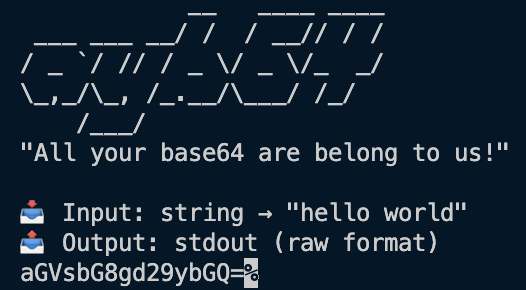
"All your base64 are belong to us!"

A modern, efficient, purpose-built CLI utility to convert any possible input file into a base64 string with comprehensive output options. Built with TypeScript and designed for both performance and developer experience.



Quick Navigation
🚀 Installation • 🎯 Quick Start • 🤖 MCP Server • 📖 Commands • 🎨 Output Formats • ⚡ Advanced Usage • 🔧 Troubleshooting • 🧪 API Reference
Features
✨ Modern & Fast - Built with TypeScript and optimized for performance
🔍 Smart Detection - Industry-leading MIME type detection via file-type + mime-types
📁 Versatile Input - Files, stdin, strings
🎨 Multiple Outputs - Raw, JSON, JS, TS, CSS, HTML, XML, YAML, Markdown
🔄 Bidirectional - Both encoding and decoding support
🛡️ Robust - Comprehensive error handling and validation
📊 Metadata - File information, hashing, and processing stats
🎯 Data URIs - Generate data URIs with proper MIME types
🌍 Cross-Platform - macOS, Linux, Windows, Docker, Cloud ready
Why Choose ayb64?
While basic base64 tools simply convert files to strings, ayb64 provides a complete modern solution:
🎨 8 Output Formats - Raw, JSON, JavaScript, TypeScript, CSS, HTML, XML, YAML, Markdown
🤖 AI Integration - Built-in MCP server with memory and job recall for AI workflows
🔍 Smart Detection - Industry-leading MIME type detection (100+ file types)
📋 Rich Metadata - File info, hashing, processing stats, timestamps
🎯 Web-Ready - Generate data URIs for immediate use in web development
⚡ Performance - TypeScript-built with optimized memory usage and benchmarked speed
🔄 Versatile Input - Files, stdin, strings with automatic detection
🛡️ Production Ready - Comprehensive error handling, validation, and testing
📊 Developer Experience - Modern CLI with helpful output and examples
Perfect for developers who need more than just basic file-to-base64 conversion.
Installation
Global Installation (Recommended)
npm install -g ayb64
Local Installation
npm install ayb64
Using npx (No Installation)
npx ayb64 --help
# or use the shorter command
npx ayb64 --help
Quick Start
# Encode a file
ayb64 encode myfile.jpg

# Encode with wrapped output
ayb64 encode myfile.jpg --wrap 76

# Generate data URI
ayb64 encode image.png --data-uri

# Output to file with metadata
ayb64 encode document.pdf -o output.b64 --metadata

# Decode base64 back to file
ayb64 decode SGVsbG8sIFdvcmxkIQ== -o hello.txt

# Pipe from stdin
echo "Hello, World!" | ayb64 encode

# Get file information
ayb64 info myfile.jpg --json
MCP Server for AI Agents
All Your Base64 includes a powerful Model Context Protocol (MCP) server optimized for AI agents and coding tasks. The MCP server provides memory, job recall, checksums for change detection, and specialized tools for AI workflows.
MCP Server Features
🧠 Smart Memory - LRU cache with job recall by ID
🔍 Change Detection - SHA256 checksums detect file modifications
🤖 AI Optimized - Tools designed for coding and development workflows
📋 Job History - Track and recall previous encoding operations
🔗 Data URIs - Generate web-ready data URIs for images and assets
⚡ Performance - Lightweight, extensible, and robust
MCP Server Tools
encode- Encode files/data with format options and job trackingdecode- Decode base64 with auto-detection and file outputrecall- Retrieve previous jobs by ID with full contextjobs- List recent operations with metadatadatauri- Generate data URIs optimized for web developmentmemory- Manage job cache (stats, clear)
Using the MCP Server
Start the MCP Server
# Using the CLI command (recommended)
ayb64 mcp

# Direct binary
ayb64-mcp

# Development mode
npm run mcp

# Or via npx with source
npx tsx src/mcp-server.ts
Configure in Your MCP Client
VS Code/Cursor/Cline (add to mcp.json):
{
  "mcpServers": {
    "ayb64": {
      "command": "ayb64",
      "args": ["mcp"]
    }
  }
}
Claude Desktop:
{
  "mcpServers": {
    "ayb64": {
      "command": "ayb64-mcp"
    }
  }
}
Example MCP Workflows
Encode an image for web use:
Tool: encode
Input: {
  "data": "/path/to/logo.png",
  "isFile": true,
  "format": "js",
  "dataUri": true
}
Output: Job ID + JavaScript const with data URI
Recall a previous job:
Tool: recall
Input: {"jobId": "job_1234567890_abc123"}
Output: Full original result with metadata
Generate data URI for CSS:
Tool: datauri
Input: {"input": "/path/to/background.jpg"}
Output: data:image/jpeg;base64,... (ready for CSS)
Commands
encode / e
Convert input to base64 format.
ayb64 encode [input] [options]
Arguments:
input- Input file path (use-for stdin)
Options:
-o, --output <path>- Output file path (default: stdout)-f, --format <format>- Output format: raw, json, js, ts, css, html, xml, yaml, md-w, --wrap <columns>- Wrap base64 output at specified column width-d, --data-uri- Generate data URI with MIME type-m, --metadata- Include file metadata in output--no-mime- Disable MIME type detection--quiet- Suppress non-essential output
decode / d
Decode base64 input back to original format.
ayb64 decode [input] [options]
Arguments:
input- Input file path or base64 string (use-for stdin)
Options:
-o, --output <path>- Output file path (default: stdout)-m, --metadata- Show metadata if available--quiet- Suppress non-essential output
info / i
Display file information and metadata without conversion.
ayb64 info <input> [options]
Arguments:
input- Input file path
Options:
-j, --json- Output as JSON
mcp
Start the Model Context Protocol server for AI agents.
ayb64 mcp
This command starts the MCP server which provides base64 conversion tools optimized for AI agents and coding workflows. The server includes memory, job recall, checksums, and specialized tools.
No options - The MCP server runs as a standalone process communicating via stdio.
batch / b
Process multiple files in batch (coming soon).
ayb64 batch <pattern> [options]
Output Formats
Raw Format (default)
ayb64 encode file.txt
# SGVsbG8sIFdvcmxkIQ==
JSON Format
ayb64 encode file.txt --format json --metadata
{
  "data": "SGVsbG8sIFdvcmxkIQ==",
  "size": 22,
  "metadata": {
    "filename": "file.txt",
    "mimeType": "text/plain",
    "size": 13,
    "hash": "abc123...",
    "processingTime": 2
  }
}
JavaScript/TypeScript Module
ayb64 encode file.txt --format js --metadata
const base64Data = 'SGVsbG8sIFdvcmxkIQ==';

const metadata = {
  filename: 'file.txt',
  mimeType: 'text/plain',
  size: 13,
};

module.exports = { base64Data, metadata };
Data URI
ayb64 encode image.png --data-uri
# data:image/png;base64,iVBORw0KGgoAAAANSUhEUgAA...
HTML Document
ayb64 encode file.txt --format html --metadata
<!DOCTYPE html>
<html lang="en">
  <head>
    <meta charset="UTF-8" />
    <title>Base64 Data</title>
  </head>
  <body>
    <div class="base64-data" data-content="SGVsbG8sIFdvcmxkIQ=="></div>
    <div class="metadata">
      <h3>File Information</h3>
      <p><strong>Filename:</strong> file.txt</p>
      <p><strong>MIME Type:</strong> text/plain</p>
      <p><strong>Size:</strong> 13 bytes</p>
    </div>
  </body>
</html>
CSS Custom Properties
ayb64 encode file.txt --format css
.base64-data {
  --base64-content: 'SGVsbG8sIFdvcmxkIQ==';
}

.base64-data::before {
  content: var(--base64-content);
}
Advanced Usage
Line Wrapping
Wrap base64 output for better readability:
ayb64 encode file.txt --wrap 64    # 64 characters per line
ayb64 encode file.txt --wrap 76    # RFC 2045 compliant
Processing Multiple Files
# Using shell globbing
for file in *.jpg; do
  ayb64 encode "$file" -o "${file}.b64"
done

# Using find
find . -name "*.png" -exec ayb64 encode {} -o {}.b64 \;
Piping and Redirection
# Pipe from curl
curl -s https://example.com/image.jpg | ayb64 encode --data-uri

# Chain operations
ayb64 encode file.txt | ayb64 decode -o restored.txt

# Use with other tools
base64 -d encoded.txt | ayb64 encode --format json
Error Handling
All Your Base64 provides comprehensive error handling with helpful suggestions:
$ ayb64 encode nonexistent.txt
Error: File not found: nonexistent.txt
Suggestions:
  • Check that the file path is correct
  • Ensure the file exists
  Path: nonexistent.txt
Common error types:
- File not found - Check file path and permissions
- Invalid base64 - Verify input format when decoding
- Permission denied - Check file/directory permissions
- Invalid format - Use
--helpto see supported formats
API Reference
File Information Output
When using --metadata, you'll get comprehensive file inf
README truncated. View full README on GitHub.
Alternatives



Related Skills
Browse all skillsIntegrate Granola meeting notes into your local development workflow. Use when setting up development workflows, accessing notes programmatically, or syncing meeting outcomes with project tools. Trigger with phrases like "granola dev workflow", "granola development", "granola local setup", "granola developer", "granola coding workflow".
A semantic grep-like search tool for your local files. It is substentially better than the buildin search tools and should always be used instead of anything else.
Answer questions about the AI SDK and help build AI-powered features. Use when developers: (1) Ask about AI SDK functions like generateText, streamText, ToolLoopAgent, embed, or tools, (2) Want to build AI agents, chatbots, RAG systems, or text generation features, (3) Have questions about AI providers (OpenAI, Anthropic, Google, etc.), streaming, tool calling, structured output, or embeddings, (4) Use React hooks like useChat or useCompletion. Triggers on: "AI SDK", "Vercel AI SDK", "generateText", "streamText", "add AI to my app", "build an agent", "tool calling", "structured output", "useChat".
Analyzes your recent Claude Code chat history to identify coding patterns, development gaps, and areas for improvement, curates relevant learning resources from HackerNews, and automatically sends a personalized growth report to your Slack DMs.
Security audit and validation tools for the Agent Skills ecosystem. Scan skill packages for common vulnerabilities like credential leaks, unauthorized file access, and Git history secrets. Use when you need to audit skills for security before installation, validate skill packages against Agent Skills standards, or ensure your skills follow best practices.
CCXT cryptocurrency exchange library for TypeScript and JavaScript developers (Node.js and browser). Covers both REST API (standard) and WebSocket API (real-time). Helps install CCXT, connect to exchanges, fetch market data, place orders, stream live tickers/orderbooks, handle authentication, and manage errors. Use when working with crypto exchanges in TypeScript/JavaScript projects, trading bots, arbitrage systems, or portfolio management tools. Includes both REST and WebSocket examples.