
Figma Context
Connects AI coding tools like Cursor directly to your Figma files, providing clean design data that enables accurate one-shot code generation from designs.
Unlock seamless design-to-code with Framelink Figma MCP Server, letting AI coding tools access your Figma files directly. It simplifies Figma API data to supply only relevant design layouts and styles, boosting AI accuracy in implementing designs across frameworks. Specifically built for use with tools like Cursor, it transforms design metadata into precise code in one step. This server streamlines the workflow by providing clean, focused context, enabling faster and more reliable design-driven development. Enjoy a powerful bridge between design and coding that enhances productivity and code quality with minimal fuss.
What it does
- Access Figma file data through AI coding tools
- Extract design layouts and styles from Figma
- Generate code from Figma designs in any framework
- Simplify Figma API data for AI consumption
Best for
About Figma Context
Figma Context is a community-built MCP server published by GLips that provides AI assistants with tools and capabilities via the Model Context Protocol. Unlock seamless Figma to code: streamline Figma to HTML with Framelink MCP Server for fast, accurate design-to-code workflows. It is categorized under developer tools, design.
How to install
You can install Figma Context in your AI client of choice. Use the install panel on this page to get one-click setup for Cursor, Claude Desktop, VS Code, and other MCP-compatible clients. This server runs locally on your machine via the stdio transport.
License
Figma Context is released under the MIT license. This is a permissive open-source license, meaning you can freely use, modify, and distribute the software.
Framelink MCP for Figma
Give your coding agent access to your Figma data.
Implement designs in any framework in one-shot.



Give Cursor and other AI-powered coding tools access to your Figma files with this Model Context Protocol server.
When Cursor has access to Figma design data, it's way better at one-shotting designs accurately than alternative approaches like pasting screenshots.
See quickstart instructions →
Demo
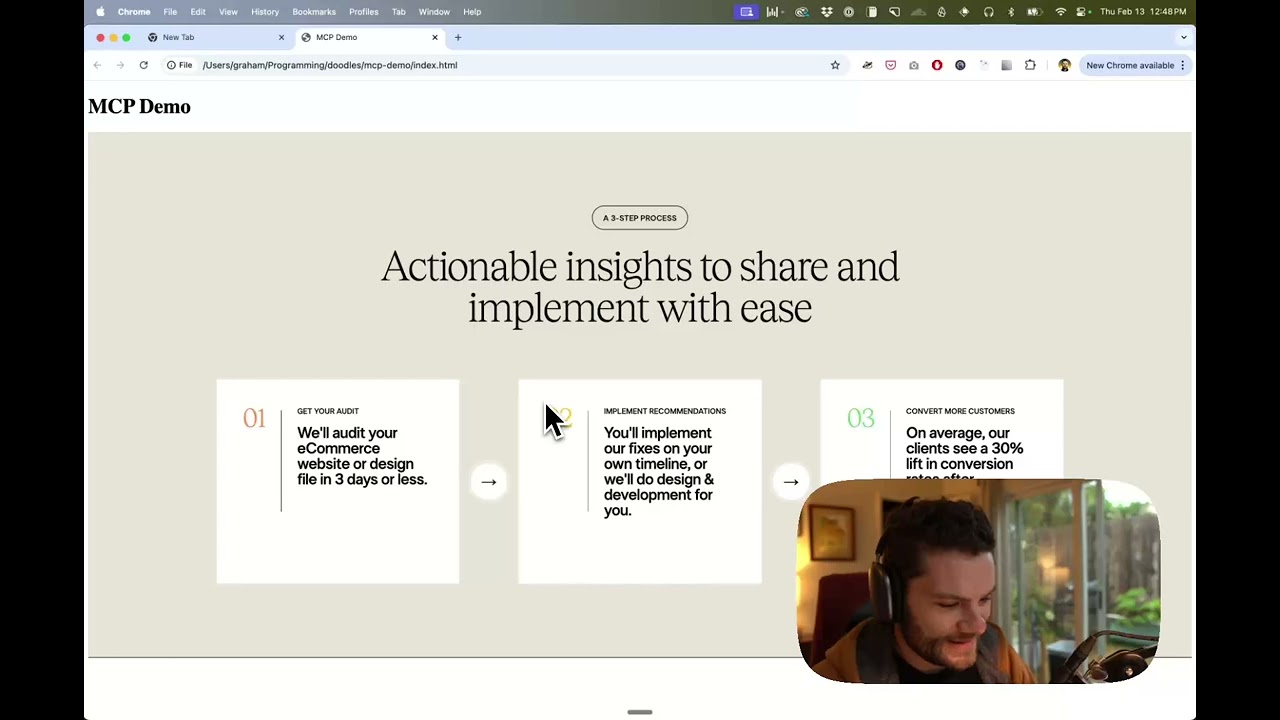
Watch a demo of building a UI in Cursor with Figma design data
How it works
- Open your IDE's chat (e.g. agent mode in Cursor).
- Paste a link to a Figma file, frame, or group.
- Ask Cursor to do something with the Figma file—e.g. implement the design.
- Cursor will fetch the relevant metadata from Figma and use it to write your code.
This MCP server is specifically designed for use with Cursor. Before responding with context from the Figma API, it simplifies and translates the response so only the most relevant layout and styling information is provided to the model.
Reducing the amount of context provided to the model helps make the AI more accurate and the responses more relevant.
Getting Started
Many code editors and other AI clients use a configuration file to manage MCP servers.
The figma-developer-mcp server can be configured by adding the following to your configuration file.
NOTE: You will need to create a Figma access token to use this server. Instructions on how to create a Figma API access token can be found here.
MacOS / Linux
{
  "mcpServers": {
    "Framelink MCP for Figma": {
      "command": "npx",
      "args": ["-y", "figma-developer-mcp", "--figma-api-key=YOUR-KEY", "--stdio"]
    }
  }
}
Windows
{
  "mcpServers": {
    "Framelink MCP for Figma": {
      "command": "cmd",
      "args": ["/c", "npx", "-y", "figma-developer-mcp", "--figma-api-key=YOUR-KEY", "--stdio"]
    }
  }
}
Or you can set FIGMA_API_KEY and PORT in the env field.
If you need more information on how to configure the Framelink MCP for Figma, see the Framelink docs.
Star History
Learn More
The Framelink MCP for Figma is simple but powerful. Get the most out of it by learning more at the Framelink site.
Alternatives



Related Skills
Browse all skillsContext-aware routing to the Anytype iOS design system including icons, typography, colors, and spacing. Use when working with Figma-to-code translation, design assets, or UI components.
Guide for creating high-quality MCP (Model Context Protocol) servers that enable LLMs to interact with external services through well-designed tools. Use when building MCP servers to integrate external APIs or services, whether in Python (FastMCP) or Node/TypeScript (MCP SDK).
UI design system toolkit for Senior UI Designer including design token generation, component documentation, responsive design calculations, and developer handoff tools. Use for creating design systems, maintaining visual consistency, and facilitating design-dev collaboration.
Use the Figma MCP server to fetch design context, screenshots, variables, and assets from Figma, and to translate Figma nodes into production code. Trigger when a task involves Figma URLs, node IDs, design-to-code implementation, or Figma MCP setup and troubleshooting.
Translate Figma nodes into production-ready code with 1:1 visual fidelity using the Figma MCP workflow (design context, screenshots, assets, and project-convention translation). Trigger when the user provides Figma URLs or node IDs, or asks to implement designs or components that must match Figma specs. Requires a working Figma MCP server connection.
Automate Figma tasks via Rube MCP (Composio): files, components, design tokens, comments, exports. Always search tools first for current schemas.