
Markdown to PDF
Converts Markdown documents to PDF format using Lightning Network micropayments, providing high-quality LaTeX-powered output without requiring sign-ups or API keys.
Converts Markdown documents to PDF format using Lightning Network micropayments, handling payment flows with QR codes and returning downloadable PDF URLs for pay-per-use document conversion.
What it does
- Convert Markdown documents to PDF format
- Process payments via Lightning Network
- Generate LaTeX-powered high-quality PDFs
- Handle QR code payment flows
- Return downloadable PDF URLs
Best for
About Markdown to PDF
Markdown to PDF is a community-built MCP server published by serendipity-ai that provides AI assistants with tools and capabilities via the Model Context Protocol. Easily convert Markdown to PDF using Lightning Network micropayments. Pay per document with QR codes and get a downloadable PDF instantly. It is categorized under productivity. This server exposes 1 tool that AI clients can invoke during conversations and coding sessions.
How to install
You can install Markdown to PDF in your AI client of choice. Use the install panel on this page to get one-click setup for Cursor, Claude Desktop, VS Code, and other MCP-compatible clients. This server runs locally on your machine via the stdio transport.
License
Markdown to PDF is released under the MIT license. This is a permissive open-source license, meaning you can freely use, modify, and distribute the software.
Tools (1)
Convert markdown to PDF, and pay with Lightning
markdown2pdf-mcp
⚡ Markdown to PDF conversion, for agents. ⚡
Agents speak Markdown. Humans prefer PDF. We bridge the gap for the final stage of your agentic workflow. No sign-ups, no credit cards, just sats for bytes.
Read the full documentation at markdown2pdf.ai
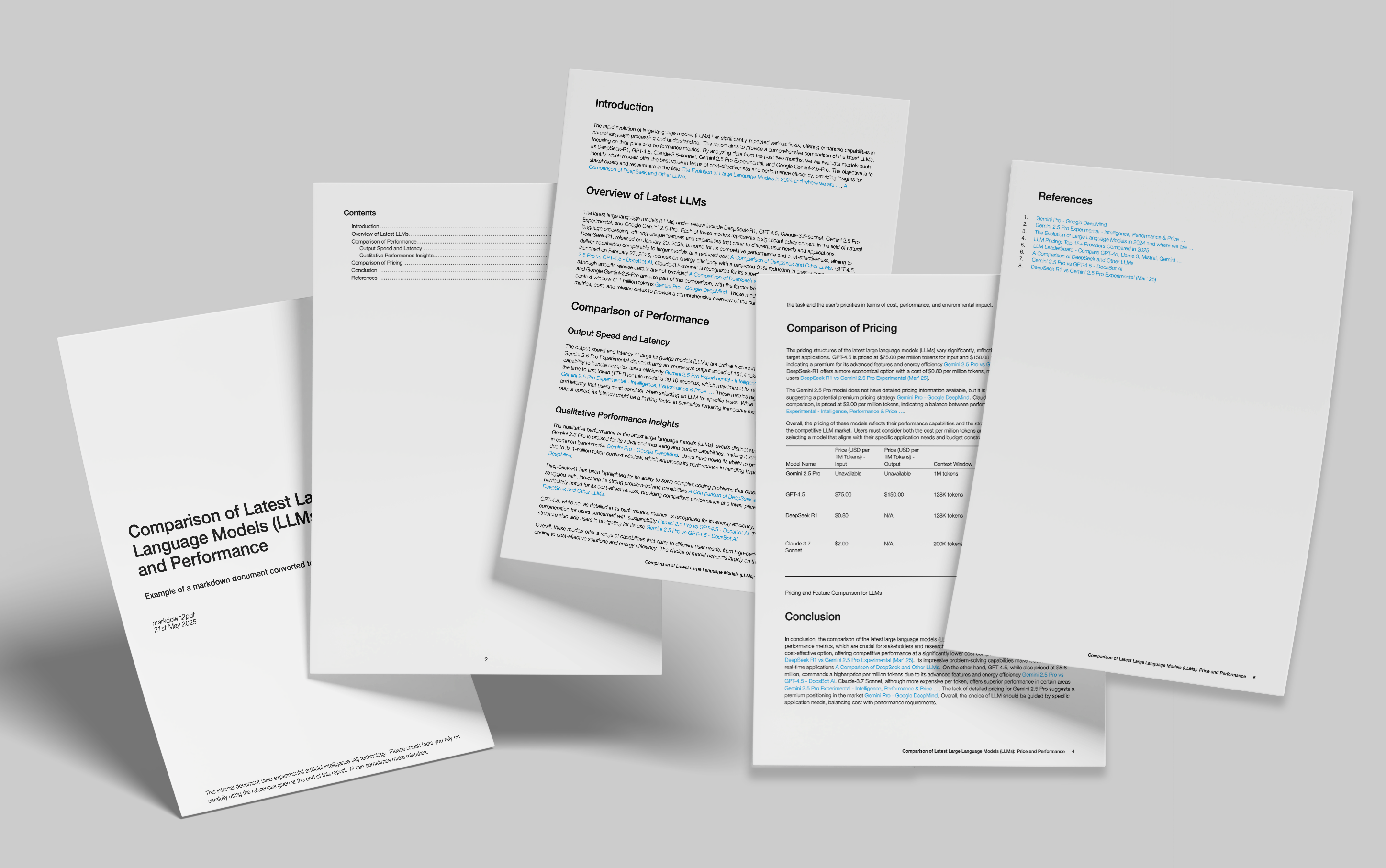
Here’s the output of a markdown file converted to PDF format, showing cover page, table of contents and table support. Our engine is powered by LaTeX rather than HTML to PDF conversion as many other libraries and services use, which results in a much higher quality, print-ready output.
This package provides MCP server support for clients such as Claude Desktop. You can read full instructions on how to configure Claude in our documentation.
Quickstart
Just drop the following into your Claude Desktop configuration file.
"mcpServers": {

    "markdown2pdf": {
      "command":"npx",
      "args": ["@serendipityai/markdown2pdf-mcp"],
      "cwd": "~"
    }
}
Once you've done that, try asking Claude:
Generate some lorem ipsum in markdown format and then make a PDF out of it
Alternatives




Related Skills
Browse all skillsConvert entire PDF documents to clean, structured Markdown for full context loading. Use this skill when the user wants to extract ALL text from a PDF into context (not grep/search), when discussing or analyzing PDF content in full, when the user mentions "load the whole PDF", "bring the PDF into context", "read the entire PDF", or when partial extraction/grepping would miss important context. This is the preferred method for PDF text extraction over page-by-page or grep approaches.
Conduct comprehensive, systematic literature reviews using multiple academic databases (PubMed, arXiv, bioRxiv, Semantic Scholar, etc.). This skill should be used when conducting systematic literature reviews, meta-analyses, research synthesis, or comprehensive literature searches across biomedical, scientific, and technical domains. Creates professionally formatted markdown documents and PDFs with verified citations in multiple citation styles (APA, Nature, Vancouver, etc.).
Convert various file formats (PDF, Office documents, images, audio, web content, structured data) to Markdown optimized for LLM processing. Use when converting documents to markdown, extracting text from PDFs/Office files, transcribing audio, performing OCR on images, extracting YouTube transcripts, or processing batches of files. Supports 20+ formats including DOCX, XLSX, PPTX, PDF, HTML, EPUB, CSV, JSON, images with OCR, and audio with transcription.
Create professional resumes and CVs. Generate ATS-friendly formats, optimize bullet points, tailor for specific jobs, and export to multiple formats (Markdown, HTML, LaTeX, PDF).
Extract text from PDF files, translate it to a target language, and save the result as a Markdown file. Use this skill when the user wants to translate a PDF document.
Convert PDF documents to Markdown using marker_single. Use when Claude needs to extract text content from PDFs while preserving LaTeX formulas, equations, and document structure. Ideal for academic papers and technical documents containing mathematical notation.